# Getting Started
> Sign up, work through onboarding, and land in your workspace with a checklist of what to do first.
The video above covers the whole path in — creating an account, working through onboarding, and arriving at the checklist that sets up your workspace. This page is the written version, and each of the six checklist steps has a guide of its own.
## Sign up
Go to [generalinput.com](https://www.generalinput.com) and click **Start
free trial** in the top right.
Sign up with email or with Google. Email sign-ups confirm a code before
continuing.
You can also sign in with Google to skip the password step.
## Create your workspace
Add a workspace icon and enter a workspace name, usually your business name.
The URL slug auto-fills from the name. Edit it if you want a shorter or
different one.
Click **Continue**. The workspace is created and onboarding moves to the
next step.
Joining someone else's workspace from an invite? You skip the workspace and
plan steps and pick up at **Role**.
## Work through onboarding
A progress bar across the top shows where you are. Each step is short, and everything here can be changed later in settings.
- **Plan** — Free, Team, or Enterprise. Team is the one to pick if you want to properly try the platform: up to ten users and enough credits to build something real. You can start on Free and upgrade whenever.
- **Background** — your website, then what your company does. Your agents use this as standing context, so it is worth a real answer rather than a placeholder. Click the microphone and say it out loud if that is faster.
- **Role** — what you personally work on, which shapes what gets suggested to you.
- **Connect** — authorize your first integrations. Most are one-click; the rest take an API key and come with a setup guide. Whatever you connect here is immediately available to every agent.
- **Model** — which AI you prefer. There is an _I don't care_ option at the bottom if you would rather not choose, and you can change it later.
Background and Role are the two steps people rush and later wish they had not.
Everything an agent writes on your behalf reads better when it knows who it is
writing for.
## Land on the checklist
The final onboarding step hands you the **Getting started** checklist. Pick whichever item you want to do first and it takes you straight to the right page, so you leave onboarding having actually built something rather than staring at an empty workspace.
The same checklist lives in the bottom-left of the sidebar from then on. It ticks each step off on its own as you do the work, so you can leave and come back to it.
## The six steps
**[Connect an integration](/getting-started/connect-an-integration)** —
authorize Gmail, Slack, Notion, your CRM, or any of 500+ services so your
agents can act on your behalf.
**[Install Token Tunnel](/getting-started/install-token-tunnel)** — run
automations on the ChatGPT, Claude, Gemini, and Grok plans you already pay
for.
**[Build a skill](/getting-started/create-a-skill)** — teach your agents a
repeatable procedure they can reuse everywhere.
**[Chat with your systems](/getting-started/chat-with-your-systems)** — ask
questions in plain English against every tool you have connected.
**[Build your first workflow](/getting-started/build-your-first-workflow)**
— describe an automation and let the author build, schedule, and run it.
**[Build an app](/getting-started/build-an-app)** — turn a workflow's output
into a dashboard or internal tool with its own interface.
## Invite your team (optional)
Open **Members** from the sidebar.
Click **Invite member**. Enter their email and pick a role: Owner, Admin, or
Member.
Most invitees should be Members. Reserve Admin for people who manage the
platform itself.
## More guides
Beyond the six steps:
- Fastest path to something working: [Build from a prompt](/getting-started/build-from-a-prompt).
- Need branded consent screens or a service outside our catalog: [Connect a custom OAuth integration](/getting-started/connect-custom-oauth-integration).
- Working a site that has no API, like LinkedIn: [Automate a site in a browser](/getting-started/browser-automation).
---
# Connect an integration
> Authorize an outside service with 1-click OAuth or an API key so your agents can act on your behalf.
Every workflow needs credentials. Use **1-click OAuth** for the popular services in our catalog, or an **API key** for everything else.
## OAuth vs API key
- **OAuth** is per-user and refreshes automatically. Use it whenever available.
- **API keys** are service-account style. Use them when OAuth is not an option.
When in doubt, OAuth. You can switch to API keys later if needed.
## 1-click OAuth
Open **Integrations** from the sidebar and search for the service.
Click **Connect**, sign in, and approve the requested scopes.
The credential is saved and ready to use in any workflow.
Rename the credential if you plan to connect multiple accounts of the same
service.
## API key
Find the service on the **Integrations** page. Non-OAuth services show an
API key form.
Generate a key in the provider's console, paste it into our form, and click
**Save**.
Treat API keys like passwords. Rotate them periodically and revoke from
General Input when you rotate the source.
## Share with your team
Open the credential and click **Share**.
Share with the whole workspace, specific people, or keep it private.
When a workflow uses a shared credential, the workflow runs as the
credential's owner, not the workflow's runner.
---
# Install Token Tunnel
> Run your automations on the ChatGPT, Claude, Gemini, and Grok plans you already pay for, from your own computer.
Token Tunnel lets General Input run on the AI subscriptions you already have. You install [General Input Desktop](/token-tunnel/download), sign into your providers inside the app, and those models show up everywhere in General Input, at no extra cost.
## Why bother
Most automation tools bill you per run against their own metered API keys. Token Tunnel routes the work through the plan you already pay for instead.
- **No extra cost.** Runs go against your ChatGPT, Claude, Gemini, or Grok subscription rather than metered credits.
- **Your logins stay yours.** You sign into each provider inside the app, on your own computer. General Input never sees, stores, or shares those credentials.
- **Nothing technical to configure.** No API keys to create, no settings to get right. The app keeps itself up to date.
You can connect one provider or all four. Each one you add shows up as a model
option across the product.
## Install the app
Download **General Input Desktop** from the [download
page](/token-tunnel/download). On a Mac, drag it into your Applications
folder and open it. It is free and auto-updates.
Click **Sign in to General Input**. That links the desktop app to your
workspace.
Open **Token Tunnel** in the left sidebar of the desktop app, then sign in
to **ChatGPT**, **Claude**, **Gemini**, or **Grok** the same way you would
sign into a website. Each account and its tier appears once connected.
## Use your models
Once a provider is connected, its models appear in the model picker across General Input, alongside the hosted options. Pick one in any chat, workflow, or app and it runs through your own computer.
There is nothing to switch on. If you would rather a particular automation stay on hosted models, just pick a hosted model for it.
## When your computer is off
Your machine has to be awake for these models to answer. If it is asleep or offline, General Input tells you so rather than quietly falling back to a metered cloud model and charging you for it.
Turn the computer back on and the models are available again. Nothing needs reconnecting.
For automations that run on a schedule overnight, pick a hosted model so a
sleeping laptop never stalls the run.
## What's next
With a model in place, the next step is teaching your agents a repeatable procedure. Head to [Build a skill](/getting-started/create-a-skill).
---
# Build a skill
> Teach your agents a repeatable procedure they can load whenever the task calls for it.
A skill is a reusable set of instructions an agent can load on demand: your reporting format, your QA checklist, the exact steps for a monthly close. Write it once and every agent in the workspace can use it.
## Create the skill
Open **Skills** in the sidebar and click **New**.
Describe what the skill should teach an agent to do: the task, any
conventions to follow, and the steps or resources an agent should use. The
more detail, the better.
Confirm, pick a model, and the author agent drafts the skill for you.
Skills work best for procedures you repeat: "how we write release notes," "how
to triage a support ticket," "our brand voice." One skill per procedure beats
one giant skill for everything.
## Refine it
Review the draft on the skill page and ask the author agent in chat to
tighten or extend it.
Skills are versioned. Open **Version history** from the skill menu to
compare drafts or roll back.
## Use it
In any chat, type **@** and mention the skill to have Geni use it right
away. The skill page also has a **Use this skill in a chat** shortcut.
Leave the skill **Enabled** and agents discover it on their own: whenever a
task matches the skill's description, they load it automatically. Disable it
to take it out of circulation without deleting it.
Check the **Platform Skills** tab for ready-made skills we maintain, and share
your own skills with teammates from the skill page.
## Import an existing skill
Already have skills written elsewhere? Click **Upload** on the Skills page and drop in a `.zip` of a folder containing a `SKILL.md` file. The standard agent-skill format works as-is.
---
# Chat with your systems
> Ask questions in plain English and let your assistant read from and write to every tool you have connected.
Chat is the conversational surface inside General Input. Ask in plain English, watch it call the right APIs across your connected tools, and review what it did before anything lands.
Because it runs on the integrations you authorized, it is not answering from a stale copy of your data. It reads live from the source.
## Start a conversation
Click **Chat** in the sidebar. Your past conversations are listed on the
left; click **New chat** to start a fresh one.
Pick a model from the model selector. Fast models for simple lookups,
smarter models for nuanced reasoning. Some models also let you pick a
reasoning effort.
Type your request and hit **Enter**. The assistant shows its reasoning and
tool calls inline as it works.
Be specific about inputs and the desired output. "Last 5 Stripe payouts as a
Slack summary in #finance" beats "tell me about Stripe."
## Write a good request
The difference between a vague answer and a useful one is usually in the ask. Three things to include:
- **The source.** Which tool the data lives in, and which account, sheet, board, or channel.
- **The filter.** A time range, a status, an owner. Anything that narrows it.
- **The output.** A table, a Slack message, a row appended to a sheet, a draft email.
Type **@** to mention a skill, workflow, or file so it uses exactly the resource you mean. Prefer talking? Click the microphone in the input to dictate your request.
## Review before it acts
Anything that writes to a connected tool surfaces for approval first. You see what is about to happen and approve or reject it, so a misread request never silently sends an email or edits a record.
Reads generally run without a prompt; writes ask. If you would rather an agent
never touch a given service, disconnect it or scope its credential down to
read-only.
## Turn a chat into a workflow
Once a conversation does something worth repeating, ask for it to be saved as a workflow. The same steps become a reproducible automation you can schedule or trigger.
Ask for the conversation to be turned into a workflow.
Clean workflows come from clean conversations. Run a tidy version of the
request once before saving it.
## What's next
Ready to make it repeatable and scheduled? Head to [Build your first workflow](/getting-started/build-your-first-workflow).
---
# Build your first workflow
> Describe an automation and let the workflow author build, schedule, and run it for you.
The workflow wizard walks you through a few quick choices. You describe what you want; the author agent drafts it.
## Pick a workflow type
Open **Workflows** in the sidebar and click **New Workflow** (or pick **Workflow** from the **New** menu on the Hub). Then pick **Deterministic Code** or **Agentic Task**.
When in doubt, pick Deterministic Code. Cheaper, faster, easier to debug.
Switch to Agentic Task only when the path is genuinely unpredictable
(research, judgment, fuzzy classification).
## Pick a trigger
Choose what fires the workflow: a schedule, a webhook, a new email, a new Slack message, and so on.
## Describe the goal
Tell the author agent what the workflow should accomplish and how. Be specific about inputs, action, and output format. You can also click the microphone and dictate it.
"Post a Slack summary in #finance every Monday with last week's Stripe
payouts" beats "weekly Stripe summary."
## (Agent only) Configure the agent
Pick a model and, for models that support it, a reasoning effort. Fast
models for triage and lookups, smarter models for nuanced reasoning.
Optionally turn on **Pause for human input** and write the instructions for
when the agent should stop and ask for approval.
Less is more with agents. Five well-chosen tools beats 30. Models get
distracted by options they don't need.
## Review and build
Confirm the choices on the final step. Click **Create workflow** and the author agent drafts it for you.
## Refine, test, and enable
Connect any credentials the workflow needs. Click a credential chip in the
workflow document and pick or add an account.
Ask Geni in chat to add, remove, or rewrite steps until it does what you
want.
Click **Launch** to test manually. Watch the execution timeline to confirm
each step did the right thing.
Flip the toggle from **Disabled** to **Enabled**. Runs stream into the
**Executions** tab.
Workflows are versioned. Open **Versions** from the workflow menu to roll back
if a save breaks something.
---
# Build an app
> Describe a dashboard or internal tool and the author agent builds it on your live data.
Apps are live dashboards and internal tools built on your connected data: a revenue overview, a support queue, an approvals tool. Describe what you want and the author agent designs and builds it.
## Create the app
Open **Apps** in the sidebar and click **New** (or pick **App** from the
**New** menu on the Hub).
Pick an app type: **Display only** to read and present data, or
**Interactive** for buttons, forms, actions, and exports.
Describe the app in as much detail as you can: what it shows, where the data
comes from, and any actions people should be able to take. You can also
click the microphone and dictate it.
Confirm, pick a model, and click **Create app**. The author agent builds the
first version; you can watch its progress in the chat panel.
Name real sources. "A dashboard of open Stripe disputes with a button to post
each one to #payments" beats "a payments dashboard."
## Refine it
Use the chat panel next to the app to ask for changes: new charts, different
filters, another data source, layout tweaks.
Connect any accounts the app needs from the **Integrations** tab.
Apps are versioned. Open **Versions** from the app menu to roll back, or
**Make a copy** to fork one and experiment safely.
## Share and audit
Click **Private** in the app header to open sharing and give teammates
access. They use the app directly, no setup on their side.
The **Requests** tab logs every data read and action the app performs, so
you can audit exactly what it did.
An app's data access runs through its owner's connected accounts. Share
accordingly: everyone you share with sees what the app can see.
---
# Embed agents in an app
> Add agents to an app you built. They launch from the interface, inherit its connections and context, and put the result back where you work.
Apps present your data; embedded agents act on it. An embedded agent lives inside an app you built: it launches from a button in the interface, inherits the app's connected systems and the record you're looking at, and delivers its result back into the page. Where workflows run in the background on schedules and triggers, embedded agents work in line, while you watch.
The video builds one into a support queue app that unifies Zendesk, HubSpot, and a production database: a **Draft Reply** agent on every ticket that briefs the issue and writes a response you can send with one click.
## Add an agent
Open your app and start a new thread in the chat panel. If you don't have an
app yet, start with [Build an app](/getting-started/build-an-app).
Describe the agent: where it should appear, what context it should gather,
and what it should produce. From the video: "Add an agent visible on each
detail page. It should gather context from all the systems connected to this
application, plus my Gmail for past interactions, then give me a brief of
the issue and draft a response I can send to Zendesk in one click."
Submit and let the author agent build. A few minutes later the agent's
control is live in your interface.
Spell out placement, inputs, and output. "An agent on each ticket page that
reads Zendesk, HubSpot, and Gmail, then drafts a reply" beats "add an AI
assistant."
## Run it
Open a record and click the agent's button. Every launch asks you to confirm
before it starts.
The agent runs in place: it works through the connected systems with the
context of the record you launched it from, and the result lands in the
interface when it finishes.
Every embedded agent also shows up in the app's **Agents** tab: live activity while a run is going, the full run history, and the agent's instructions and settings. If a run pauses to ask you something, the tab shows **Needs input**.
Agent runs use the app owner's connected accounts. Anyone you share the app
with can launch them, and every run records who triggered it.
## Refine it
Ask for interface changes in the chat panel, like moving the agent's
response into its own tab in the detail view.
Tune the agent itself from the **Agents** tab: edit its instructions or
change its model, no rebuild needed. The next run picks up your edits.
One app can carry several agents. A support app might pair the reply drafter
with an investigator that digs into billing history, each launched from the
spot in the interface where its work starts.
---
# Build from a prompt
> Start from a ready-made template in our prompts library and customize from there.
Prompts are pre-written workflow templates. Pick one close to what you want, click **Create workflow**, and customize. Faster than starting from scratch.
## Browse the library
Open the [Prompts library](/prompts) and filter by integration or use case.
Inside the app, the same library lives under **Prompts** in the sidebar.
Open any prompt to see what it does and which credentials it needs.
Even prompts that aren't exactly what you need are useful starting points.
It's easier to delete steps than to write them from scratch.
## Create the workflow
Click **Create workflow** on the prompt. Sign in if prompted, then the prompt opens in the workflow editor pre-populated.
## Connect missing credentials
Each credential chip the prompt needs shows its connection state. Click any unconnected chip to authorize it inline.
## Customize and enable
Edit parameter chips to set defaults like channel names, recipients, or
filters.
Ask Geni in chat to add, remove, or rewrite steps.
Run manually once to verify, then add a trigger and enable.
---
# Connect a custom OAuth integration
> Bring your own OAuth app for branded consent, custom scopes, or services not in our catalog.
Custom OAuth lets you connect General Input to a service using your own OAuth app. Your branding on the consent screen, your scopes, and any provider that speaks OAuth 2.0.
This guide assumes you already have access to a provider's developer console
(Google Cloud, Slack API, GitHub Developer Settings, etc.). If you don't, ask
your IT team to help with the steps on the provider's side.
## When to use custom OAuth
- You want your company name and logo on the consent screen.
- You need scopes that aren't in our defaults.
- The service isn't in our 1-click catalog.
If none of these apply, use 1-click OAuth. Faster and we handle scope
upgrades.
## Set it up
Click your workspace name in the sidebar, choose **Settings**, and open
**Custom OAuth** under the **Workspace** section.
Search for the integration you want to connect and open it.
Follow the in-app guide to create an OAuth app in the provider's developer
console and grab the credentials.
Paste the `client_id` and `client_secret` back into our dialog, review the
scopes the connection will request, and save.
Click **Connect** to authorize the first connection. Your branding shows on
the provider's consent screen.
There is also a **Custom OAuth** section under **Personal** settings for
connections only you use. Workspace-level connections are shared with the
whole team.
---
# Automate a site in a browser
> Save a login once in a real browser, then have your agents work sites that have no API, like LinkedIn.
Some things have no API: a supplier portal, an internal tool, a site whose data isn't published anywhere else. For those, General Input gives your agents a real browser that is already signed in as you.
You sign in once, by hand, in a live browser window. The login is saved to a **browser profile**, and from then on any agent or workflow can open that profile and arrive already authenticated.
If you don't see **Browsers** in the sidebar, browser use isn't enabled for
your workspace yet. Get in touch and we'll turn it on.
## When to reach for it
The browser is the last resort, not the first. An integration or a plain HTTP call beats it on speed, cost, and reliability every time, and browser time is billed by the second.
- **Use an integration** when the service is in our catalog. Check [Connect an integration](/getting-started/connect-an-integration) first.
- **Use the browser** when there is no API, the API doesn't expose what you need, or the data only exists behind a login.
## Create a browser
Open **Browsers** from the sidebar and click **New browser**.
Give it a name you'll recognize later, like `LinkedIn` or `Supplier
portals`, and click **Create**.
A profile is a whole browser, not a single site. You can sign into as many sites as you like inside one profile, and agents reuse every login saved in it.
## Sign into LinkedIn
Click **Connect** on the profile. A live browser opens in the page, streamed
to you.
Navigate to LinkedIn and sign in exactly as you normally would, including
any two-factor prompt. You are typing into a real browser; nobody else sees
it.
Once you're through to the logged-in view, close the session. The cookies
stay with the profile.
The sign-in window has a hard deadline shown as a countdown, and activity does
not extend it. If it runs out mid-login, just connect again and pick up where
you left off.
Never give an agent your password. You sign in yourself, in this window, and
the agent only ever gets the saved session. If a login expires later, the
agent will tell you to reconnect rather than trying to sign in for you.
## Automate something on LinkedIn
With the login saved, describe the automation the same way you would any other. See [Build your first workflow](/getting-started/build-your-first-workflow) for the full walkthrough.
Start a new workflow and describe the job, naming the site and the browser
profile, for example: _"Every weekday at 8am, open LinkedIn with my LinkedIn
browser, collect the new posts from my feed that mention hiring, and send me
a Slack summary."_
The author builds it, opening the profile so the run starts signed in. Run
it once by hand and check the output.
Add the schedule or trigger you want and enable it.
Keep the browser step narrow. Getting the data out of the site and into a
sheet, a Slack message, or your CRM is cheaper and more reliable done with an
integration once the browser has handed the data over.
## Things worth knowing
- **One session at a time.** A profile is a single identity, so only one run can hold it at once. A second run waits or carries on without it.
- **Logins expire.** Sites sign you out eventually. When that happens the run stops and tells you to reconnect the profile — reconnect it the same way you set it up.
- **Billed by the second.** Browser runs cost more than API calls. Prefer a schedule that runs a few times a day over one that polls constantly.
## What's next
If the site you want does have an API but isn't in our catalog yet, [Connect a custom OAuth integration](/getting-started/connect-custom-oauth-integration) is usually the better path.
---
# General Input vs. Claude
> Claude is a brilliant assistant, and Cowork brings it to your desktop. General Input turns the same models into governed workflows that connect 500+ systems and run without you.
Claude is one of the most capable AI systems in the world, and in 2026 Anthropic has been pushing it well past the chat box. Claude Cowork puts an agent on your desktop with file access, scheduled tasks, and a plugin marketplace. Claude Managed Agents, now in public beta, adds multi-agent orchestration and webhooks for developers. The Claude 5 models themselves are exceptional at reasoning, writing, and code.
So the honest version of this comparison is not "chat app vs. automation platform" anymore. Anthropic is building automation too. The real difference is architectural: Claude's agent products are one lab's application, running one lab's models, licensed per seat, and centered on a person at a computer. General Input is a neutral automation layer that runs Claude models alongside two dozen others, connects to 500+ business systems, and treats a workflow as a governed, monitored, costed unit of production work that your whole team owns.
One more wrinkle that surprises people: the two products are complementary at the subscription level. General Input's Token Tunnel desktop app can use the Claude subscription you already pay for as the engine behind your General Input automations. You do not have to choose between "keep Claude" and "get automation."
## What Claude does well
- **The models.** Claude's frontier models are among the best available for deep reasoning, long documents, and code. General Input offers them too, and many of our users pick Claude models for their hardest steps.
- **Interactive knowledge work.** Brainstorming, drafting, analyzing a contract, debugging alongside you. For thinking out loud with an AI, Claude is the gold standard.
- **Cowork on the desktop.** File system access, recurring scheduled tasks, and a growing plugin marketplace (Slack, Canva, Figma, Box, Clay) make Cowork genuinely useful for personal productivity.
- **A maturing enterprise story.** Role-based access controls, spend limits, and usage analytics arrived for Cowork in 2026, and Managed Agents is Anthropic's play for production agents.
## How they compare
## Where they differ
### One lab's application vs. a neutral layer
Cowork, plugins, and Managed Agents are excellent, and they are also a strategy: they live inside Anthropic's application, run Anthropic's models, and deepen your dependence on one vendor's roadmap and pricing. That is a fine trade for personal productivity. It is a risky one for business process automation, where a workflow you build today should survive the next model generation, the next pricing change, and the next shift in which lab is ahead.
General Input is model-agnostic by design. The same workflow can run on Claude Opus 5 today, GPT-5.6 tomorrow, and an open-weights model like Kimi K3 or DeepSeek V4 next quarter, without being rebuilt. When the frontier moves, you move with it.
### An assistant's reach vs. an integration catalog
Cowork's plugin marketplace launched with a handful of well-built integrations, and MCP connectors extend it further if you wire them up. General Input ships 500+ integrations with managed OAuth, one-click connection, and 30,000+ documented operations behind a single control plane. When your workflow needs your CRM, your billing system, your support desk, and your data warehouse in one run, catalog depth is the difference between "works out of the box" and "works after an integration project."
### Governance built for teams
General Input treats every run as an auditable event: full execution history with inputs, outputs, timing, and cost, approval gates that pause a workflow until a person signs off, and workspace roles that control who can view, run, edit, or share each workflow and credential. The Agent Firewall goes further than any assistant can: each credential is scoped to the specific operations a workflow is allowed to call, read-only, write-only, or a single endpoint, and the policy is enforced outside the model's context, so a confused or manipulated model cannot exceed it.
### Your Claude subscription, working overtime
Token Tunnel, General Input's free desktop app, connects the AI subscriptions you already pay for, including Claude, to your General Input workspace. The model runs through your existing plan, so automations execute with no per-token platform markup. If your team already has Claude seats, that spend now covers your automation layer too.
## Pricing
With General Input you pay for what your automations actually use, and every run shows its cost broken down by step. With Claude you pay per person, which is simple for a team of chat users and hard to map to "what did this automated process cost us this month?"
## When to use Claude
Use Claude when a person is in the loop by definition: research, writing, analysis, coding sessions, and desktop tasks where Cowork's file access shines. If your need is a brilliant assistant for individuals, Claude is arguably the best there is, and nothing in General Input replaces that interactive experience.
## When to use General Input
- **The work spans systems.** One run that reads HubSpot, checks Postgres, drafts an email, and waits for a manager's approval before sending. Assistants help you do work; workflows do the work.
- **The work happens without you.** Webhook fires at 3am, workflow runs, humans only hear about it if approval is needed or something fails.
- **More than one person owns it.** Shared credentials with role-based access, workflows the whole team can see, run, and improve, and an audit trail an admin can actually export.
- **You refuse to bet the stack on one lab.** Nine providers, two dozen managed models, your own API keys, your existing subscriptions through Token Tunnel, or local models on your own hardware.
- **Compliance is in the room.** Approval gates, per-operation credential scoping, full audit logs, and on-prem deployment for regulated environments.
## FAQs
### Can General Input run Claude models?
Yes. Claude Opus 5, Sonnet 5, and Haiku 4.5 are in the managed model catalog, and you can also connect your own Anthropic API key or route your existing Claude subscription through Token Tunnel.
### Does Claude Cowork replace a workflow platform?
For personal automation it can cover a lot. For team automation it lacks a shared workflow library, per-run cost attribution, credential scoping enforced outside the model, and deployment options beyond Anthropic's cloud. Those are the gaps General Input fills.
### We already pay for Claude seats. Is General Input redundant?
No, and the two stack well: keep Claude for interactive work, and let Token Tunnel put the same subscription behind your General Input automations, so the marginal model cost of your workflows is zero.
## Better together
This is the rare comparison where "use both" is the literal architecture. Claude for thinking alongside you during the day. General Input for the governed workflows that run your operations around the clock, quite possibly powered by the same Claude subscription.
---
# General Input vs. Zapier
> Zapier connects more apps than anyone. General Input makes AI the engine, with per-run cost transparency, credential firewalling, model choice, and self-hosting Zapier can't match.
Zapier defined the category and it is still the biggest name in it. The catalog now spans roughly 9,000 apps, and the product has grown from "Zaps" into a bundled suite: Agents for AI teammates, Copilot for natural language building, Tables for data, Interfaces for internal tools, Canvas for process mapping, Forms, and Chatbots. For simple app-to-app plumbing with near-zero learning curve, Zapier remains the safe default.
But Zapier's move into AI has exposed the seams in its architecture. AI is priced as a surcharge on a task-based billing model: as of June 2026, AI steps consume tasks at a multiplier depending on the model tier you pick, up to five times the base rate for premium models. The platform is a collection of eight products acquired and built at different times, each with its own concepts to learn. And the fundamentals that matter once automation touches sensitive systems, per-run cost attribution, credential scoping enforced outside the model, and self-hosted deployment, are still missing.
General Input starts from the opposite end. It was built AI-native: you describe the workflow, the platform builds it, and the LLM is the engine rather than a billable add-on step. Every run shows its exact cost. Every credential is scoped to the operations a workflow actually needs. And when compliance requires it, the whole platform deploys on your infrastructure.
## What Zapier does well
- **Catalog breadth.** Roughly 9,000 apps. If an obscure tool has a public API, Zapier probably connects to it. This is the moat, and it is real.
- **Zero learning curve for simple Zaps.** "New row in Sheets, send a Slack message" takes two minutes and never breaks.
- **A mature ecosystem.** Templates, community, agencies, and a decade of documentation. You will never lack a tutorial.
- **The bundled suite.** Tables, Interfaces, and Forms let light internal tools live next to the automations that feed them.
## How they compare
## Where they differ
### The AI tax
Zapier's June 2026 pricing change made the economics of AI automation explicit: AI steps are billed by model tier, at one, three, or five times the task rate, on top of plans that already meter every step. A workflow that summarizes tickets with a premium model burns tasks five times faster than the same workflow moving data. Zapier even added a circuit breaker that pauses a Zap for approval when a single step consumes 75 tasks, which tells you how unpredictable run costs have become.
General Input's billing is the inverse: credits map directly to real usage ($25 buys 4,000 credits), and every execution shows exactly what it cost, broken down by model tokens, integration calls, and compute. There is no multiplier arithmetic, and if you want the model cost to be zero, Token Tunnel routes your existing AI subscriptions or local models into your workflows.
### One platform vs. eight products
Zapier's suite grew by accretion: Zaps, Agents, Copilot, Tables, Interfaces, Forms, Canvas, and Chatbots each have their own mental model, and AI agents live in a separate product with separate behavior from your Zaps. In General Input there is one system. App workflows, deterministic code workflows, and AI agents are three types of the same resource, built in the same chat, sharing the same credentials, permissions, execution history, and cost reporting. Skills let you package instructions once and reuse them across all of them, and Apps let you spin up interactive dashboards and tools from a prompt when a workflow needs a front end.
### Security posture
Zapier stores credentials and passes data through its cloud, full stop. General Input encrypts credentials, keeps them out of the model's context entirely, and adds the Agent Firewall: per-operation scoping so a workflow holding your Stripe key can refund but never create payouts, or read your CRM but never delete from it, enforced at the platform layer where a prompt injection cannot reach it. Every credential use is logged. For regulated teams, the entire platform deploys on-prem, which Zapier does not offer at any price.
### When the work needs judgment
Zapier's sweet spot is still the deterministic hop: event in App A, action in App B. The moment the middle of the workflow requires reading a document, making a decision, or writing something a customer will see, you are gluing AI steps onto a task pipeline. General Input was designed for exactly that middle: agents reason across tools mid-run, approval gates put a human before the irreversible step, and voice dictation and chat make building feel like delegating to a colleague rather than configuring a pipeline.
## Pricing
## When to use Zapier
If your automations are high-volume, deterministic, and app-to-app, and one of your tools is too obscure for anyone else's catalog, Zapier is hard to beat. Teams with hundreds of simple Zaps and no AI reasoning in the critical path have little reason to migrate.
## When to use General Input
- **AI is the point, not a step.** Workflows that read, decide, and write need a platform where the model is the engine and not a 5x surcharge.
- **Finance asks what automation costs.** Exact per-run cost, per-workflow attribution, and credit-based billing you can actually forecast.
- **Security reviews your stack.** Credential isolation from the model, per-operation firewall scoping, exportable audit logs, and on-prem deployment.
- **You want model leverage.** Swap between two dozen models from nine labs as the frontier moves, or plug in the subscriptions you already pay for.
- **One system, not eight.** Workflows, agents, code, skills, and apps in a single workspace with one permission model.
## FAQs
### Can General Input replace all my Zaps?
If a Zap touches one of the 500+ integrations General Input supports, yes, and rebuilding is usually as fast as pasting the Zap's description into the workflow builder. For very long-tail apps, keep those Zaps and let a webhook hand off to General Input for the AI-heavy part.
### Is 500+ integrations enough compared to 9,000?
The catalogs overlap where it matters: CRM, email, messaging, billing, databases, support, project management, and the systems mid-market teams actually run on. Zapier's long tail is real, but most teams' automation footprint fits comfortably inside 500 well-documented integrations, and General Input adds new ones weekly.
### Does General Input have an equivalent to Zapier Agents?
Yes, agents are a first-class workflow type, not a separate product. They share credentials, monitoring, approvals, and cost reporting with every other workflow in your workspace.
## Better together
Plenty of teams run both: Zapier for the long tail of simple triggers, General Input for the workflows where AI judgment, cost visibility, and governance matter. A webhook connects the two in minutes.
---
# General Input vs. n8n
> n8n is the developer's automation power tool. General Input gives the rest of the team the same power in plain English, with cost transparency and governance built in.
n8n has had a remarkable run. A $2.5 billion valuation after its late-2025 Series C, backing from Accel and NVIDIA's venture arm, and a genuinely strong product: a node editor with full visibility into data flowing between steps, native AI agent nodes wired to every major model provider, a free self-hostable Community Edition, and a template library in the thousands. For developer-led teams that think in JSON, n8n is the automation power tool of the moment.
The question n8n never quite answers is who else gets to build. Its AI Workflow Builder can scaffold a workflow from a prompt now, metered by monthly AI credits, but the artifact it produces is still a node graph that someone has to understand, debug, and maintain: webhooks, data mapping, expression syntax, error branches. Your ops lead is not going to open that canvas and own it. And the operational layer around the workflows, cost attribution, approvals, credential governance, remains thin or gated to enterprise tiers.
General Input's bet is different: describe the workflow in plain English, get a reviewable, deployable automation with monitoring, approvals, per-run costs, and credential scoping already attached. Power for developers too, through a CLI and API, but never as a prerequisite.
## What n8n does well
- **Developer control.** Every node, every data transformation, every error branch is visible and editable. The full-code escape hatch means no ceiling.
- **Self-hosting for free.** The Community Edition runs on your own Docker host at zero license cost, which is unbeatable for budget-constrained technical teams.
- **AI agent orchestration.** Native nodes for OpenAI, Anthropic, Google, and open models, with agent and tool-use patterns that developers can compose freely.
- **Community and templates.** Thousands of community workflows, active forums, and an ecosystem that keeps growing with the company's valuation.
## How they compare
## Where they differ
### Who gets to build
This is the structural difference. In n8n, the workflow is a node graph, and the graph is the interface: to build or fix anything you reason about nodes, expressions, and data shapes. General Input's interface is a conversation. "When a lead books a demo, pull their company from HubSpot, enrich it, draft a prep brief, and post it to the AE's Slack an hour before the call" becomes a reviewable workflow in about a minute, and the person who described it can maintain it the same way, by talking, or three times faster by voice. Developers still get depth when they want it: a `geni` CLI, API keys, and deterministic code workflows in TypeScript.
### The operations layer
n8n gives you execution logs. General Input gives you an operations layer: every run recorded with inputs, outputs, timing, and exact cost, workflows and credentials shared under role-based permissions on every plan, approval gates that pause sensitive steps for sign-off, and analytics across the workspace. On n8n, several of those are enterprise-tier features or things you assemble yourself.
### Credential security, enforced outside the model
Both platforms store credentials encrypted. The difference is what happens at run time. General Input never places secrets in the model's context, and the Agent Firewall scopes every credential to the specific operations a workflow is allowed to perform: read-only, write-only, or a single endpoint, org-wide, enforced at the platform layer where prompt injection cannot reach. n8n's credentials are available to whatever the workflow's nodes do with them.
### Total cost of ownership
n8n's free self-hosting is genuinely free only if your engineers' time is. You own the Docker host, upgrades, scaling, queue backends, and debugging when a node behaves differently after an update. n8n Cloud starts around $20 a month but meters workflow executions and AI-builder credits by plan. General Input is managed by default, bills transparent credits ($25 buys 4,000) with exact per-run costs, and for teams that need data on their own metal, offers managed on-prem deployment where the platform team carries the operational load with you.
## When to use n8n
Choose n8n when developers own automation end to end and want maximum control: custom nodes in TypeScript, hand-tuned data transformations, self-hosted infrastructure at zero license cost, and a visual debugger for every execution. For developer-led ETL, event routing, and integration plumbing, it is excellent.
## When to use General Input
- **Automation belongs to the whole team.** Ops, finance, support, and marketing build and maintain their own workflows in plain English, with no node graphs in sight.
- **You need to answer "what did this cost?"** Per-run cost breakdowns and workspace analytics, not a self-assembled observability stack.
- **Sensitive systems are involved.** Approval gates, per-operation credential firewalling, and audit logs on standard plans.
- **You want managed, with an exit.** A managed platform day to day, on-prem deployment when compliance demands it, and local models via Token Tunnel when data cannot leave the building.
- **AI is the workload.** Two dozen managed models from nine labs, auto-routing, effort control, and agents as a first-class workflow type rather than a node pattern.
## FAQs
### Can General Input do the complex branching n8n handles?
Yes, differently. Where n8n expresses complexity visually, General Input expresses it in the workflow definition and in deterministic code steps written in TypeScript. You describe the logic; the platform writes and maintains the code, and you can review every line.
### We already self-host n8n. Why consider General Input?
Keep n8n for the developer plumbing it does well. Teams usually add General Input when non-developers start queuing automation requests, when AI steps need cost attribution, or when a security review asks how credentials are isolated from the model. A webhook bridges the two platforms cleanly.
### Is General Input open source?
No. The platform is commercial with a free tier. What it offers instead on the sovereignty axis: on-prem deployment, bring-your-own keys, and local model support through Token Tunnel, so your data and your model spend stay under your control.
## Better together
n8n for developer-owned pipelines and the long tail of hand-tuned integrations. General Input for the AI-native workflows the rest of the team owns, with the governance layer production automation needs. Many teams run exactly that split.
---
# General Input vs. Composio
> Composio gives engineers tool-calling infrastructure for the agents they code. General Input is the full platform, where the whole team builds, runs, and governs AI automation.
Composio has grown into the default answer to one specific question: "my agent needs to call real tools, how do I skip building fifty OAuth flows?" Its SDKs plug pre-authenticated connectors into LangChain, CrewAI, and custom agent code; its catalog has expanded past 1,000 toolkits; and Rube, its universal MCP server, lets any MCP-capable AI client act across 500+ apps with one install. Nearly 30,000 GitHub stars say developers like the answer.
But Composio is infrastructure, deliberately. It handles auth, tool routing, and API surface, and leaves everything else to the engineer: where the agent runs, how it is scheduled and triggered, what it logs, what it costs, who can change it, and what happens when it needs a human sign-off. That is the right shape for a team shipping a custom agent product. It is the wrong shape for a company that wants its operations automated, because most of the people with automation needs do not write Python.
General Input covers the whole loop: the same managed-auth integration layer (500+ apps, 30,000+ documented operations), plus the platform around it, natural language building, triggers and schedules, execution history with per-run costs, approval gates, credential firewalling, and workspace roles. Developers get a CLI and API keys. Everyone else gets to build without them.
## What Composio does well
- **Tool-calling infrastructure.** Pre-authenticated connectors, clean SDK ergonomics in TypeScript and Python, and managed OAuth that saves real engineering weeks.
- **Rube and MCP leadership.** A universal MCP server that makes 500+ apps available to any MCP-capable client is a genuinely useful primitive, and Composio is ahead here.
- **Catalog scale.** Over 1,000 toolkits and counting, with SOC 2 compliant auth handling underneath.
- **Framework fit.** If your team already lives in LangChain or CrewAI, Composio drops in with minimal ceremony.
## How they compare
## Where they differ
### A layer vs. a loop
Composio hands your code a set of authenticated tools and steps back. Everything that makes automation production-grade remains your build: scheduling, retries, observability, cost accounting, permissions, approvals. General Input closes that loop in the platform. A workflow gets a trigger (webhook, schedule, email, or app event), an execution history with inputs, outputs, timing, and exact cost, approval gates before sensitive actions, and role-based sharing, all before you write a line of code, because you do not have to write one.
### Who files the ticket
With Composio, every new automation is an engineering task by definition: someone writes agent code, wires tools, deploys it somewhere, and owns it forever. With General Input, the account manager who wants "summarize every new support escalation and post it to my channel with a suggested reply" builds it themselves by describing it, and engineering only gets involved for the workflows that genuinely need custom code, through deterministic TypeScript steps, the `geni` CLI, and API keys.
### Security that does not depend on the agent behaving
Composio's auth handling is solid, but once a tool is granted to your agent, your code decides what gets called. General Input assumes the model cannot be fully trusted: credentials never enter model context, and the Agent Firewall restricts each credential to the operations that workflow is allowed, read-only, write-only, or a single endpoint, with the policy enforced at the platform layer and every credential use logged. A prompt-injected agent cannot call what the firewall never exposes.
### Cost visibility
Composio meters API calls (free to 20,000 a month, then paid tiers), but your real cost is spread across it, your model provider, and your hosting. Nobody can answer "what does this automation cost per run?" General Input answers it natively: every execution shows its cost broken down by model tokens, integration calls, and compute, priced in transparent credits ($25 buys 4,000). Token Tunnel can drop model cost to zero by running your existing AI subscriptions or local models.
## When to use Composio
Use Composio when you are building an agent product in code and need tool access fast: a customer-facing AI feature, a custom internal agent framework, or MCP connectivity for AI clients your team already uses. Its SDKs and Rube are best-in-class for that job.
## When to use General Input
- **The goal is automated operations, not an agent codebase.** Workflows built by describing them, deployed with triggers, monitored with per-run costs.
- **Non-engineers have automation needs.** The whole team builds; engineering reviews the sensitive ones via approval gates instead of owning every build.
- **Governance is a requirement.** Credential firewalling, audit logs, workspace roles, and on-prem deployment for regulated environments.
- **You want the model layer handled.** Two dozen managed models from nine labs, effort control, auto-routing, your own keys, or your own subscriptions via Token Tunnel.
- **One bill, one dashboard.** Execution, integrations, and models accounted for in one place instead of three vendors and a hosting platform.
## FAQs
### Is General Input built on Composio?
No. General Input's 500+ integrations, managed OAuth, and 30,000+ documented operations are first-party, maintained in-house with per-operation documentation the agent uses at run time.
### Can my engineers still write code in General Input?
Yes. Deterministic code workflows are TypeScript, reviewable line by line, and the `geni` CLI plus API keys support scripting, CI, and programmatic workflow management. The difference is that code is an option, not the entry ticket.
### Does General Input support MCP?
Not as a gateway product. If exposing tools to third-party MCP clients is your core need, Composio's Rube is the better fit; General Input focuses on running governed automations inside its own platform.
## Better together
If your engineering team ships a custom agent with Composio's SDK, run it side by side with General Input: the custom product handles its niche, and General Input handles the operational automation for the rest of the company, with the monitoring, approvals, and cost accounting neither team wants to rebuild.
---
# General Input vs. Tasklet
> Tasklet is shutting down in 2026, with free accounts deleted August 15 and paid accounts September 14. Here is how it compares and how to migrate your agents to General Input.
Tasklet deserved its fans. It took the "just tell it what to do" approach further than most: describe a task in conversation and its cloud agent figured out the tools, the steps, and the execution order on its own, running in isolated sandboxes with triggers, subagents, and even browser automation for apps without APIs. For quick personal automations with zero upfront setup, it was impressively fast.
That chapter is ending. Tasklet has stopped accepting new signups and announced a wind-down: **free accounts are deleted on August 15, 2026, and paid accounts on September 14, 2026.** If your automations live there, they need a new home in the next few weeks, and anything you have not exported will go with the servers.
Tasklet free accounts are deleted August 15, 2026; paid accounts September 14,
2026. Export your task definitions, trigger configurations, and
connected-account lists before your date. After deletion there is nothing to
recover.
General Input is the closest philosophical successor: you describe work in plain English, the platform builds it, and it runs in the cloud on triggers and schedules. The difference is that General Input was built for the parts Tasklet deferred: a reviewable workflow you can inspect before it runs, approval gates, per-run cost transparency, model choice, team permissions, and a company behind it operating a durable platform.
## What Tasklet got right
- **Conversation as the interface.** No canvas, no nodes. You talked, it worked. General Input shares this DNA, down to voice dictation for building workflows by speaking.
- **Always-on cloud execution.** Agents ran server-side with schedules, webhooks, and email triggers, no laptop required.
- **Sandboxed runs.** Each task executed in an isolated cloud sandbox, a real security decision more platforms should have made.
- **Browser automation.** Driving a real browser for apps without APIs was genuinely useful, and remains the one Tasklet feature without a General Input equivalent today.
## How they compare
## Migrating from Tasklet to General Input
Most Tasklet automations translate directly, because the two platforms share the same core idea. A practical path:
1. **Inventory your tasks.** In Tasklet, list every task, its trigger (schedule, webhook, email), the connected accounts it uses, and what it produces. Copy each task's instruction text; that text is most of your migration.
2. **Recreate by describing.** Paste each task description into General Input's builder chat, or dictate it. The builder produces a structured workflow you can review, edit, and approve before it ever runs, which is the step Tasklet skipped.
3. **Reconnect your apps.** General Input has managed OAuth for 500+ integrations, so the accounts Tasklet reached through its connectors reconnect in a couple of clicks each, with credentials encrypted, isolated from the model, and scoped by the Agent Firewall to only the operations each workflow needs.
4. **Re-point your triggers.** Schedules are configured in the workflow; webhook triggers get a fresh General Input URL to paste into the source system; email-driven tasks watch the Gmail or Outlook inbox you connect.
5. **Add the guardrails Tasklet lacked.** Put approval gates in front of anything that emails a customer or spends money, and check the per-run cost breakdown after the first few executions.
The one gap to plan around: workflows that relied on Tasklet's browser automation. General Input does not drive a browser today, so those flows should move to API-based integrations, which are more reliable at production volume anyway. If the app in question is among the 500+ in the catalog, the API path usually covers what the browser was doing.
Migrating more than a handful of tasks? Book a call and we will walk your
Tasklet inventory with you and rebuild the first workflows together, free.
## Pricing after the move
Tasklet billed credits with no published per-task rate, no rollover, and consumption that varied with task complexity and the intelligence tier its agent chose. General Input's credits are transparent: $25 buys 4,000, every execution reports its exact cost broken down by step, and there is a free plan to migrate onto before committing. If you already pay for ChatGPT, Claude, Gemini, or Grok, Token Tunnel can run those subscriptions inside your workflows so the model portion of your runs costs nothing extra.
## FAQs
### Can General Input import my Tasklet tasks automatically?
There is no one-click importer, because Tasklet tasks are free-form agent instructions rather than a portable format. In practice the instruction text is the task: paste it into the builder and review what comes out. Most tasks rebuild in minutes.
### What happens to my Tasklet data after the deadlines?
Per Tasklet's wind-down notice, accounts and their data are deleted on the dates above. Export everything you might need first: instruction text, trigger settings, run history you want to keep, and the list of connected accounts.
### Is General Input going to disappear too?
No platform can promise forever, but the risk profile is different: General Input is a revenue-funded platform business, and your exit options are stronger, workflows are inspectable and exportable, an Enterprise deployment can run on your own infrastructure, and your model spend can live in subscriptions you control through Token Tunnel.
### I used Tasklet's subagents. What is the equivalent?
Agents in General Input can be composed: a workflow can invoke other workflows and skills, so a "research subagent plus writing subagent" pattern becomes two workflows or skills orchestrated by a third.
## The bottom line
Tasklet proved that conversational automation works. General Input is where that idea grows up: the same describe-it-and-it-runs experience, plus the review step, approvals, cost transparency, model freedom, and team governance that production automation needs, from a platform that will still be here next year. Migrate before your deadline, and bring the instruction text; it is most of the work.
---
# General Input vs. OpenAI
> OpenAI builds the frontier models. General Input builds the stable automation layer around them, with 500+ integrations, cost transparency, and no single-lab lock-in.
OpenAI makes some of the best models in the world, and its agent platform ambitions are serious: AgentKit brought a visual Agent Builder, a Connector Registry, and ChatKit for embedding agents; Workspace Agents succeeded custom GPTs for enterprises and plug into Slack and Salesforce; and Frontier, launched in February 2026, is the enterprise platform for managing "AI coworkers" with shared business context, permissions, and evaluation.
But 2026 also showed what building on a lab's platform means. In June, OpenAI announced it is winding down Agent Builder and its Evals product, with both gone from the platform on November 30, 2026, barely a year after launch, with teams pointed toward Frontier and code-level SDKs instead. That is the pattern with lab platforms: the tools orbit the lab's strategy, and the lab's strategy moves fast. If your revenue operations run on a builder that gets deprecated, "migrate by November" becomes your problem.
General Input is the counter-position: a neutral automation platform where OpenAI's models are one excellent option among two dozen, where workflows survive vendor pivots because they are not built inside any vendor's application, and where the operational layer, 500+ integrations, triggers, approvals, per-run costs, credential firewalling, is the product rather than a side quest.
## What OpenAI does well
- **The models.** The GPT-5.6 family is exceptional, and General Input customers use these models heavily. This comparison is about the platform around them, not the models.
- **Developer primitives.** The Agents SDK, Guardrails, and ChatKit are strong building blocks for engineering teams shipping AI products.
- **Enterprise ambition.** Frontier's shared business context, execution environments, and permissions target real enterprise needs, for organizations ready to commit at that level.
- **ChatGPT distribution.** Workspace Agents meet hundreds of millions of users inside a product they already know.
## How they compare
## Where they differ
### Platform stability vs. lab velocity
OpenAI ships fast and prunes fast. Custom GPTs gave way to Workspace Agents; Agent Builder and Evals launched in October 2025 and were marked for shutdown by June 2026; Frontier is the new center of gravity, until the next reorganization of the roadmap. None of this is a criticism of the models, but automation infrastructure has a different job than a research lab's product surface: your invoice-processing workflow should not need a migration plan every fiscal year. General Input's product is the automation layer itself, and workflows built two years ago still run.
### One lab vs. the field
Model leadership has changed hands repeatedly, and pricing moves with every release cycle. A workflow built inside OpenAI's platform runs OpenAI models, permanently. The same workflow in General Input picks the best tool per job: GPT-5.6 for one step, Claude Opus 5 for deep analysis, Gemini for long context, an open-weights model like Kimi K3 or DeepSeek V4 where cost dominates, with auto-routing and per-step effort control if you would rather not choose by hand. When the leaderboard flips, you flip a setting, not your architecture.
### The integration surface
OpenAI's Connector Registry covers the marquee names. General Input maintains 500+ integrations with 30,000+ documented operations behind one control plane, with managed OAuth and per-operation docs the agent reads at run time. Business automation lives and dies on the long tail: the regional accounting tool, the recruiting ATS, the industry-specific CRM. That tail is the catalog's job, and it is where lab platforms are thinnest.
### Cost you can attribute
OpenAI's dashboard tells you what your org spent on tokens. It cannot tell you what the lead-enrichment workflow cost per lead last month. General Input meters every execution, broken down by model tokens, integration calls, and compute, priced in transparent credits ($25 buys 4,000). And if your team already pays for ChatGPT, Token Tunnel routes that subscription into your workflows, so the models you are already buying power the automation layer at no additional per-token cost.
## When to use OpenAI
Build directly on OpenAI when you are shipping an AI product: engineers, code, SDKs, evals you run yourself, and a workload tuned tightly to GPT-5.6's strengths. If your company is enterprise-scale and all-in on OpenAI, Frontier is the intended home for that commitment.
## When to use General Input
- **You are automating operations, not shipping an AI product.** Workflows connected to your CRM, billing, support, and data systems, built by describing them.
- **Deprecation risk is unacceptable.** Your automations should outlive any lab's quarterly platform strategy.
- **You want the whole model market.** Two dozen managed models from nine labs, plus your own keys, your own subscriptions, or local models on your own hardware.
- **Finance and security have questions.** Per-run cost attribution, approval gates, credential firewalling, audit logs, and on-prem deployment.
- **Non-engineers build too.** Plain-English and voice building for the team, CLI and API keys for the developers.
## FAQs
### Does General Input support GPT-5.6?
Yes. The GPT-5.6 family (Sol, Terra, Luna) and the GPT-5.4 line are in the managed catalog, and you can bring your own OpenAI API key or route your ChatGPT subscription through Token Tunnel.
### We built agents in Agent Builder. What now?
Before the November 30, 2026 shutdown, rebuild the automations you rely on somewhere durable. Most Agent Builder flows translate to General Input by describing the same logic in the builder chat, and the result gains triggers, cost tracking, approvals, and integration reach in the process.
### Is General Input's AI worse because it is not a lab?
General Input does not train models; it runs the labs' best ones. Your workflows use the same GPT-5.6, Claude 5, and Gemini 3 quality, with the freedom to mix them per step.
## Better together
Most General Input customers are OpenAI customers too: GPT-5.6 powering workflow steps, chosen because it earned the job, inside a platform that also connects the other 500 systems, prices every run, and will not sunset your automation layer with a blog post.
---
# General Input vs. Make
> Make gives power users a visual canvas for complex data flows. General Input replaces the canvas with a conversation, and adds cost transparency, approvals, and credential firewalling.
Make is the visual automation tool for power users, and it has been busy. AI Agents went into open beta in early 2026 with Maia, Make's AI builder, behind them. The Grid, a visual map of your whole automation landscape, rolled out to all paid users. A Reasoning Panel now traces agent decisions live during a run, and Autopilot gives agents their own cloud computers for work beyond API reach. Meanwhile the pricing model has been shifting from operations to credits, with AI modules consuming more per action than plain data moves.
The canvas remains both the appeal and the tax. Building a scenario still means understanding modules, routers, iterators, aggregators, data structures, and Make's execution model, and the new AI features are layered onto that same architecture. Your marketing manager is still not going to open the canvas and ship a competitor-monitoring workflow, and with credit consumption varying by module type, predicting what a scenario costs has gotten harder, not easier.
General Input takes the opposite path: no canvas to learn, because you describe the workflow and review what the platform builds. AI is the engine rather than a premium module class. And the run-time layer, per-execution cost breakdowns, approval gates, credential firewalling, workspace roles, comes standard rather than assembled.
## What Make does well
- **Visual expressiveness.** For complex data routing, branching, array iteration, and error handling across dozens of modules, Make's canvas is one of the most capable tools anywhere.
- **Catalog depth.** 3,000+ apps with granular control over every field mapping and transformation.
- **The Grid and Reasoning Panel.** Seeing your whole automation landscape, and watching an agent's decisions stream live, are genuinely good observability ideas.
- **Approachable entry pricing.** Paid plans start around $9 a month, cheap for hobbyists and small experiments.
## How they compare
## Where they differ
### Describing vs. diagramming
"When a deal closes in HubSpot, enrich the company, draft an onboarding email, and wait for the account manager to approve before sending" is a working General Input workflow in about a minute, built by typing or speaking that sentence. In Make, it is eight-plus modules to select, connect, and configure, and the person who builds it becomes its permanent maintainer. Make's Maia narrows this gap by assisting inside the canvas, but the artifact is still a canvas, and the canvas still has a learning curve that decides who in your company gets to automate.
### What a run costs
Make's shift toward credit billing made AI's price variable: AI modules consume more credits than standard operations, consumption depends on what the agent does, and unused allowances only roll forward a month. Estimating a scenario's monthly cost means modeling module mix and agent behavior. General Input meters the actual run: every execution reports its exact cost, broken down by model tokens, integration calls, and compute, in credits with a fixed, published rate ($25 buys 4,000). Forecasting is arithmetic, not simulation. And Token Tunnel can zero out the model line by running the AI subscriptions you already pay for, or local models on your own hardware.
### Governance and the security review
Make offers scenario permissions and logs; the deeper controls production automation needs are thinner. General Input ships them as the default: approval gates that pause a run until a person signs off, credentials encrypted and never placed in model context, Agent Firewall scoping so each credential can only perform the operations its workflow needs (read-only, write-only, or a single endpoint), every credential use logged, and on-prem deployment when data cannot live in a vendor's cloud. Make is cloud-only.
### Where the AI actually lives
Make added AI to an architecture built for deterministic data routing: agents are modules inside scenarios. General Input was built the other way around: the model is the engine, and determinism is what you add where you need it, via code workflows that run identically every time. Both philosophies work; they optimize for different centers of gravity. If your automations are mostly data plumbing with occasional AI, Make's shape fits. If reasoning is the core of the work, summarizing, deciding, drafting, enriching, the AI-native shape wins.
## When to use Make
Choose Make when a technically minded operations team wants visual control over intricate data flows: heavy branching, array manipulation, and error handling across a deep catalog, at low entry cost. For visually orchestrated ETL between SaaS tools, the canvas earns its keep.
## When to use General Input
- **Everyone builds, not just the canvas experts.** Plain-English and voice building puts automation in the hands of ops, finance, support, and marketing.
- **AI is the workload.** Agents, model choice across nine labs, effort control, and auto-routing, without premium-module credit math.
- **You must answer for costs.** Exact per-run breakdowns and workspace analytics, priced at a published credit rate.
- **Security signs off.** Approval gates, credential firewalling, audit logs, and on-prem deployment.
- **One platform, four building blocks.** App workflows, deterministic code, AI agents, and interactive Apps, sharing credentials, permissions, and monitoring.
## FAQs
### Can General Input handle Make-level complexity without a canvas?
Yes. Complex logic lives in the workflow definition and, where determinism matters, in TypeScript code steps you can review line by line. You express the complexity by describing it; the platform writes and maintains the implementation.
### We have hundreds of Make scenarios. Is migration realistic?
Migrate incrementally. Leave stable data-plumbing scenarios in Make, and move the AI-heavy and approval-needing workflows to General Input first, where the payoff is largest. A webhook connects the two platforms for hybrid flows.
### Does General Input have anything like the Reasoning Panel?
Every run has a full execution trace: inputs, outputs, tool calls, timing, and cost per step, kept as reviewable history rather than a live-only view, and exportable for audits.
## Better together
Make's canvas is a fine home for intricate, developer-adjacent data routing. General Input is the layer where AI does the thinking and the whole team does the building, with the cost and governance story a business can stand behind. Many teams run both, connected by a webhook.
---
# General Input vs. Activepieces
> Activepieces is the leading open-source automation platform. General Input trades source access for a managed AI-native platform with cost transparency, approvals, and credential firewalling.
Activepieces has earned its place as the open-source automation platform to beat. The visual builder is clean, the catalog has grown past 450 integrations through an active community contributing TypeScript pieces, and the platform leaned into AI early: agents can now live inside flows as steps that reason and call tools, human-in-the-loop steps are built in, and its MCP support, both exposing and consuming servers, has made it arguably the largest open-source MCP toolkit anywhere. You can run all of it on your own Docker host, air-gapped if you need to, at zero license cost.
The honest gap is everything around the flows. Self-hosting means you own the infrastructure: upgrades, scaling, backups, and debugging when a community piece misbehaves. The builder, clean as it is, is still a visual flow editor that someone has to learn, and the run-time layer stops at logs: no per-run cost accounting, no credential scoping enforced outside the model, and team governance that thickens only in paid editions.
General Input plays a different position: a managed, AI-native platform where workflows are built by describing them, every run is priced to the cent, credentials are firewalled per operation, and the on-prem option comes with the platform team carrying the operational load alongside you.
## What Activepieces does well
- **Real open source.** The code is public, the community contributes pieces in TypeScript, and you can audit, fork, and extend everything. That transparency is a genuine trust advantage.
- **Self-hosting freedom.** Docker up, air-gap if required, pay nothing per execution. For technical teams with spare ops capacity, the economics are unbeatable.
- **MCP leadership in open source.** Exposing flows as MCP servers and consuming external ones makes Activepieces a natural hub for MCP-centric stacks.
- **AI in the flow.** Agent steps, AI utilities, and human-in-the-loop approvals are integrated rather than bolted on.
## How they compare
## Where they differ
### Who runs the infrastructure
Activepieces self-hosting is genuinely free and genuinely yours, both the control and the pager. Postgres, Redis, workers, upgrades, and piece-level debugging are your team's job forever. General Input is managed by default; when compliance requires your infrastructure, the Enterprise on-prem deployment comes with the platform team handling setup and updates with you. The question is not whether you can run Activepieces, it is whether running it is the best use of the engineers who would.
### Who gets to build
Activepieces' visual builder is one of the friendlier ones, but a flow editor is still a skill: triggers, pieces, branches, data mapping. General Input removes the skill requirement: describe the workflow in plain English, or dictate it, review the structured workflow the builder produces, and deploy. The ops lead who could describe the process is the person who ships it. Developers keep their depth through deterministic TypeScript code steps, the `geni` CLI, and API keys.
### The run-time layer
This is where the two platforms diverge hardest. General Input treats every execution as a governed event: exact cost per run broken down by model tokens, integration calls, and compute; approval gates before sensitive steps; credentials encrypted, kept out of model context, and scoped by the Agent Firewall to only the operations each workflow needs; every credential use logged. Activepieces gives you flow logs and (in paid tiers) project roles, and leaves cost attribution and credential-to-AI isolation for you to reason about.
### The AI economics
Running AI steps in self-hosted Activepieces means bringing your own model keys and watching that spend in your provider's dashboard, disconnected from flow context. General Input connects the two: the run that spent the tokens shows the tokens, priced, per step. Token Tunnel adds a lever open source cannot: route the ChatGPT, Claude, Gemini, or Grok subscriptions you already pay for, or local models on your own hardware, into cloud workflows, cutting marginal model cost to zero.
## When to use Activepieces
Choose Activepieces when open source is the requirement: you want auditable code, community pieces you can fork, air-gapped self-hosting at zero license cost, or MCP-first architecture, and you have the engineering capacity to own the deployment. It is the best open-source option in this category.
## When to use General Input
- **Managed beats maintained.** You want the automation, not the infrastructure roadmap that comes with hosting it.
- **The whole team builds.** Plain-English and voice building for non-engineers, with review-before-deploy instead of a flow editor to learn.
- **Costs need owners.** Per-run pricing, workspace analytics, and a published credit rate ($25 buys 4,000).
- **Security review is coming.** Credential firewalling per operation, model-context isolation, audit logs, approval gates, and managed on-prem when required.
- **Model leverage matters.** Two dozen managed models from nine labs, effort control, auto-routing, and your own subscriptions via Token Tunnel.
## FAQs
### Is General Input open source?
No. If source access is a hard requirement, Activepieces is the better fit. General Input addresses the underlying concerns differently: on-prem deployment for data control, bring-your-own keys and subscriptions for model control, and exportable workflows and audit logs for exit safety.
### Can I migrate Activepieces flows to General Input?
Yes, by description: state what the flow does in the builder chat and review the result. Most flows rebuild in minutes, and gain per-run costs, approval gates, and firewalled credentials on arrival.
### Does General Input support MCP?
No. Activepieces is the stronger choice for MCP-centric architectures. General Input's integration surface is its first-party catalog: 500+ apps and 30,000+ documented operations maintained in-house.
## Better together
Some teams run both deliberately: Activepieces as the open-source, self-hosted engine for developer-owned and air-gapped flows, and General Input as the managed AI-native layer where the rest of the company builds with governance attached. A webhook bridges them in minutes.
---
# General Input vs. Polsia
> Polsia hands your company to nine autonomous agents. General Input gives you the same 24/7 autonomy with approval gates, audit logs, and permissions a real business can stand behind.
Polsia pushes autonomy about as far as it currently goes. Give it a goal and its nine specialized agents divide up your company: an orchestrator playing CEO and writing the daily plan, agents for social posts, outbound email, customer support, ad spend on Google and Meta, Stripe-synced finance, business planning, competitor research, and code generation that opens pull requests while you sleep. The agents share persistent memory, reach live systems over MCP, and email you a summary in the morning. Investors bought the vision to the tune of $30 million at a $250 million valuation, and the solo-founder success stories are real marketing gold.
The pitch is also the problem. An agent fleet that spends ad budget, emails prospects, ships code, and answers customers, with nobody signing off before any of it, is an arrangement that works right up until it doesn't. There is no approval step in front of the irreversible action, no audit trail an outsider can verify beyond the agents' own memory, no roles for a second human, and no way to run any of it on infrastructure you control. For a solo founder testing throwaway ideas, that trade can be rational. The moment real customers, real budgets, or a finance team enter the picture, "trust the agents" stops being a governance model.
General Input's position: you can have the 24/7 autonomy without giving up the controls. Agents run around the clock here too, but sensitive steps pause for human approval, every run is logged with inputs, outputs, timing, and exact cost, credentials are firewalled to only the operations each workflow needs, and the whole platform can deploy on-prem.
## What Polsia does well
- **Ambition made concrete.** Nine coordinating agents covering plan, build, market, support, and books is the most complete "AI runs the company" implementation shipping today.
- **Genuinely hands-off.** It really does work overnight and show you a summary in the morning, and for idea-stage experiments that speed is intoxicating.
- **Persistent shared memory.** Agents keep context across tasks and days, so the fleet's output compounds instead of resetting.
- **A vision worth taking seriously.** Autonomy at this level is where the industry is heading; Polsia is simply early, and unapologetic about it.
## How they compare
## Where they differ
### The approval gate is the product
The difference between "an agent emailed 400 prospects overnight" as a win or a crisis is whether anyone approved the list and the message. General Input lets you draw that line per workflow: enrichment runs free, anything customer-facing or money-moving pauses at an approval gate until a person clicks yes, with the full context in front of them. Polsia's model is trust-then-summary: you find out what the fleet did when it tells you. Autonomy you can scope is autonomy you can actually deploy.
### Evidence vs. memory
When finance asks what the automation spent, or a customer asks why they were emailed, General Input answers with records: every run logged with inputs, outputs, timing, tool calls, and exact cost, every credential use recorded, all exportable. Polsia's agents remember what they did, but an agent's memory is not an audit trail, and "the orchestrator's summary said so" does not survive contact with an auditor.
### Blast radius engineering
General Input assumes any model can be confused or manipulated, and engineers accordingly: credentials never enter model context, and the Agent Firewall scopes each credential to the specific operations its workflow needs, read-only, write-only, or a single endpoint, enforced at the platform layer. A prompt-injected agent cannot call what it was never given. Polsia's agents hold broad access to your ad accounts, inbox, Stripe, and repos, because broad access is what "runs your company" requires.
### One account vs. an organization
Polsia is built around one operator and their fleet. General Input is built for the org chart: workspace roles decide who can view, run, edit, or share each workflow and credential, teammates collaborate on the same automations, and analytics show who runs what and what it costs. Businesses have more than one human; the platform should too.
## When to use Polsia
Use Polsia when you are one person, the venture is an experiment, and speed matters more than control: idea-stage products, spin-up-and-see side projects, and ventures where the worst-case outcome is a lesson rather than a liability. At that job, nothing else is quite as hands-off.
## When to use General Input
- **Real customers or real money are in the loop.** Approval gates before the irreversible steps, and a record of everything after them.
- **More than one person is accountable.** Roles, shared workflows and credentials, and an audit trail an outsider can verify.
- **Autonomy needs a perimeter.** Credential firewalling and reviewable workflows keep the blast radius of a bad run bounded.
- **Costs must be attributable.** Exact per-run pricing at a published credit rate ($25 buys 4,000), not a monthly surprise.
- **Infrastructure is a constraint.** On-prem deployment, your own model keys, or your own subscriptions via Token Tunnel.
## FAQs
### Can General Input run something as autonomous as Polsia?
Yes. Agents run 24/7 on schedules, webhooks, and events, chain workflows and skills, and act across 500+ integrations. The difference is that you choose where autonomy ends: which steps run free and which wait for a human.
### Isn't approval friction the whole thing Polsia eliminates?
Approvals are per-step, not per-run: a workflow can do fifty autonomous things and pause once, before the email sends or the budget moves. Most teams find that one pause is the difference between piloting AI and prohibiting it.
### We started on Polsia. Can we move?
Yes. Describe each agent's job in General Input's builder and review the workflows it produces. The rebuilt versions gain approval gates, per-run costs, and firewalled credentials, which is usually what prompted the move.
## The bottom line
Polsia is a glimpse of full autonomy, and a fine playground for ventures where nobody gets hurt. General Input is where autonomous operations meet accountability: the same always-on agents, wrapped in the approvals, audit trail, permissions, and deployment control that let a real business say yes.
---
# General Input vs. Hermes Agent
> Nous Research's Hermes Agent learns and rewrites itself on your own server. General Input offers governed autonomy instead, with approvals, audit logs, and skills a team can review.
Hermes Agent, from Nous Research, is one of the most interesting open-source projects of 2026. Launched in February under an MIT license and already past 200,000 GitHub stars, it is a self-improving agent that runs as a daemon on your own hardware, anywhere from a $5 VPS to a GPU cluster, installs with a single curl command, and reaches you through 16+ messaging platforms. Its signature is the learning loop: Hermes turns completed tasks into reusable skills, refines them during use, and carries memory across sessions, so the agent you run in December is meaningfully better than the one you installed in June. It runs on any model provider, including local models through Ollama, and shipped a desktop app this summer.
For a developer who wants an agent that grows with them, all of that is the appeal. For an organization, the same design reads differently. An agent that rewrites its own skills will not behave the same way twice, and nothing records why it made a given decision. It is built for one person on one server: no roles, no approval steps, no separation between the agent and whatever secrets live in its environment. Self-hosting keeps your data yours; the guardrails, all of them, are yours to build too.
General Input agrees with Hermes about more than you might expect: model freedom (including local models, via Token Tunnel), skills as the unit of reuse, and data staying under your control. The difference is who is in charge of change. In General Input, skills are authored, versioned, and shared deliberately; sensitive actions wait for human sign-off; and every run leaves an audit trail a third party can read.
## What Hermes Agent does well
- **The learning loop.** Turning finished tasks into skills and improving them with use is a genuinely novel capability, and watching it compound is the project's magic.
- **Radical self-hosting.** MIT-licensed, one-command install, happy on a $5 VPS. Your data, your server, your rules, at a price of zero.
- **Model freedom.** Anthropic, OpenAI, Google, DeepSeek, or fully local via Ollama. No lock-in at the model layer.
- **Meet-you-anywhere interface.** A daemon with cron scheduling you can talk to from 16+ chat platforms is a great personal-agent form factor.
## How they compare
## Where they differ
### Who authors the skills
Both platforms bet on skills as the unit of reusable capability. Hermes writes its own: the agent distills experience into skills and edits them as it learns, which is the point, and also the audit problem, because the system's behavior is a moving target no one reviewed. General Input's skills are the opposite kind of asset: authored deliberately (by people, or by AI with a person approving), versioned, shared across workflows and teammates under permissions, and identical on every run until someone changes them on purpose. One is evolution; the other is engineering. Organizations need to know which one is running their process.
### The blast radius question
Hermes runs with the keys of the environment it lives in: whatever tokens and files sit on that server are, in practice, available to the agent. On your personal VPS, that is a reasonable trade. General Input is engineered for the opposite assumption: workflow code runs in isolated sandboxes, credentials are encrypted and never enter model context, and the Agent Firewall scopes each credential to only the operations its workflow needs, read-only, write-only, or a single endpoint, enforced at the platform layer where a prompt-injected model cannot reach. Every credential use is logged.
### Autonomy with a pause button
Hermes executes what you ask, and its cron jobs run unattended by design; there is no built-in step where a human approves the risky action before it happens. In General Input, approval gates are a first-class workflow step: the enrichment runs free, the customer-facing email waits for sign-off, and you choose which is which per workflow. That single design decision is what separates a personal agent from an automation platform a company can adopt.
### Sovereignty without the server admin job
Hermes' answer to data control is "run it yourself." General Input offers the same end without the ops: Token Tunnel routes your existing AI subscriptions, or local models on your own hardware, into cloud workflows, so prompts run on compute you control; bring-your-own keys cover the API path; and for full data residency, the Enterprise on-prem deployment puts the whole platform on your infrastructure with the vendor carrying the operational load alongside you.
## When to use Hermes Agent
Use Hermes when you are a developer or tinkerer who wants a personal agent that compounds: your server, your models, your experiments, and a system that visibly gets better the more you use it. It is also a fascinating base for skill-learning research. For a personal sidekick you fully own, it is arguably the most interesting option available.
## When to use General Input
- **The automation is a business process.** Reviewable workflows, deterministic code steps, and behavior that does not drift between runs.
- **Someone else has to trust it.** Approval gates, exportable audit logs, and per-run cost records that satisfy finance, security, and customers.
- **A team is involved.** Roles, shared credentials, shared skills, and workflows more than one person can safely own.
- **Secrets need a perimeter.** Sandboxed execution and per-operation credential firewalling instead of environment-level access.
- **You want the reach without the wiring.** 500+ managed integrations with OAuth handled, versus building connectivity skill by skill.
## FAQs
### Does General Input support local models like Hermes does?
Yes. Token Tunnel connects local models running on your own hardware, and your existing ChatGPT, Claude, Gemini, or Grok subscriptions, to your workflows. The managed catalog also includes open-weights models like DeepSeek V4, Kimi K3, and GLM.
### Are General Input's skills self-improving?
Not autonomously, by design. Skills improve when a person (or an AI drafting for a person's approval) updates them, so every change is reviewable and attributable. You get compounding capability without unreviewed drift.
### Can I use both?
Plenty of developers do: Hermes as the personal agent on a private VPS, General Input for the automations that touch company systems, customers, or money, where governance is the requirement.
## The bottom line
Hermes Agent is the most compelling personal agent in open source: self-hosted, self-improving, and free. General Input is what the same instincts look like when they grow up into infrastructure: model freedom and skills, plus the approvals, audit trail, credential firewall, and team permissions that let an organization, not just a developer, put agents to work.
---
# General Input vs. OpenClaw
> OpenClaw gives an LLM the run of your machine, and security teams noticed. General Input runs automations in sandboxes with firewalled credentials, approvals, and audit logs.
OpenClaw is a phenomenon. Peter Steinberger's open-source personal assistant rocketed past 200,000 GitHub stars, built a huge community, and earned the affection its "Molty" nickname implies. The design is radically direct: a local gateway that gives an LLM real access to your machine, reading and writing files, running scripts, controlling a browser, and reaching you through WhatsApp, Telegram, Slack, iMessage, and more. With 50+ integrations and a growing skills ecosystem, it will clear your inbox, draft your posts, review code, and even fill in job applications. It is free, it runs on your hardware, and it is genuinely fun.
It has also become the case study in why "an LLM with a shell" alarms security teams. 2026 brought CVE-2026-25253, a one-click remote code execution flaw scoring 8.8 on CVSS, plus further high-impact advisories for command injection. Credentials sit in a local JSON file the model's tooling can reach. And the project explicitly scopes prompt injection attacks out of its security fixes, which means the core attack vector against an agent that reads untrusted content with system access is, by policy, your problem. On your own laptop, that is a personal risk decision. The moment company data, customer systems, or work credentials are involved, it is the part that fails the security review.
General Input is built on the opposite premise: assume the model can be manipulated, and make that survivable. Workflow code runs in isolated, disposable sandboxes. Credentials are encrypted, never enter model context, and are scoped by the Agent Firewall to only the operations each workflow needs. Risky actions wait for human approval, and every run leaves an exportable audit trail.
## What OpenClaw does well
- **Frictionless personal power.** Your files, your apps, your browser, one chat message away. For a power user's own machine, the capability-to-effort ratio is unmatched.
- **Meets you in your messages.** WhatsApp, Telegram, Slack, iMessage, and more. No new app to open, ever.
- **Community velocity.** A massive contributor base, a thriving skills ecosystem, and rapid releases (including security patches when issues surface).
- **Free and local.** No subscription, no cloud dependency, full ownership of the stack.
## How they compare
## Where they differ
### The perimeter
OpenClaw's power comes from having none: the agent operates your actual machine with your actual permissions, so everything you can touch, it can touch. General Input inverts this. Workflow code executes in throwaway sandboxes isolated from any machine you care about; the worst a bad instruction can do is bounded by what that one workflow was granted. The 2026 CVEs made the difference concrete: a one-click RCE in a tool that has the run of your laptop is a very different event than a compromised run inside a disposable sandbox holding one firewalled credential.
### Secrets and the injection problem
Every agent that reads email, web pages, or documents ingests attacker-controllable text. OpenClaw's docs are honest that prompt injection defenses are out of scope, and its credentials live in a local file within the agent's reach, so a successful injection can act with everything the assistant has. General Input assumes injection will eventually happen and engineers for it: credentials never appear in model context, and the Agent Firewall enforces per-operation scope, this key can read the CRM but never delete, refund but never pay out, at the platform layer the model cannot negotiate with. Every credential use is logged.
### Asking first vs. apologizing after
OpenClaw executes when you ask, including actions you cannot take back: the sent email, the deleted file, the submitted form. General Input makes "pause here for a human" a first-class step. Sensitive workflows stop at an approval gate with full context, and continue only on sign-off. Combined with review-before-deploy, structured workflows you inspect before they ever run, you know what an automation will do before it does it, not after.
### One person's machine vs. an organization
OpenClaw is gloriously single-player: one human, one gateway, one set of powers. General Input is built for the org: workspace roles over every workflow and credential, sharing with collaborators, per-run cost accounting at a published credit rate ($25 buys 4,000), workspace analytics, and an audit trail an outside party can verify. And where OpenClaw's model access is whatever keys you give it, General Input's catalog spans two dozen managed models from nine labs, plus Token Tunnel to run your existing AI subscriptions or local models at zero marginal cost.
## When to use OpenClaw
Use OpenClaw as a personal power tool on your own devices, with your own risk budget: inbox triage, personal projects, home automation, browser chores. Isolate it from work credentials, keep it patched, and it is one of the most fun tools in AI right now.
## When to use General Input
- **Company data or customer systems are involved.** Sandboxed execution and firewalled credentials keep a bad run from becoming an incident.
- **The security team gets a vote.** Model-context credential isolation, per-operation scoping, audit logs, and approval gates are the review-passing answers.
- **Irreversible actions need a human.** Approval gates before sends, deletes, and payments.
- **A team shares the automation.** Roles, credential sharing, and workflows that outlive any one person's laptop.
- **You need reach with accountability.** 500+ managed integrations, exact per-run costs, and an exportable record of everything.
## FAQs
### Is OpenClaw actually unsafe?
It is honest about its trade: maximum capability, user-managed risk. The 2026 CVEs were patched, but the architecture, direct machine access, reachable credentials, out-of-scope prompt injection, is the design, not a bug. Fine for a personal machine; hard to defend for work systems.
### Can General Input control a browser like OpenClaw?
No. General Input works through APIs: 500+ integrations with 30,000+ documented operations. For automations that only exist as clicking through a UI, OpenClaw (on a personal machine) is the tool; for production reliability, the API path wins.
### Can I message General Input like I message OpenClaw?
The primary interfaces are the dashboard chat (with voice dictation) and triggers, including email. It does not sit in WhatsApp or iMessage the way OpenClaw does.
## Better together
Run OpenClaw as your personal sidekick on your own hardware, and General Input as the automation layer for anything that touches work: shared systems, customer data, credentials, and money. The line between them is exactly the line your security team would draw anyway.
---
# Less Than 1% of Candidates Pass This Hiring Bar
> Matt Swulinski built Wispr Flow's growth from pre-launch to millions of users. He says fewer than 1% of candidates are AI-native systems thinkers, and the hiring data says that's exactly who the market now pays for.
Published: 2026-08-19. Last updated: 2026-08-19.
Matt Swulinski was asked on [20VC](https://www.thetwentyminutevc.com/matt-swulinski) how what he looks for in talent has changed in the last year or two. A year ago, he said, he wanted ten years of experience. Now? **"If they're AI native or a systems thinker and can deconstruct what makes their job hum, that person plus experience will out-compete someone that just has experience."**
And of the candidates he actually meets, fewer than 1% clear that bar.
This isn't a hot take from the sidelines. Matt was marketing hire #1 at Wispr Flow and built its growth function from pre-launch to millions of users. Before that, Superhuman. He scaled Wispr Flow by thinking in systems, so his hiring test is whether you can too.
## What systems thinking actually means
It has nothing to do with which AI tools you've used. It's a loop:
1. Take one step back from the task you're doing.
2. Identify how that task connects to the rest of your job.
3. Ask whether some or all of it can be automated.
4. Automate it, then replace that time with higher-leverage work.
Matt's interview version of this is brutal: ask a candidate what it would take to fully automate their job. Most people, he says, discover they don't really understand their job. They know the pedals and the route. They've never popped the hood.
In the full conversation with Harry Stebbings, he walks through how he built AI-native systems to fuel Wispr Flow's growth. It starts with simple processes, then adds feedback loops that make those processes better over time. That second part is where most people stop short: a prompt with some context is a process. A system critiques its own output and feeds the critique back in.
## The market already prices this
Matt's 1% is one hiring manager's funnel. The aggregate data says the same thing louder.
As far back as May 2024, [71% of leaders told Microsoft and LinkedIn](https://www.microsoft.com/en-us/worklab/work-trend-index/ai-at-work-is-here-now-comes-the-hard-part) they'd rather hire a less experienced candidate with AI skills than a more experienced candidate without them. Two-thirds said they wouldn't hire someone without AI skills at all.
Two years later the premium shows up in wages. [PwC's 2026 Global AI Jobs Barometer](https://www.pwc.com/gx/en/news-room/press-releases/2026/pwc-2026-ai-jobs-barometer.html), built on a billion job ads across 27 countries, measures a **62% average wage premium for workers with AI skills**, up from 57% the year before. Jobs requiring those skills are growing roughly eight times faster than the market overall.
Experience stopped being the tiebreaker. Legibility of your own job is.
## Why "become AI native" keeps failing
Here's the uncomfortable half of Matt's argument: a lot of companies are trying to make their teams AI-native, and they're failing. His diagnosis is blunt. The people in those roles are not systems thinkers. You can't hand an agent to someone who can't name the parts of their own job.
The failure is measurable. An [MIT NANDA report](https://finance.yahoo.com/news/mit-report-95-generative-ai-105412686.html) found 95% of enterprise gen-AI pilots showed no measurable P&L impact, despite $30-40 billion in spending.
To be fair, it's not only the people. Microsoft's [2026 Work Trend Index](https://www.microsoft.com/en-us/worklab/work-trend-index/agents-human-agency-and-the-opportunity-for-every-organization) finds organizational factors drive 67% of AI's reported impact versus 32% from individual mindset.
Readiness times capability. A team of systems thinkers inside a company that
punishes experimentation stalls just as hard as a ready company staffed with
people who can't name the parts of their own job. Either factor at zero zeroes
the whole product.
This is the same skill gap behind the [agent operator role Aaron Levie sees coming](/blog/agent-operator-million-jobs). The models are good enough. The scarce resource is people who can decompose work, because decomposed work is delegable work.
## There's never been a better time to become AI-native
The vision for General Input is to make these AI-native systems much easier to build: batteries included, low friction, and easy to share across your team. The mapping is still yours to do. Nobody can deconstruct your job but you.
So run Matt's audit on yourself before someone hiring you does. What would it take to fully automate your job? If you can't answer, that's not evidence your job is safe. It's evidence you haven't looked under the hood yet. The 1% who have are getting hired.
## FAQs
### What is an AI-native systems thinker?
Someone who can step back from the task in front of them, map how their whole job fits together, and identify which parts an agent can run. The skill isn't knowing AI tools. It's understanding your own work well enough to delegate pieces of it.
### Does AI skill really beat experience in hiring now?
Increasingly, yes. As far back as 2024, 71% of leaders told Microsoft and LinkedIn they'd rather hire a less experienced candidate with AI skills than a more experienced one without. PwC's 2026 AI Jobs Barometer measures a 62% average wage premium for workers with AI skills.
### How do I become a systems thinker in my current role?
Run the automation audit on yourself: ask what it would take to fully automate your job. Write down every moving piece, the boring admin, the reporting, and how they connect. Then automate one piece and spend the reclaimed time on higher-leverage work. Repeat.
---
# Agents Inside Your Apps: Every Tool You Build Can Now Do Its Own Work
> Embedded agents are live in General Input: any app you build can launch a full agent from its own interface, carrying the app's connections and the record on screen as context.
Published: 2026-08-16. Last updated: 2026-08-16.
An app can show you a ticket. Until this week, it could not do anything about it.
The app in the video above is a support desk for a packaging supplier. It pulls Zendesk tickets, HubSpot records, and rows from a production database into one screen, so a support rep stops cycling through three tabs to understand one customer. That alone is useful. It is also, if we are honest, where most internal tools stop: a nicer window onto work that still has to be done by hand.
Embedded agents are live in General Input as of this week, and they change what that window is for. Any app you build can now carry agents that launch from its own interface. This is not a chat widget bolted to the corner: it is the same full agent that runs your background workflows, started from a button inside the app, with the context of whatever you are looking at.
The video builds one end to end in about fifteen minutes. This post is the longer version: what shipped, why launching an agent from inside an app is different from pasting context into a chat window, and what becomes buildable once your interfaces can do their own work.
## From interface to operating system
The support desk started the video as a read-only unifier. The whole upgrade was one message to Geni, the agent that builds and edits apps:
> Add an agent to this application, visible on each detail page. It should gather context from all of the systems connected to the application, plus Gmail for past interactions, then give a brief of the issue the customer is facing and draft a response we can send to Zendesk in one click.
GPT-5.6 Sol worked for just under seven minutes. The result is a Draft Reply button on every ticket's detail page. Click it, confirm, and an agent goes off through Zendesk, HubSpot, the production database, and Gmail, then comes back with two things: a brief of what the customer is actually facing, and a drafted response. One more click and the reply is live on the Zendesk ticket.
The second half of the demo matters just as much. The first version of the response interface was not quite right, so the fix was another message: put the response interface in its own tab in the detail view. The app rebuilt around the feedback. When the interface is software you described into existence, iteration is a sentence, not a sprint.
## What the agent inherits
The reason this beats a chat window comes down to what the agent starts out knowing.
**It inherits the app's connections.** The support desk was already authorized against Zendesk, HubSpot, the database, and Gmail. The embedded agent uses the same connections. Nobody re-authenticates anything, and there is no second copy of your credentials living in a bot.
**It inherits the record on screen.** Launch the agent from ticket #27 and it starts with ticket #27. There is no pasting thread history into a prompt or explaining which customer you mean. The context you would have spent five minutes assembling for a chatbot is the starting state.
**It inherits the person.** Every run records who launched it. Share the app with your team and the whole team gets the agent, running through the owner's connections, with no per-seat setup. Live run status streams to everyone in the app, and if an agent hits a question it cannot answer alone, the app shows a Needs input state until a human weighs in.
And because an embedded agent is a real agent rather than a widget, the whole runtime comes with it: full run history in the app's Agents tab, editable instructions, model choice, and a confirmation step before every launch.
## Five patterns worth stealing
The support desk is one instance of a pattern: an interface your team already works in, with agents parked at the exact spots where the work starts. Some versions of it we expect to see a lot of:
- **Support desks that answer.** The demo's shape. A queue, a brief, a drafted reply, one click to send. Service desk benchmarks put an agent-handled ticket at [about $45, three times the cost of a self-service resolution](https://www.mavenagi.com/blog/cost-per-ticket-statistics-customer-support); a drafted reply that starts from full context attacks the expensive part of that number, the twenty minutes of digging before anyone types.
- **A research button in the CRM.** A table of thin lead records, and on each row a button that sends an agent off to fill the record in, summarize what it found, and suggest an angle. Selection is the input; the enriched row is the output.
- **Dashboards that investigate.** An anomaly list where each entry carries an Investigate button. Instead of a chart that tells you something is wrong, an agent that pulls the relevant records and reports back why.
- **A drop box that returns finished documents.** Upload the messy version, get back the house version. The agent does the restructuring; the interface holds the queue and the results.
- **Approval flows with a human at the hinge.** The agent proposes the refund, the reply, or the change, then pauses. A person reviews it inside the app and approves. The agent acts. This is the pattern that makes automation trustworthy enough to touch money and customers.
One app can carry several of these at once, each launched from the place in the interface where its work begins.
This is also the direction enterprise software is already pointed. Gartner expects [a third of enterprise applications to include agentic AI by 2028, up from less than 1% in 2024](https://www.sdxcentral.com/news/according-to-gartner-the-future-isnt-actually-agentic/), with 15% of day-to-day work decisions made autonomously. The open question is who decides which of your tools get agents: your vendors' roadmaps, or you.
## The build-versus-buy collapse
Systems like this are currently a consulting product. Published development guides put custom agent builds at [$20,000 for a simple agent to $500,000 and beyond for multi-agent systems](https://softteco.com/blog/ai-agent-development-cost), with goal-based agents, the kind in the demo, quoted at $40,000 to $150,000. Read the line items in any of those guides and the pattern is consistent: the model is the cheap part. Data preparation, integrations, orchestration, and the interface are the bill.
Not every one of those engagements collapses into a prompt, and it would be dishonest to claim otherwise. But the floor has moved a long way. The support system in the video, interface plus agent plus the wiring between them, took about fifteen minutes on a standard subscription, built by describing it. The version of custom agent software that used to justify a six-figure statement of work is now an afternoon of iterating on your own tool, with the logic of your own business, against systems you already run.
The deeper difference is who gets to change it. A consulting build freezes the day the engagement ends. An app with embedded agents changes whenever someone on your team notices it should: the interface is a conversation away, and so are the agents inside it.
## Live now
Embedded agents are available in every General Input workspace today. Open an app you have built, or [build one first](/getting-started/build-an-app), then describe the agent in the chat panel next to it: where it should appear, what context it should gather, what it should produce. The [written guide](/getting-started/embedded-agents) walks the whole path, and the video above shows it happening in real time.
Interfaces used to be where you kept track of the work. They are becoming where the work gets done.
## FAQs
### Are embedded agents different from regular General Input agents?
No, and that is the point. An embedded agent is the same full agent that powers background workflows: same runtime, same run history, same controls, same billing. The difference is where it launches from and what it starts out knowing. It is declared inside the app, triggered from the interface, and begins with the app's connected systems and the record you launched it from already in context.
### Who can run an embedded agent?
Anyone you share the app with. Runs go through the app owner's connected accounts, so teammates trigger agents without connecting anything themselves, and every run records who launched it. Live run status streams to everyone viewing the app, not just the owner.
### Do I need to rebuild my app to add an agent?
No. Ask for the agent in the chat panel next to the app, the same way you would ask for a new chart or filter. Once it exists, you can edit its instructions or change its model from the app's Agents tab, and the next run picks up the change without a rebuild.
### What stops an agent from doing something I did not want?
Three things. Every launch asks for confirmation before it starts. An agent that reaches a decision above its pay grade pauses and asks instead of guessing, and the app shows a Needs input state until someone answers. And every run is recorded in the app's Agents tab, so you can read exactly what it did and why.
---
# Grok 4.6 hit the Pareto frontier. Don't marry a model provider.
> Grok 4.6 topped CursorBench 3.2 at $2.81 per task while the runner-up charged $17.32. The gains are real, and you only capture them if your stack lets you point at a model you did not buy.
Published: 2026-08-13. Last updated: 2026-08-13.
Although Grok started out as an intentionally raunchy alternative to Claude, ChatGPT, and Gemini, Elon and the team at SpaceXAI have turned it into a model at the Pareto frontier.
That is a strange sentence to write about a product whose early differentiator was an unhinged mode. But the benchmarks are the benchmarks.
The Pareto frontier represents the set of optimal choices where you cannot improve one dimension without sacrificing another. Plot every model on a chart with cost on one axis and capability on the other, and most of them land somewhere in the middle of the cloud. There is always something cheaper at the same quality, or better at the same price. The frontier is the outer edge of that cloud, the short list where that is no longer true. To beat a model on the frontier you have to give something up.
Most models never get there. **Grok 4.6 got there by being the cheap one.**
## The cheap one won
[Grok 4.6 was released yesterday](https://x.ai/news/grok-4-6) with the claim that it now sits on that frontier, offering the best combination of cost and intelligence in its class. It jumped past Fable and Sol on [CursorBench](https://cursor.com/cursorbench), which is Cursor's own coding benchmark, built from ambiguous multi-file tasks pulled out of real sessions rather than synthetic puzzles.
The top of that leaderboard is worth sitting with:
- **Grok 4.6** at 70.8%, averaging **$2.81 per task**
- **Fable 5 Max** at 70.5%, averaging **$17.32 per task**
- **Opus 5 Max** at 70.0%, averaging **$8.23 per task**
- **Grok 4.6** at high effort, 69.9%, averaging **$2.34 per task**
Four entries. Nine tenths of a percentage point between the best and the worst of them. And a **7.4x spread in what they cost to run**.
That is not how leaderboards normally look. Usually the expensive model is expensive because it is winning, and the argument is about whether the last few points are worth the premium. Here the model at the top is also nearly the cheapest thing on the board. There is no premium to debate. You are just paying six times more for a slightly lower score.
Cursor doesn't quote headline API rates. It applies each model's published
per-million-token pricing to the tokens that model actually burned on each
task. A model that thrashes gets billed for thrashing.
## The savings aren't a discount, they're fewer steps
That methodology note is the part I find genuinely interesting, and it is buried under the leaderboard where nobody reads it.
If cost per task were just the sticker price, this would be a boring story about xAI undercutting Anthropic on rate card. It isn't. Grok 4.6 finishes the average task in **39 steps and roughly 32,000 tokens**. Opus 5 Max takes 78 steps. Fable 5 Max burns over 100,000 tokens to land six tenths of a point higher.
So the gap is not a discount. The model needs less work to do the work. It flails less, backtracks less, and re-reads the codebase fewer times. On a single task that is a rounding error. Across a team running agents all day, it is most of your bill.
This also quietly reframes what "fast" means. Grok 4.6 is **not** fast in the way people usually mean it. It takes about 32 seconds to produce a first token, and it generates around 86 tokens per second, which is unremarkable. But it gets to done in half the moves. Time to first token is the metric you feel in a chat window. Steps to completion is the metric you pay for in an agent.
## Where the hype needs a haircut
I want to be careful not to oversell this, because the launch coverage already has.
[Artificial Analysis](https://artificialanalysis.ai/models/grok-4-6) runs a broader intelligence index across reasoning, math, and knowledge work rather than coding alone. On theirs, Grok 4.6 comes in **tied for third at 61**, behind Claude Opus 5 at 63 and Fable 5 at 62. Elon called the model "objectively #1." On one benchmark that holds up. On the other it plainly does not.
It is also worth saying out loud that CursorBench is Cursor's benchmark, measuring the kind of work Cursor sells. That is not a knock on the methodology, which is more honest than most, but a coding benchmark is a coding benchmark. If your agents spend their day reconciling invoices rather than refactoring React, the numbers that matter to you may look different.
And Grok is not the cheapest model available. Gemini 3.6 Flash will run you $1.56 a task. It also scores 53.5%, which is a different product for a different job. **The claim worth defending is that Grok 4.6 is the cheapest thing at the frontier, not the cheapest thing.**
## The benchmarks disagree, and that's the argument
Here is the part I keep turning over.
Two credible, well-run benchmarks looked at the same model in the same week and came back with "first place" and "tied for third." Neither is wrong. They are measuring different work.
The instinct is to treat that as a problem to resolve, to find the real ranking. I think that instinct is the mistake. **If the ranking flips depending on which benchmark you trust and what you happen to be doing that day, then picking the right lab was never a strategy.** Not having to pick is the strategy.
That is a much less satisfying conclusion than "use the best model." It is also the only one that survives contact with a leaderboard that reshuffles monthly.
## Intelligence is commoditizing faster than contracts can
This is more evidence that the stream of intelligence is becoming completely commoditized. Competition and innovation are driving prices down while making it easier and easier to switch between models.
Look at the clock on this. Grok 4.6 landed roughly a month after 4.5. It gained five points on the Artificial Analysis index and **did not raise its price**. A 2.1 trillion parameter Grok 4.7 is already announced for a few weeks out. Whatever any leaderboard says today has a shelf life measured in weeks.
Now compare that to the shape of an enterprise AI agreement. Twelve months, sometimes twenty-four, negotiated seats, committed spend. The technology is repricing every few weeks and the contracts are annual. Those two clocks are not close to synchronized, and the gap between them is where your money goes.
Which is why I cannot emphasize this enough: if you marry a single model provider and commit exclusively to its models and products, you will miss out on these gains in cheaper, more capable intelligence.
## Your ceiling is set by someone else's roadmap
ChatGPT serves OpenAI models. Claude serves Anthropic models. That is not a flaw, it is the definition of the product, and both are excellent at what they do.
But it does mean the ceiling on the intelligence available to you is set by one lab's roadmap and one lab's release schedule. Everything above is a thing that happened to other people if your work lives inside a first-party app.
The half-measures deserve more scrutiny than they get. Microsoft 365 Copilot is the flagship "we support model choice" product and genuinely earned credit for [breaking OpenAI exclusivity](https://www.microsoft.com/en-us/microsoft-365/blog/2025/09/24/expanding-model-choice-in-microsoft-365-copilot/). Then look at the actual picker. [Five options](https://learn.microsoft.com/en-us/microsoft-365/copilot/cowork/cowork-models): Auto, Claude Opus 4.8, Claude Sonnet 4.6, an advisor mode, and GPT 5.5. No Grok. And it still lists Opus 4.8 rather than Opus 5.
Model choice, as a feature, means a shortlist someone else curates on someone else's schedule. **That is a different thing from being able to point at anything the day it ships**, and the distinction only shows up on days like yesterday.
OpenAI, Google, and Anthropic have no incentive to give you access to better-value agentic options once they have locked you into an annual enterprise contract. Nobody at any of those companies is going to add a competitor to your dropdown the week that competitor starts winning.
## Own the platform, rent the intelligence
Owning your platform and use cases, while treating models as interchangeable infrastructure, will pay off in the long run.
For what it is worth, we route a lot of our own work to Grok 4.6. It is the primary model in two of our three automatic routing tiers, it was routable here the day it shipped, and selections that were pinned to Grok 4.5 upgraded themselves. Nobody migrated anything. When 4.7 lands, that will be a config change rather than a project.
None of that is a bet on Grok. It is a bet against having to bet. Three months ago the same slot was filled by a different model, and three months from now it probably will be again. The routing survives the churn because the model is a setting rather than a foundation.
**The durable advantage was never picking the right model. It is being able to change your mind cheaply.**
Can't wait to see this trend continue.
---
# Meta open-sources Muse Spark 1.2
> Meta is releasing open weights for Muse Spark 1.2, a near-frontier model priced at $1.25/$4.25 per million tokens. What that means for model prices, inference hosts, and American open source.
Published: 2026-08-10. Last updated: 2026-08-10.
[Meta announced this week](https://www.cnbc.com/2026/08/10/meta-muse-glimmer-open-weight-ai.html) that it will be open-sourcing Muse Spark 1.2, a near-frontier-level model led by Alexandr Wang.
The reversal is what makes this interesting. Meta launched the Muse line closed back in July and took real heat for it -- the eulogies for American open source were already half-written. One month later, the weights are on the way. And alongside the Spark announcement, [Muse Glimmer](https://research.meta.ai/blog/introducing-muse-glimmer-open-agentic-model) is already out: a 30B agentic model under Apache 2.0 that quantizes to under 20 GB and runs on a single consumer GPU. Glimmer's weights are live today; Spark 1.2's are due in the coming weeks.
The model is currently on the cheaper end of the spectrum, at [$1.25/million input tokens and $4.25/million output tokens](https://artificialanalysis.ai/articles/muse-spark-1-2), compared with Fable 5 at $10/$50, respectively.
It’s also extremely fast, averaging 121 TPS on Meta’s infrastructure.
To be clear about where it sits on capability: [Artificial Analysis scores it 54](https://artificialanalysis.ai/articles/muse-spark-1-2) on their Intelligence Index, dead even with Grok 4.5 and seven points behind Claude Opus 5. Seven points is a real gap. Most workloads will never notice it, though, and near-frontier intelligence at roughly a tenth of the blended token price is an enormous market. AA's own framing is that Spark 1.2 is [among the most cost-efficient models at its intelligence level](https://x.com/ArtificialAnlys/status/2085116738023399710) -- about $0.40 of spend per task on their index, versus $1.18 for GPT-5.5.
Generally, I have two thoughts:
1. Models are becoming completely commoditized. [Fireworks and Together will host this model](https://x.com/alexandr_wang/status/2086756152034066792) for the same price or cheaper and let organizations fine-tune it to reach frontier-level intelligence for their specific use cases. Glimmer was live on Together, Fireworks, OpenRouter, Ollama, and vLLM the day it dropped, and Spark 1.2 will land the same way. When every host is serving identical weights, nobody can charge for the model anymore -- only for the serving: throughput, latency, uptime, and price per token. That competition grinds serving margins down toward raw GPU cost, and it only exists because the weights are public. This should generally scare the hell out of Anthropic and OpenAI, as there will be increasing price pressure heading into their IPOs.
2. Having this alternative in the market will decrease reliance on Chinese open-source models and lessen the pressure everyone is feeling to regulate open-source models in the U.S. Since Llama stalled, the open-weights race has basically had one side. [Aaron Levie put it plainly](https://x.com/levie/status/2086802472950239618): "America now finally has its response to the open weights AI race." Now that there's a big dog in the fight on the American tech side, it's going to be much less likely that frontier-level open source gets banned outright.
The fine-tuning piece deserves more attention than it's getting. Glimmer ships with [TorchTitan recipes](https://research.meta.ai/blog/introducing-muse-glimmer-open-agentic-model) out of the box, and Together already runs LoRA fine-tunes on the open models it hosts. You can teach a near-frontier model your specific accounts and edge cases, then run it anywhere you want -- including on hardware you own. A closed API can't really offer that. Everyone rents the same generic model, at whatever price the vendor decides intelligence is worth this quarter.
As I’ve been saying, I’m excited to see intelligence trend toward “too cheap to meter” and increase the number of things we’re able to build with an essentially unlimited stream of intelligence.
---
# General Input Crash Course: Sign Up, Connect, Build a Workflow, Ship an App
> Our full Getting Started series is live: ten written guides, seven videos, and one crash course that goes from the sign-up page to a shipped system without cutting away from the hard parts.
Published: 2026-08-09. Last updated: 2026-08-09.
Most product tours show you features. This one shows a build.
We recorded the whole path in, from the sign-up page to a system that works, and cut it into a single crash course. Sixteen minutes, no cutaways at the hard parts. Everything in it is real: real Google accounts, a real form submission, real internet research, and an app at the end that is reading the rows the workflow wrote a few minutes earlier.
The full Getting Started series is live today at [generalinput.com/getting-started](/getting-started). Ten written guides, seven individual videos, and the crash course above if you would rather watch it in one sitting.
## What actually gets built
The scenario is a staffing conference. It is a good demo because it is small enough to follow and real enough to break.
A QR code at the booth points at a Google Form. Submissions land in a Google Sheet. Every time someone fills the form in, an agentic workflow researches who they are, enriches their row in the sheet, and emails a short brief. After the conference, an app reads all of it back: headline metrics, an analytics tab, a list of every attendee, a detail page per person, and a button that drafts a follow-up email straight into Gmail.
By the end there are three durable things in the workspace: a skill that carries the writing voice, a workflow that enriches every lead as it arrives, and an app to work the results. None of them were configured in a settings page. All three were described out loud.
## The seven steps
Each section below is also its own video and its own written guide, so you can go deep on one without watching the rest.
- **Sign up and set up the workspace** (00:40). Naming the workspace, picking a plan, and the two onboarding questions that matter more than the thirty seconds they take: what your business does, and what you personally work on. Everything an agent later writes on your behalf reads better for it. [Guide](/getting-started)
- **Connect your business systems** (02:48). Google Forms by one-click OAuth, then Exa for internet research by API key. Anything you connect is immediately available to every agent, workflow, and app. You do not wire it up again per automation. [Guide](/getting-started/connect-an-integration)
- **Install Token Tunnel** (04:01). How model selection works, what the Auto option does, and how to run your automations on the ChatGPT and Claude plans you already pay for, from a desktop app on your own machine. Your logins never leave your computer. [Guide](/getting-started/install-token-tunnel)
- **Build a skill** (06:16). A skill built by reading the emails you have already sent, rather than by writing a style guide from scratch. It works out how you write and who you write to, then gets refined by chat with copy from the website. [Guide](/getting-started/create-a-skill)
- **Chat with your systems** (09:26). The conference setup, described in one go instead of built one piece at a time. [Guide](/getting-started/chat-with-your-systems)
- **Build the workflow** (11:06). Form submission triggers research, the sheet row fills in, and a brief lands in the inbox. Then a real form submission goes through it on camera. [Guide](/getting-started/build-your-first-workflow)
- **Build the app** (13:20). Fifty-one leads in a spreadsheet turned into an interactive tool, described in the same chat thread that had been running all along, so it already had the context. [Guide](/getting-started/build-an-app)
## Three moments worth skipping to
**[10:09](https://youtu.be/DAb3ju9Patg?t=609), one message becomes three things.** Rather than creating a form, then a sheet, then a QR code, the whole system gets rambled into a single message. Three artifacts come back, built across live authorized accounts rather than a copy of your data. It also pulls in the skill from the previous section without being asked twice.
**[11:46](https://youtu.be/DAb3ju9Patg?t=706), the workflow tests itself.** After the workflow is created it runs itself end to end with realistic data, hits a problem, fixes the workflow, republishes, and tests again. This is the part we would point at if we could only point at one thing. You are not guessing whether the first real submission will work, and you are not debugging in production with a live lead as the test case.
**[14:34](https://youtu.be/DAb3ju9Patg?t=874), the app is just a conversation.** The finished app has metrics, charts, a list view, detail pages, and a Gmail draft flow. It took about seven minutes to build. Restyling it at the end is not a rebuild, it is a message in the chat next to it, and the app updates live.
## What you should take from it
Four things generalize past the conference demo.
**Connect once, use everywhere.** Integrations are authorized at the workspace level, not per automation. The Gmail connection made for the skill is the same one the app drafts through an hour later.
**Context is a resource, not a preamble.** The skill built at 06:16 is used by the chat at 10:09, the workflow at 11:06, and the app at 13:48. Tone and audience stay consistent because they live in one place instead of being re-explained per task.
**Describing beats configuring.** Every artifact here was created by talking. The output is still inspectable afterwards: workflows are plain-text readable, every variable can be swapped, and executions stream in one at a time and can be watched live.
**Setup is not a separate chore.** The same chat that answers questions about your data can go and create the things you are describing, because it is working against the accounts you authorized rather than a copy of them.
## If you would rather read
Every step has a written version with the exact clicks, and three more guides cover ground the crash course does not: [building from a prompt](/getting-started/build-from-a-prompt) if you want to start from a template instead of a blank page, [connecting a custom OAuth integration](/getting-started/connect-custom-oauth-integration) for services outside the 500+ in the catalog or when you want your own branding on the consent screen, and [browser automation](/getting-started/browser-automation) for the sites that have no API at all.
The demo system in the video is a lead tracker because a lead tracker is easy to follow in sixteen minutes. The interesting version is the one where the systems are yours and the domain knowledge is yours. That part takes about the same amount of time.
## FAQs
### Is the demo real or is it edited to look fast?
It is real. Real Google accounts, a real form submission, real internet research through Exa, and the app at the end is reading the rows the workflow wrote. The one thing compressed for time is waiting: the app took about seven minutes to build and you do not sit through all of it.
### Do I need to watch all sixteen minutes to get value?
No. The crash course is chaptered, and every section also exists as a standalone video and a written guide at generalinput.com/getting-started. If you only have two minutes, jump to 10:09, where one spoken message creates a Google Form, a Google Sheet, and a QR code across live accounts.
### Do I need to know how to code?
No. Every artifact in the video is created by describing it out loud. Workflows are plain-text readable afterwards, so you can see exactly what will run and change any variable, but nothing in the build requires writing code.
### What does it cost to follow along?
You can start free. The video picks the Team plan because it allows up to ten users and includes enough credits to build something real rather than a toy. If you install Token Tunnel, the models you already pay for through ChatGPT or Claude run your automations at no extra cost.
---
# How to migrate your Relay.app workflows: a step-by-step guide
> Relay.app shuts down August 15, 2026 for free users and September 14 for paying customers. A step-by-step guide to exporting a workflow, rebuilding it from the AI-prompt export, and cutting over without downtime.
Published: 2026-07-21. Last updated: 2026-07-21.
Relay.app [announced on July 16](https://www.relay.app/) that it's shutting down. Free accounts close August 15, paid accounts September 14, and after those dates the data is gone. The Relay team is handling the wind-down well, with prorated refunds, 60 days of free access for paid workspaces, and full exports. But the dates are firm.
- **Now:** exports are available, and new signups and upgrades are off
- **August 15, 2026, 11:59 PM PT:** free accounts and their data are deleted
- **September 14, 2026, 11:59 PM PT:** paid accounts and their data are deleted (access is free until then)
This guide moves one workflow from Relay to General Input, start to finish. Pick one that matters but won't hurt anything while you test. Once you've done one, the rest go the same way, and there's a note on that at the end. Plan on 15 to 30 minutes for the first one.
## Step 1: Create a General Input workspace
Sign up at [generalinput.com](https://generalinput.com) and complete the onboarding. You'll pick a plan along the way, free or paid. If you go paid, the code **RELAYAPP** takes 50% off your first month at checkout.
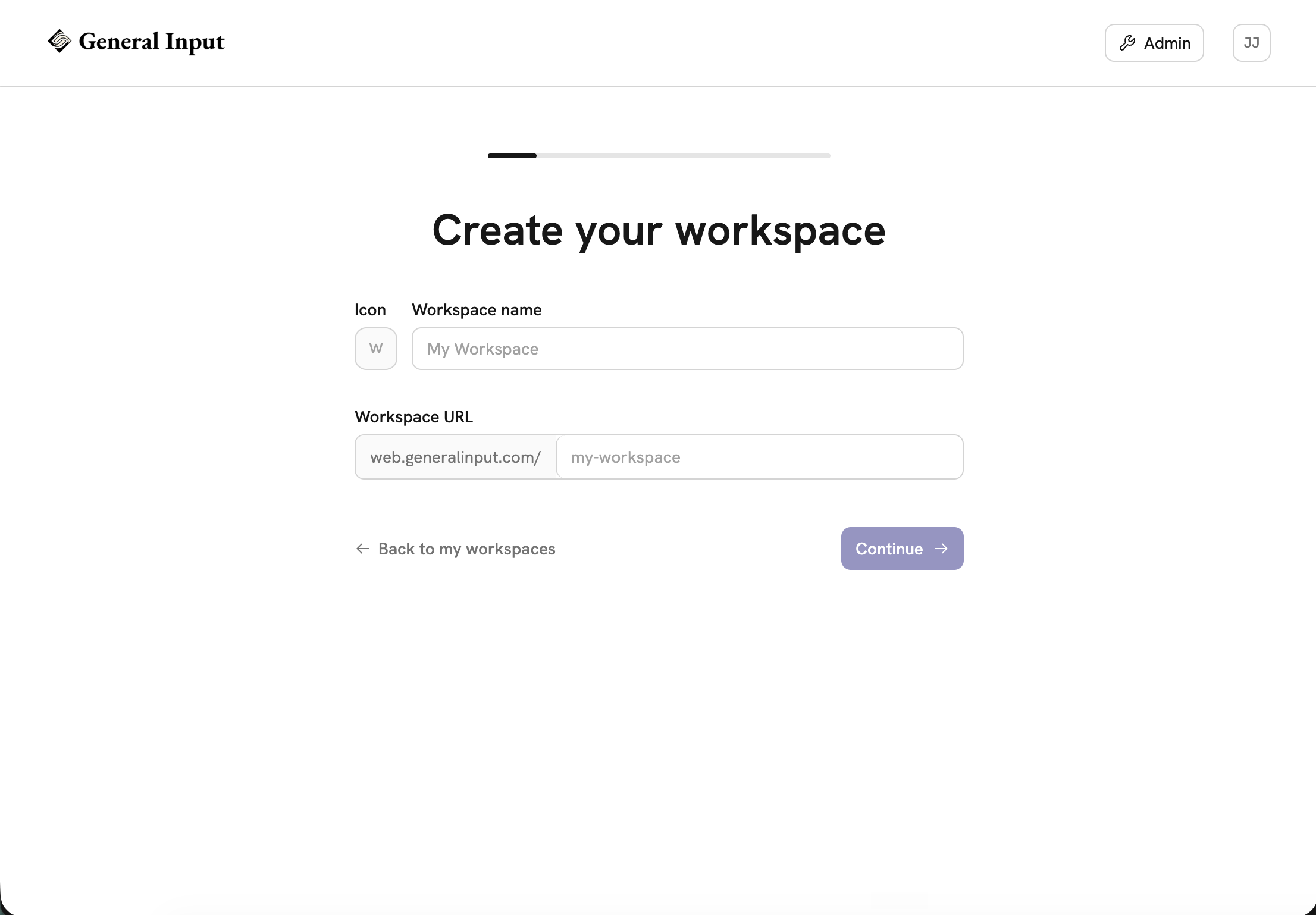
## Step 2: Hit New in the Workflows tab
Open the Workflows tab and hit **New**. Select **Agentic Task**, then hit **Start from scratch** in the lower left corner.
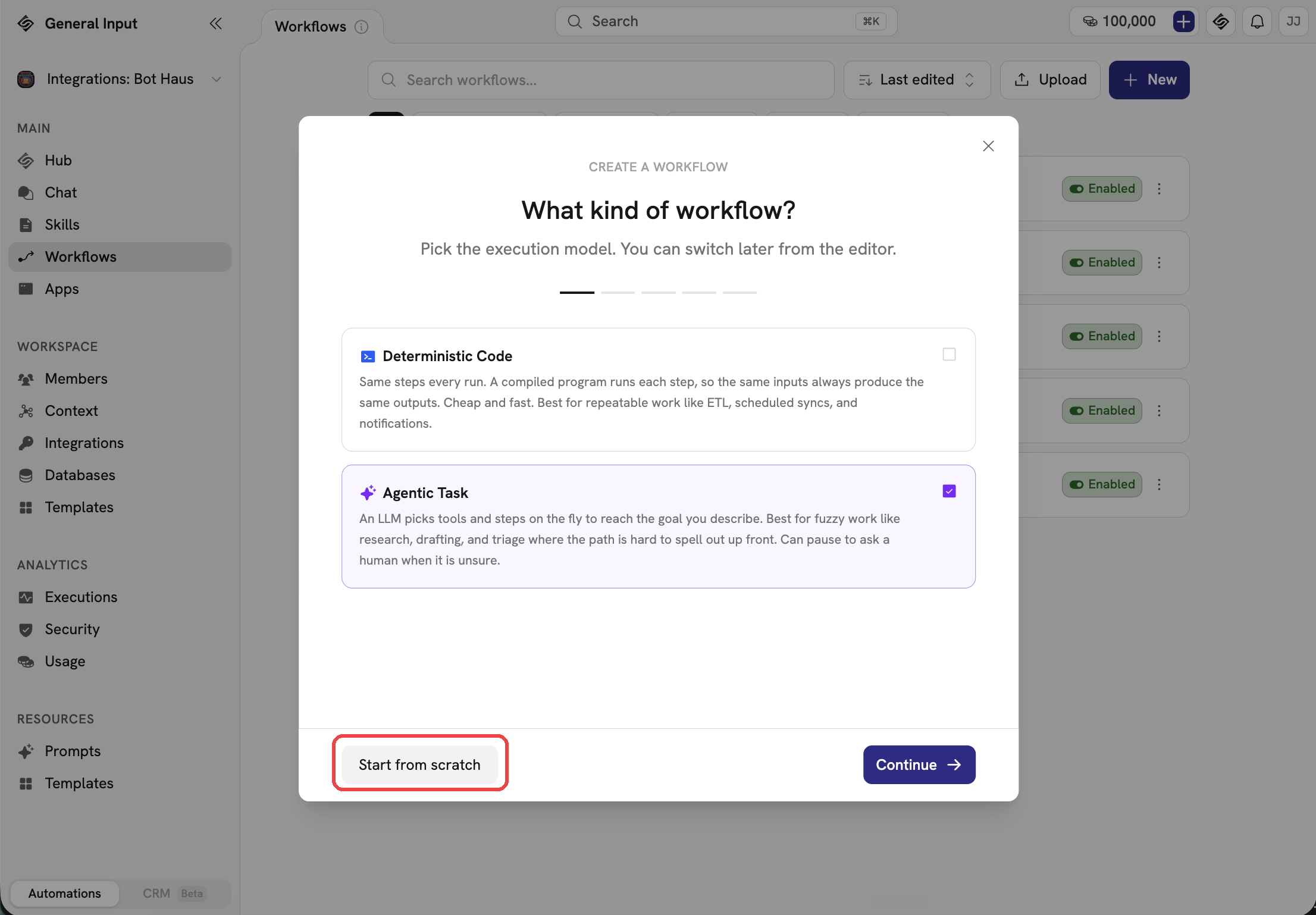
## Step 3: Copy the build prompt from Relay.app
In Relay, open the workflow, hit the three-dot menu in the top right, and choose **Copy build prompt**. That puts a plain-language description of what the workflow does on your clipboard, and it's everything you'll need to rebuild it.
While you're in Relay, export your run history and tables as CSV too, even for workflows you're not touching yet. You can't export anything once your account's gone.
## Step 4: Paste in the build prompt
Paste the build prompt into the chat where it says "Tell me what you'd like to automate," and send it. That description is all the agent needs.
## Step 5: Watch your workflow get built
The agent rebuilds the workflow from the description: the trigger, the integration steps, and the approval steps where Relay had them. Approvals are a normal step in General Input, so a workflow that waits for a manager's sign-off keeps working that way.
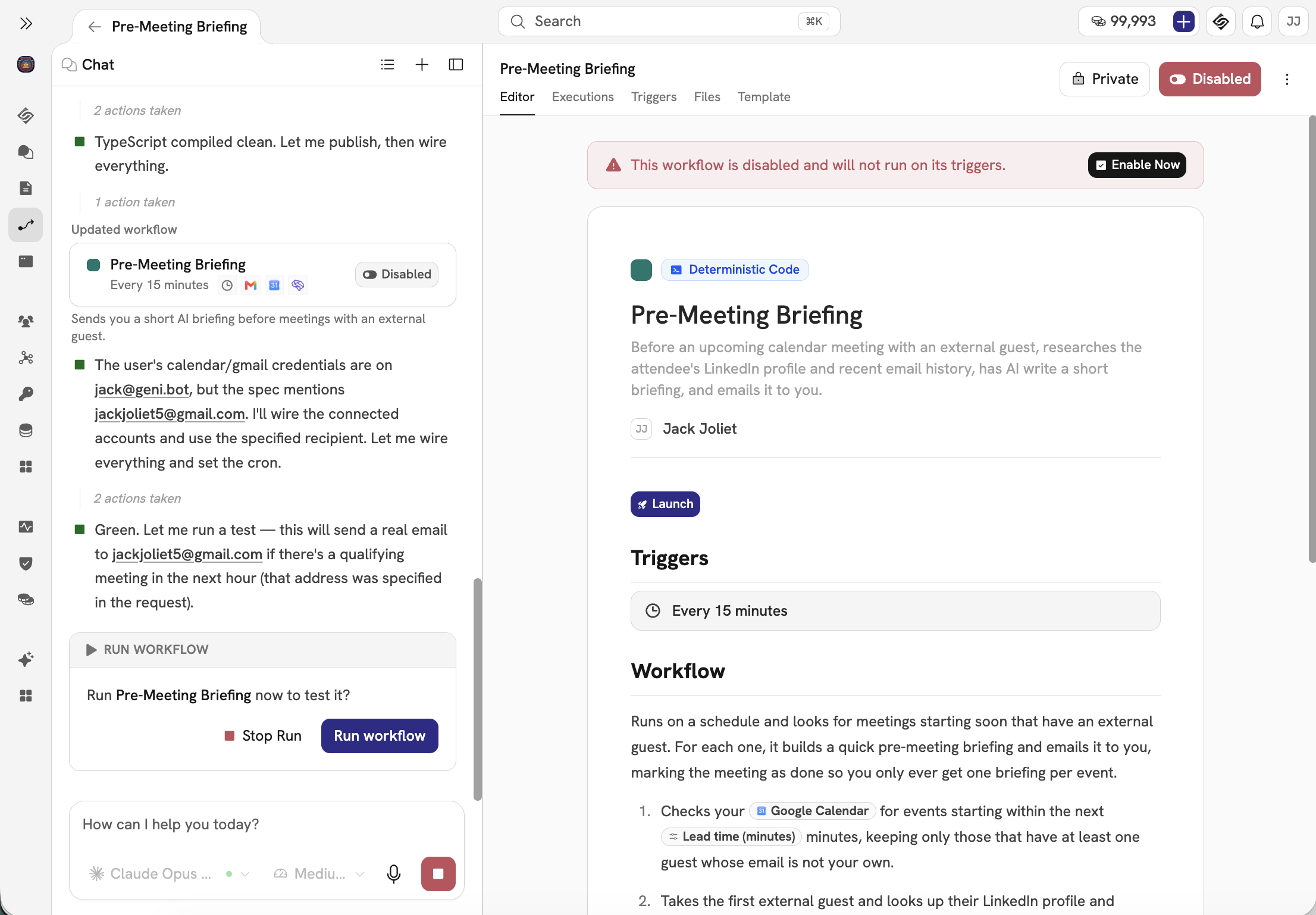
## Step 6: Chat with the agent until you're happy
Read the draft against the Relay original and tell the agent what to fix, like a schedule or a filter condition that drifted. If the workflow has approval steps, double-check who gets asked and when. When it asks for the accounts the workflow uses, connect each one. Your keys are encrypted and never shown to the AI, and every call the workflow makes is logged.
When it looks right, enable the workflow. Then iterate: watch the first few runs and keep telling the agent what to tweak until it's exactly how you want it.
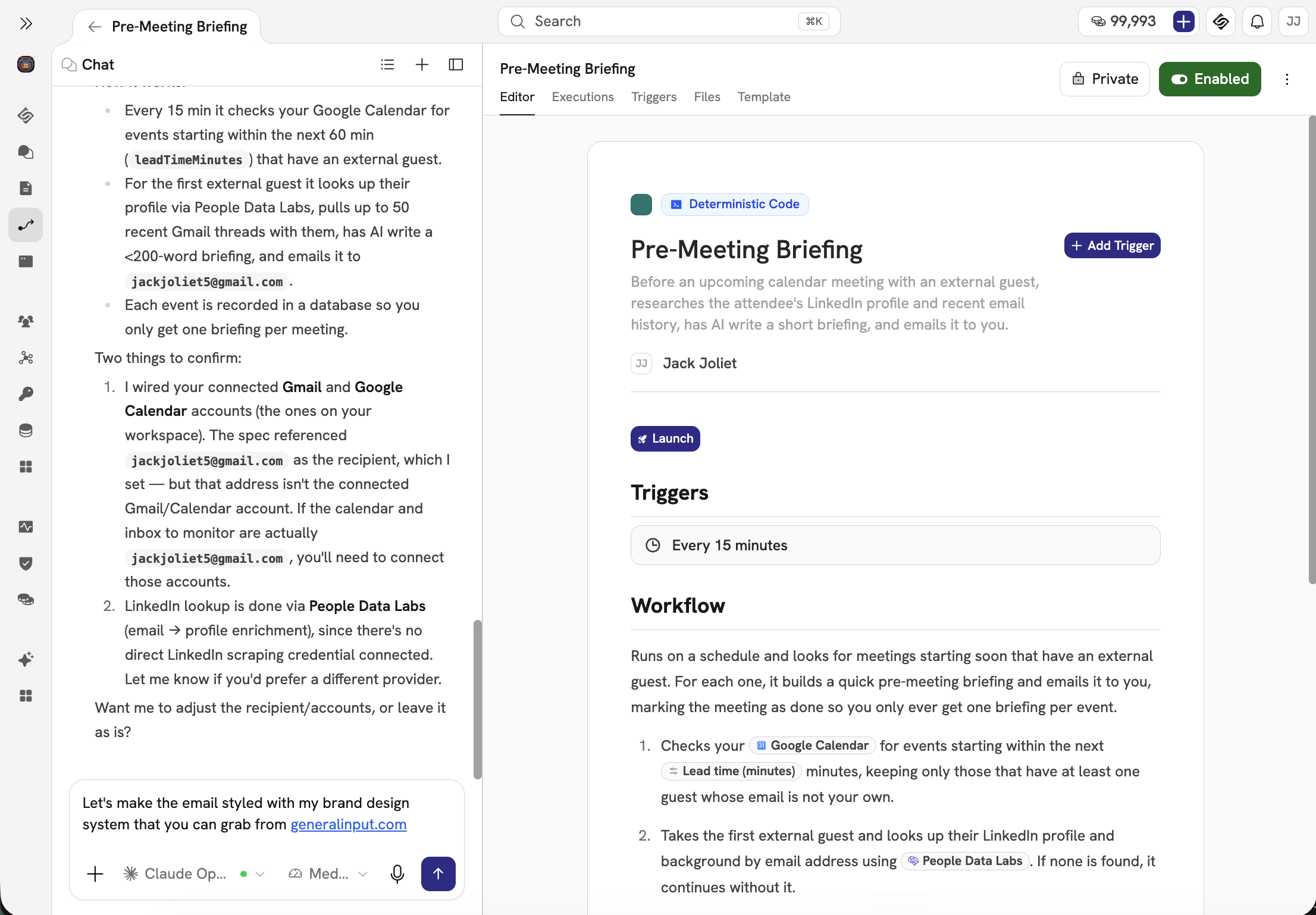
## Then do the rest
Run the new workflow next to the Relay original for a few real triggers and compare the results. When you trust it, turn the Relay one off and disconnect its app connections in Relay.
Repeat steps 2 through 6 for each remaining workflow. Start with the ones that'd hurt most if they broke, so they get the most testing runway. Free accounts have until August 15, paid accounts until September 14, so don't leave the important ones for the last week.
The build prompt is what makes this mostly paste and review. It describes what each workflow does in plain language, and that's exactly what General Input builds from.
## FAQs
### When is Relay.app shutting down?
Relay.app announced on July 16, 2026 that it is winding down. Free accounts and their data are deleted after August 15, 2026 at 23:59 PT. Paying customers keep full access, free of charge, through September 14, 2026 at 23:59 PT, with automatic prorated refunds for annual plans and bonus steps and AI credits during the transition.
### How do I export my workflows from Relay.app?
From your Relay.app workspace you can export workflows, sequences, and MCP servers as JSON and as AI prompts, plus run history and tables as CSV files. For migrating, the AI-prompt export is the one you need. It is a plain-language description of each workflow that you can use to rebuild it on another platform.
### What is the best Relay.app alternative for human-in-the-loop workflows?
Look for a platform that treats approvals as a normal step rather than a workaround. Relay.app made human-in-the-loop a first-class feature. General Input works the same way: a workflow can pause, ask a person to approve or edit something, and then continue. Approval-heavy Relay workflows move over intact instead of being split in two and glued together with email links.
### How do I migrate Relay.app workflows to General Input?
Export each workflow from Relay.app as an AI prompt, then paste that prompt into General Input. The agent rebuilds the workflow with its trigger, integrations, and approval steps, and waits for your review before the first run. Reconnect your accounts, run it alongside the Relay original while Relay is still up, and cut over once you trust it. The code RELAYAPP takes 50% off your first month.
---
# Overpaying for incremental intelligence
> The best AI model is often a few percent smarter than a rival and several times more expensive. That premium is not just wasted spend. It is the ceiling on how much intelligence you can afford to run.
Published: 2026-07-20. Last updated: 2026-07-20.
Anthropic's Claude Fable 5 is 11% more intelligent than xAI's Grok 4.5 on the Artificial Analysis Index. It is also 567% more expensive. The chart above puts every major lab's flagship on those same two axes, and it tells one story: intelligence has bunched up, and price has not.
## The releases stopped being about the frontier
The last two weeks made that hard to ignore. Meta shipped Muse Spark, xAI shipped Grok 4.5, and Moonshot shipped the open-weight Kimi K3, which landed at 57 on the index, effectively tied with the best models OpenAI and Anthropic sell ([Artificial Analysis](https://artificialanalysis.ai/articles/kimi-k3-achieves-3-in-the-artificial-analysis-intelligence-index-comparable-to-opus-4-8-and-gpt-5-5)). The six leading flagships now sit inside a ten-point band, 50 to 60. Ten points separate the best model in the world from the sixth-best, and on most real work you would not notice the difference.
## The premium buys almost nothing
Now look at what the premium actually buys. Blended at a standard 3:1 input-to-output mix on OpenRouter list rates, prices run from about $2 per million tokens for Muse Spark to $20 for Fable 5. Moving from Kimi K3 to Fable 5 buys you three index points and roughly triples the bill. Grok to Fable 5 buys six points at 6.7x the price. This is a diminishing-returns curve, and the habit of defaulting to the best model puts you at the steep, expensive end of it, paying a luxury markup for intelligence most tasks never call on.
## The real cost isn't the invoice, it's the throttle
Here is the part that never shows up on a per-token price sheet. Your intelligence budget is finite. A model that costs 6.7x as much doesn't just cost more per call, it means 6.7x fewer calls for the same money. The premium quietly sets a ceiling on how much intelligence you can run at all.
That ceiling is where the real money leaks. Picture an agent that watches customer activity every hour, flags the accounts showing buying intent, and drafts outreach the moment a signal appears. On the cheap tier you run it continuously. On the frontier tier, at 6.7x the cost, the same budget only buys a bulk pass once a week. By then the prospect has already bought from someone else. You didn't pay for a smarter answer. You paid for a slower one.
As companies push programmatic intelligence into every workflow, this inverts the question. The constraint stops being "which model is smartest" and becomes "how much intelligence can I afford to run around the clock." Price per token is the new bottleneck.
## The ROI question the market is now asking
This lands at an awkward moment for the premium labs. OpenAI and Anthropic both filed IPO prospectuses in June, targeting roughly $1 trillion and $965 billion respectively ([Barchart](https://www.barchart.com/story/news/3116486/openai-anthropic-ipo-what-s-confirmed-what-s-still-speculation)). Those numbers assume the frontier stays a moat you can charge a steep premium for. But the underlying economics are strained: one analysis pegs the three headline AI IPOs as needing on the order of $150 billion in combined annual earnings to justify their valuations, against roughly $20 billion in combined losses today ([Intellectia](https://intellectia.ai/blog/ai-mega-ipo-wave-2026-spacex-openai-anthropic)). If a $6 open-weight model is 95% as capable as a $20 one, the premium tier's pricing power is precisely the assumption under the most pressure.
## Make intelligence a dial
The reason teams overpay is rarely ignorance. It's friction. In most stacks the model is welded in: prompts tuned to one provider, parsing built around one format, the whole thing tested against a single API. Switching is a migration nobody wants, so the premium compounds one request at a time.
General Input removes the friction. The model is a setting, chosen per workflow. Run a customer-facing answer on the frontier and a bulk classification job on a mid-tier model. Or hand the decision to a router that sends each task to the cheapest model clearing your quality bar, and re-checks as cheaper models keep improving. Because the model never sees your credentials, which are encrypted at rest, injected at runtime, and stripped before anything reaches it, with every external call logged, swapping models is a config change, not a security review.
The winners in the next phase of this won't be whoever owns the single smartest model. They'll be whoever can deploy the most intelligence per dollar. You're paying frontier prices for a rounding error of extra intelligence. Price the increment before you buy it.
## FAQs
### Is the most intelligent AI model worth the price?
Usually not, for most tasks. The six leading flagships now sit within ten points of each other on the Artificial Analysis Intelligence Index (50 to 60), while their blended prices span 10x, from about $2 to $20 per million tokens. Moving from a near-frontier model to the top one often triples or 10x-es the bill for a few index points that most workloads never use. The frontier model is worth it for the specific tasks that genuinely need it, not as a default for every call.
### How much cheaper are non-frontier models?
A lot. Blended at a standard 3:1 input-to-output mix on OpenRouter list rates, Meta Muse Spark runs about $2 per million tokens, Grok 4.5 about $3, Kimi K3 about $6, and GPT-5.6 Sol about $11, against $20 for Claude Fable 5. Kimi K3, an open-weight model, scores 57 on the intelligence index versus Fable 5 at 60, so you keep roughly 95% of the capability at under a third of the price.
### What is the efficient frontier for AI models?
It is the set of models where you cannot get smarter without paying more, or pay less without getting less capable. A model that another model beats on both price and intelligence is dominated and sits off the frontier. Choosing well means picking the cheapest model on the frontier that still clears the quality bar for your specific task, rather than defaulting to the most capable model for everything.
### How does General Input reduce model costs?
It makes the model a per-workflow setting instead of a hardcoded foundation. You can route a customer-facing answer through a frontier model and a bulk job through a cheaper one, or hand the choice to a router that sends each task to the cheapest model clearing your quality bar and re-checks as cheaper models improve. Because the model never sees your credentials and every external call is logged, swapping models is a config change, not a security review.
---
# Talking to AI agents is 3x faster than typing to them
> Voice dictation is live in General Input. Why speech runs 3x faster than typing, and how AssemblyAI streaming plus a Gemini cleanup pass turns rambling into the prompt you meant.
Published: 2026-07-08. Last updated: 2026-07-08.
Here's a raw transcript from the demo above:
"Um, so, take my notes from the, the Q2 pipeline review and uh... turn them into like a one-pager, a branded PDF, for the board meeting tomorrow."
And here's what General Input put in the prompt box:
"Turn the Q2 pipeline review notes into a branded one-page PDF for tomorrow's board meeting."
Voice input has been one of the biggest feature requests since we launched: voice to workflows, voice to apps, voice to queries. It's live today. Tap the mic in the prompt box, talk, and the prompt writes itself. Here's why that's worth caring about, and how the cleanup actually works.
## Where the speed comes from
The average person types [around 40 words a minute](https://en.wikipedia.org/wiki/Words_per_minute). Conversational speech runs 120 to 150. That gap exists because typing makes you do two jobs at once: compose the thought, then serialize it through your fingers, one keystroke at a time, backspacing over typos as you go. Speech skips the second job entirely. Your thoughts already come out as spoken language; there's no extra motor step between having the sentence and producing it.
This isn't a new observation. In 2016, researchers at Stanford, the University of Washington, and Baidu ran the head-to-head: speech input was [3.0x faster than the keyboard for English, with a 20.4% lower error rate](https://hci.stanford.edu/research/speech/). The researchers [expected a slight edge and got a blowout](https://engineering.stanford.edu/news/smartphone-speech-recognition-faster-and-more-accurate-typing).
Prompts are the worst case for typing. An agent does its best work when you give it context, constraints, and what the output should look like. That's a paragraph or three, many times a day. It's exactly the kind of text where a 3x difference compounds, which is how a dictation app like Wispr Flow ends up [reportedly raising at a $2 billion valuation](https://www.bloomberg.com/news/articles/2026-05-12/ai-dictation-startup-wispr-in-funding-talks-at-2-billion-value).
## Why dictation never stuck
Read the raw transcript at the top again. It has filler, a repeated word, a trailing "uh", and a correction mid-sentence. That's how everyone talks. Older dictation tools transcribed it faithfully, so you either sent embarrassing text or you dictated like a court stenographer, speaking punctuation out loud in clean, pre-planned sentences. Planning your sentences before saying them burns the entire speed advantage. Transcription accuracy got solved years ago; the ramble problem is what kept keyboards in charge.
## What happens after you stop talking
Two systems run back to back.
While you talk, the browser streams your audio directly to AssemblyAI over a short-lived token our server mints for the session. The audio never passes through General Input's servers. Words appear as you say them.
When you stop, the finished transcript and whatever was already in the prompt box go to Gemini with one job: produce the text you meant. Concretely, it:
- Drops filler and false starts, and resolves self-corrections down to the corrected version. "The, the Q2 pipeline review" becomes "the Q2 pipeline review"; "make it for Thursday, actually Friday" becomes "Friday."
- Fixes punctuation, casing, and obvious mis-transcriptions.
- Applies spoken instructions instead of transcribing them. Say "delete that last sentence" or "make it shorter" and it edits the draft rather than writing the words "delete that last sentence" into your prompt.
- Weaves the new speech into whatever you'd already typed, and answers in the language you spoke.
That third behavior is the part we like most. It means the mic isn't just dictation, it's editing. You can draft a prompt by voice, look at it, and keep talking to revise it.
And if the cleanup model is ever unavailable, the raw transcript still lands in the box. You lose the polish, never the words.
## Closer to the speed of thought
Building on General Input was already 10x faster than assembling the same automation in Zapier, n8n, or Make. The keyboard was the next slowest link. Prompts are the highest-leverage text you write all day. Stop typing them.
## FAQs
### How does the cleanup actually work?
Two systems run back to back. While you talk, the browser streams audio to AssemblyAI and words appear live. When you stop, the finished transcript plus whatever was already in the prompt box goes to Gemini, which drops filler and false starts, resolves self-corrections to the corrected version, fixes punctuation and obvious mis-transcriptions, and merges the result into your draft.
### Does my audio pass through General Input servers?
No. Your browser streams audio directly to AssemblyAI using a short-lived session token that General Input mints for you. The audio itself never touches our servers; we only see the finished transcript when it comes back to be cleaned up.
### Can I edit what I already wrote by voice?
Yes. Spoken instructions get applied instead of transcribed. Say "delete that last sentence" or "make it shorter" and the cleanup pass edits your draft rather than writing those words into the prompt. You can draft by voice, look at it, and keep talking to revise.
### What happens if the cleanup model is unavailable?
The raw transcript still lands in the prompt box. You lose the polish, never the words.
---
# Why Running Chinese Open-Source Models Yourself Is the Safest and Cheapest Option
> A plain explanation of why self-hosted open-weight models like GLM, Kimi, and DeepSeek are both cheaper and safer than closed frontier APIs, down to the mechanism behind each claim.
Published: 2026-07-06. Last updated: 2026-07-06.
The exchange keeps happening in enterprise AI, almost word for word. "We can't use an open-source model. It's all Chinese." Even if it's 100x cheaper? "No. We care about safety and security."
That answer gets both halves of the trade-off backwards. Running open-source models like GLM, Kimi, and DeepSeek yourself is usually cheaper and safer than piping your data to a closed frontier API. Not as a slogan, as a matter of how the two things actually work. Start with the one fact everything else follows from.
A model is a file. A few hundred gigabytes of numbers that, given some text, predict the next token. Anthropic and OpenAI keep their files secret and run them only on their own servers. The labs behind GLM, Kimi, and DeepSeek publish theirs, so anyone can download the file and run it. That single difference, secret-and-hosted versus published-and-yours, is what makes one path expensive and exposed and the other cheap and private.
## Why it's cheaper
When you call a closed API, you're paying for three things bundled together: the compute to run the model, the cost of training it, and the lab's margin. There's exactly one seller of that specific model, so there's no price competition on it. You pay what they charge.
An open model unbundles that. The weights are free, so nobody is charging you to recoup a training run or protect a franchise. You pay for compute, and only compute. Then two mechanisms drive that compute cost down hard.
The first is architecture. Modern open models use a mixture-of-experts design, where only a small fraction of the network activates for any given token. The file is huge, but the work per token is small, which is [why NVIDIA measures roughly a 10x drop in cost per token](https://blogs.nvidia.com/blog/mixture-of-experts-frontier-models/) versus dense models of similar quality.
The second is competition. Because the weights are public, dozens of providers, Fireworks, Together, Groq, DeepInfra, all serve the exact same model and compete on nothing but price and speed. That races the cost toward the raw price of the GPUs. [DeepInfra drove one large open model from 20 cents per million tokens to 10 to 5](https://blogs.nvidia.com/blog/inference-open-source-models-blackwell-reduce-cost-per-token/) just by moving hardware generations. [NBC News reports](https://www.nbcnews.com/tech/innovation/silicon-valley-building-free-chinese-ai-rcna242430) the net effect is Chinese open models running ten to fifty times cheaper than Western equivalents. Nobody can do that to a closed model, because nobody else is allowed to serve it.
## Why it's safer
Now the part people get exactly wrong. Safety was never a property of the model. It's a property of where the model runs.
A closed model is a service. Every prompt you send, the contract, the customer record, the roadmap, crosses the wire to the lab's servers, and it lives there. "Delete" is a policy, not a physical fact. The clearest proof arrived in 2025, when a court ordered OpenAI to [preserve all ChatGPT and API output logs indefinitely](https://www.terms.law/2025/11/12/openai-v-new-york-times-stopped-being-just-a-copyright-case-the-moment-the-court-turned-to-your-chatgpt-logs/), overriding its own deletion policy and its users' delete requests, and later to hand 20 million de-identified conversations to opposing counsel. Once your data is on someone else's servers, its fate is out of your hands. A subpoena, a breach, or a policy change reaches it, and you find out afterward.
A published model has none of that. You download the file and run it on your own hardware, or in a US datacenter you control on AWS, Azure, or GCP. The weights have no channel back to their creator. As Interconnects' Nathan Lambert [puts it](https://www.interconnects.ai/p/what-people-get-wrong-about-the-leading), "model weights alone cannot reveal anything to their creators." Beijing cannot see a prompt that never left your VPC, and neither can anyone else.
Hosted on a Chinese company's own API, a Chinese model does send your prompts
across the Pacific, and nobody should route sensitive data there. Self-hosted,
the country of origin is a fact about the training run, not about where your
data goes.
There's a second, subtler exposure the "safe" default carries. A frontier lab isn't just a vendor, it's a company with its own product roadmap, and lately it points at its customers. Figma and Cursor both built on Anthropic, then watched it launch [Claude Design into Figma's market](https://venturebeat.com/technology/anthropic-just-launched-claude-design-an-ai-tool-that-turns-prompts-into-prototypes-and-challenges-figma), knocking [7% off Figma's value in a day](https://www.fastcompany.com/91538439/design-enters-its-frenemies-era), and Claude Code into Cursor's. Nobody has to read your individual prompts to benefit from that arrangement; aggregate usage alone maps which categories are worth entering. Self-hosted weights don't have a product team, and they can't grow into your competitor.
## The risks that survive the debunk
Open weights aren't risk-free. [CEPA is right](https://cepa.org/article/the-ai-kill-switch-dangerous-chinese-open-source/) that backdoors buried in weights are hard to detect, and censorship on China-sensitive topics is baked in. But notice these are output risks, and they apply to every model from every lab. Any model can be prompt-injected or emit a bad dependency. Trusting a particular lab doesn't fix that. Architecture does: least privilege, secrets kept out of the model's reach, sandboxed outputs, everything logged.
## Trust the architecture, not the flag
If your system is only safe when the model is benevolent, it isn't safe. That's the principle General Input is architected on: the AI never sees an API key. Credentials are encrypted at rest, injected at runtime, and stripped before anything reaches the model, and every external call it makes lands in an audit trail. The trust boundary sits below the model, so provenance stops being a security review and becomes a line item, price and latency and benchmark score.
The model doesn't matter. The host does. And the safest, cheapest host is you.
## FAQs
### Can a Chinese open-source model send my data back to China?
Not when you self-host it. The model is a file of weights with no network access of its own. Run it on your own hardware or in a US datacenter you control, and your prompts never leave that boundary. The country of origin describes where the model was trained, not where your data goes. Sending prompts to a Chinese-hosted API is a different story, and that data does leave.
### Why are open-source models so much cheaper than closed APIs?
The weights are free, so you only pay for compute. Mixture-of-experts models activate a small fraction of the network per token, and because dozens of inference providers serve the exact same open model, they compete purely on price. A closed model has one seller and no price competition, so you pay for compute plus training recovery plus margin.
### Is a self-hosted open model really safer than OpenAI or Anthropic?
For data privacy, yes. A closed model runs only on the lab's servers, so every prompt lives there. A 2025 court order forced OpenAI to retain all logs indefinitely, overriding its own delete policy. A self-hosted file has no channel back to anyone, so there is no counterparty to trust in the first place.
### What are the real risks of open-weight models then?
Backdoors hidden in weights and baked-in censorship on China-sensitive topics. But these are output risks that apply to every model from every lab, and the mitigation is architectural: least privilege, secrets kept out of the model, sandboxed outputs, and full logging.
---
# The AI use case I keep seeing: documents in bulk from unstructured data
> Turning messy inputs into formatted documents is the most repeatable AI win in operational work. Claude can do it on your laptop today. Deploying the same process in the cloud is what gets your whole team consistent formatting and shared templates.
Published: 2026-07-02. Last updated: 2026-07-02.
Across every team we work with, one use case keeps showing up, and it's a bigger time saver than almost anything else: building and formatting documents in bulk from unstructured data.
The shape is always the same. The facts arrive messy: a run-on Slack message, a forwarded email, a CSV export, a folder of photos. The output has to be exact: a branded PDF or DOCX with the right fonts, the right layout, the boilerplate that isn't allowed to be wrong. Proposals, client one-pagers, reports, onboarding packets. Nothing needs to be written. Everything needs to be placed.
## The cleanest example: the listing one-sheet
Real estate makes the pattern easy to see. The moment a listing goes live, every fact about it already exists: four beds, three baths, 2,450 square feet, $739,000, open house Saturday 1 to 3, twenty-four professional photos. It's all sitting in the MLS, complete and correct.
And yet someone is about to spend an hour in Canva turning those facts into a one-sheet. The thinking portion of that hour is zero. The price is the price. One hundred percent of the labor is presentation, which means one hundred percent of it is automatable without asking an AI to invent a single word.
The volume hides in the mutations. Each listing regenerates its collateral at every status change: just listed, open house, price improvement, pending, sold. Multiply across a brokerage of forty agents and the marketing coordinator is running hundreds of identical conversions a month, each urgent, each by hand.
## Yes, Claude can do this on your laptop
This isn't a hypothetical capability. Drop the export in a folder, hand Claude your template, and it will produce the document, correctly, today. If you're one person with a recurring formatting chore, you should be doing exactly this already.
But watch what happens when a second person needs the same document. Their prompt is a little different. Their copy of the template is three versions old. They forgot the compliance footer because the compliance footer lived in their coworker's head. The output is close, and close is exactly the problem, because brand and boilerplate are the parts of a document where "close" gets you an email from legal.
A local process is a personal trick. It saves one person's evening and leaves everyone else's untouched.
## Deploy it once, and the whole team inherits it
This is why the process belongs in the cloud. On General Input, the same conversion runs as a workflow the whole team shares. The intake sits where the facts already show up: forward the email, or drop the message in the team's Slack channel. The agent reads the facts, pulls the photos from the shared folder, and renders the collateral with the organization's actual fonts, actual layout rules, and the footer included, every time, because the rules live in the workflow instead of in whoever happens to be formatting tonight.
Consistency stops being a training problem. Fifty people get identical output from day one. When the brand refreshes or the boilerplate changes, you update the template once and everyone's next document is already right. Nobody redistributes a file, nobody re-explains the rules, nobody quietly keeps using the old version.
Nothing was generated. Every number traces back to the source. The AI's entire job was the hour nobody wanted: the conversion. The difference between doing that trick locally and deploying it is the difference between saving yourself an evening and deleting the chore from your whole team's calendar.
## FAQs
### What kinds of documents does this work for?
Anything where the facts already exist and only the formatting is missing: listing one-sheets, client one-pagers, proposals assembled from call notes, recurring reports, onboarding packets. If the job is placing known information into a fixed template, it converts cleanly.
### Can Claude really do this on my laptop?
Yes. Drop the export in a folder, hand it your template, and it will produce the document correctly today. That's the right move for one person with a recurring formatting chore. It breaks down when a second person needs the same document, because prompts, template versions, and compliance details drift from person to person.
### What changes when the process runs as a General Input workflow?
The intake, the template, and the formatting rules become shared infrastructure instead of personal habits. Anyone forwards the email or drops the message in Slack and gets identical output. When the brand or boilerplate changes, you update the template once and everyone's next document is already right.
### Does the AI write or invent any of the content?
No. In the real estate example, every number on the sheet traces back to the MLS export and the photos come from the shared folder. The job is conversion, not generation, which is why the output is trustworthy enough to send without a rewrite pass.
---
# OAuth scopes are the wrong unit of control for AI agents
> OAuth scopes were sized for apps a human drives, so they bundle a whole service into one consent switch. Hand that to an agent and it inherits everything. The fix is to control the operation, not the scope.
Published: 2026-06-29. Last updated: 2026-06-29.
Connect Google Sheets to an agent and the consent screen gives you one real choice: "See, edit, create, and delete all your Google Sheets spreadsheets." All of them. There's a read-only version, and that is the entire menu ([Google for Developers](https://developers.google.com/workspace/sheets/api/scopes)).
That checkbox isn't a permission. It's a whole category of permissions, bundled and handed over as one. It's a key, not a job description. The key opens the door. It says nothing about what you're allowed to do once you're inside.
For about thirty years, that was fine. A person was always holding the key.
## A scope was sized for a human
You have the Sheets key, but you only ever touch the three cells you meant to. The scope is wide. Your behavior is narrow. Nobody lost sleep over the gap between the two, because you were the one minding it. The consent screen could afford to be lazy. You were the real access control.
This is why OAuth feels coarse the moment you look closely. It was designed for apps a person drives, where broad scopes plus human judgment add up to safe ([Strata](https://www.strata.io/blog/agentic-identity/why-agentic-ai-demands-more-from-oauth-6a/)). Take the person out and only the broad scope is left.
## An agent holds the whole keyring
Hand that key to an agent and the gap becomes the whole story. The agent inherits everything the scope allows. Ask it to append one row to one tab, and you have also authorized it to overwrite, reformat, and delete every spreadsheet in the account. It probably won't. "Probably" is carrying a lot of weight in that sentence.
This is the defining security problem of the agentic era, and the numbers have caught up to it. The State of AI Agent Security 2026 report found that 88% of organizations had a confirmed or suspected AI agent incident in the past year, and that nearly half of teams still wire agents up with shared API keys ([Gravitee](https://www.gravitee.io/blog/state-of-ai-agent-security-2026-report-when-adoption-outpaces-control)). OWASP added a principle called "least agency" to its 2026 Top 10 for Agentic Applications: give an agent the minimum autonomy its task needs, so a hijacked one can't do unlimited damage ([Aikido](https://www.aikido.dev/blog/owasp-top-10-agentic-applications)).
Least agency is the right idea. The problem is that the credential can't enforce it. Google does not mint a "this agent, write only, this one sheet" token. The scope is the smallest unit it sells.
## The permission you actually want is the operation
So move the decision down a level. Below the credential, to the operation. Not "can this reach Sheets" but "what is it allowed to do there." Read only. Write only. One endpoint, and nothing else.
Once the operation is the unit, the things you actually want become sentences you can write down:
- An agent that sends email on your behalf but can never open your inbox.
- One that reports on your CRM but can't change a single record.
- One that watches your Stripe revenue but can't move a dollar.
A scope can't express any of those. An operation-level permission expresses all three. That's what General Input Agent Firewall does. It filters every call at the level of the operation, below the credential: you choose what an agent can do independently of what the key can access, per connection when one agent needs a tighter leash than another, or across your whole workspace as a standing rule, spanning the 30,000+ tools in the catalog.
## Enforced below the key
Where you enforce a rule matters as much as the rule. General Input Agent Firewall runs at the runtime proxy that sits between the agent and the outside world, underneath the credential. A blocked call never leaves the sandbox, so it never reaches the model, so the model never gets the chance to be talked into making it.
And the key itself stays out of reach. The AI never sees it. Credentials are encrypted at rest, injected at runtime, and stripped before anything touches the model. Every call that does go out is written to an audit trail. The firewall decides which calls are even on the table.
Scopes answered the right question for the world that built them, the one where a human was always the last line of defense. Agents removed the human. The permission model has to follow the action down to where it actually happens.
Don't hand an agent a key. Hand it a list of operations.
## FAQs
### Why aren't OAuth scopes enough to secure an AI agent?
Scopes were designed for apps a human drives, so they bundle a whole service into one consent switch. "Connect Google Sheets" grants "see, edit, create, and delete all your spreadsheets." A person only ever touches the cells they meant to, so the gap between the broad scope and the narrow action never mattered. An agent inherits the whole scope, and the gap becomes the whole story.
### What is General Input Agent Firewall?
It moves the unit of control below the credential, down to the operation. You allow or block specific operations (read only, write only, a single endpoint) per connection or across your whole workspace, independent of what the key can technically reach, spanning 30,000+ tools.
### Where is the rule enforced?
At the runtime proxy that sits between the agent and the outside world, beneath the credential. A blocked call never leaves the sandbox, so it never reaches the model, so a prompt-injected agent cannot be talked into making it. The credential is injected at runtime and stripped before anything touches the model, so the AI never sees the key.
### Can I set different rules for different agents?
Yes. Configure it credential by credential when one agent needs a tighter leash than another, or set a standing rule across your entire workspace. Every call that does go out is written to an audit trail.
---
# Block Built an Operating System for Internal Tools. Every Company Will Run One.
> Block App Kit lets any employee build a tool from a sentence and ship it safely. It is an early look at the agentic operating system every company will eventually run on.
Published: 2026-06-27. Last updated: 2026-06-27.
An operating system exists so you don't have to think about the hardware. You double-click a program. You don't allocate its memory, arbitrate its access to the disk, or check whether it's allowed to open the network. The kernel does all of that underneath, the same way, every time. The whole point is that running a program is safe and boring by default.
Block just shipped an operating system for internal tools, and the [writeup](https://engineering.block.xyz/blog/from-localhost-to-launched-safely-shipping-apps-that-anyone-can-build) reads exactly like one.
It's called Block App Kit. An employee describes a tool in plain language, an agent builds it, and it ships to coworkers in hours. Since launching in March, the catalog passed a thousand distinct apps, weekly active users climbed from the low hundreds into the thousands, and about 80% of the people building are in Sales, Support, Legal, and Finance -- not engineering. Jack Dorsey called it the [fastest-adopting tool](https://x.com/jack/status/2070799572687876100) in the company's history. The apps are the programs. The platform is the kernel.
## The point is who's building
Look again at that 80%. The people shipping these apps are in Sales, Support, and Finance, and that's the whole reason to build something like this. For years, "I need an internal dashboard" meant filing a ticket and waiting in the engineering queue, behind everything with a customer attached. The tool was three weeks out, if it came at all.
Block App Kit deletes the queue. Anyone describes the tool they need and has it that afternoon, and the leverage lands on everyone who used to depend on engineering for a five-line internal app. That's why a company bothers to build this: not to generate apps, but to let every person operate without an engineer in the loop.
## What the kernel actually does
The impressive part of Block App Kit isn't the part that writes the app. It's the part that lets a freshly generated app touch real systems without anyone getting hurt. Who's allowed to open it. Which services it can reach. Where the API keys live, and how an app uses one without ever holding it. What happened, recorded, on every call out. Authentication, authorization, secret management, data-access controls -- on by default. Block's own security org started pointing people to it as the sanctioned way to ship.
That's a kernel. It manages the dangerous shared resources -- credentials, data, the network -- so the thousand apps stacked on top don't each have to reinvent how to handle them safely. Strip that layer out and you don't have an operating system. You have a thousand programs free-handing access to production.
## Why every company ends up here
The demand for this is not a Block-sized phenomenon. Gartner counts [16.2 million citizen developers in 2026](https://searchlab.nl/en/statistics/no-code-low-code-statistics-2026), most of them outside IT, and projects [75% of new applications](https://kissflow.com/low-code/gartner-forecasts-on-low-code-development-market/) will be built with low-code by year's end. Every company already has people who could describe a useful tool in a sentence. What they don't have is the kernel underneath.
So the apps get built anyway, and they ship without one. A scan of 1,400 vibe-coded applications turned up [2,038 critical vulnerabilities, more than 400 leaked secrets, and 175 instances of exposed PII](https://labs.cloudsecurityalliance.org/research/csa-research-note-ai-generated-code-vulnerability-surge-2026/), including medical and financial records. Across enterprises, AI-assisted developers ship code three to four times faster but introduce security findings at ten times the rate, and expose secrets at roughly double. That's what an OS-less world looks like. Fast, and leaking.
## Build the kernel or adopt one
Block could write its own. It has hundreds of engineers and can afford to pull a team off customer-facing work to build infrastructure that never ships to a customer. Ramp built its internal tooling in-house for the same reason -- the headcount was there, and the math worked. That's the rounding error of companies who can fund a kernel from scratch. For everyone else, a multi-quarter team dedicated to a tool no customer ever sees is exactly the project that doesn't get approved.
So they face the choice the industry has faced at every platform layer before this one. Nobody writes their own operating system anymore. Nobody writes their own database, or their own cloud. They adopt one and build on top, and the layer that used to be a moonshot becomes the floor everybody stands on.
## What the kernel looks like when you don't build it
General Input is that layer, available without the engineering project. The build step is the one you expect: someone describes the tool they need in plain language, and an agent assembles a working app from it. Everything wrapped around that build is the actual product.
Every app runs in an isolated sandbox, never on someone's laptop and never with a standing pipe into production. Share an app with a teammate and it runs as you, using your connected accounts, so the person using it gets the result without ever touching a key or a token. The builder gets distribution, the teammate gets the tool, and the credential stays sealed off from both.
Underneath sits the same credential model Block had to engineer. The agent that writes the app never sees an API key. Credentials are encrypted at rest, injected at runtime inside the sandbox, and stripped before anything reaches the model. Below the credential, a proxy enforces what each connection is allowed to do, down to the individual operation across thousands of tools, so a call an app shouldn't make is blocked before it ever leaves the sandbox. Every call that does go out is written to an audit trail. Security isn't a setting someone remembers to switch on. It's the floor the apps run on.
That is the whole difference between a demo and a platform. A vibe-coded app impresses one person on one laptop. The same app on General Input can be handed to the entire company, touch the systems it needs to touch, and leave a record of everything it did, without a single credential ever passing through the model that built it.
## The operating system of the agentic company
Block proved the demand and the design in a single post. An employee describes a tool, an agent builds it, and it ships safely because the platform makes "safely" the default -- the way a good OS makes running a program something you stop thinking about.
These are the agentic operating systems of the future. Every company will run one. The app builder on top was the easy part. The kernel underneath was the engineering, and the only question left is whether you build it or it's already built for you.
---
# Q1 Belonged to Anthropic. The AI Lead Already Moved.
> In Q1 2026 Anthropic looked untouchable. One quarter later the frontier is a dead heat and OpenAI opened a new front below the model. The lead never sits still.
Published: 2026-06-24. Last updated: 2026-06-24.
Three months ago, the AI story had a clear protagonist. Anthropic had taken the enterprise. Claude Code held more than half the enterprise coding market against OpenAI's roughly one-fifth, and Anthropic had quietly passed OpenAI on both run-rate revenue and the share of businesses paying for it ([VentureBeat](https://venturebeat.com/technology/anthropic-finally-beat-openai-in-business-ai-adoption-but-3-big-threats-could-erase-its-lead)). If you were writing the narrative in March, it wrote itself: Anthropic had the upper hand, and it looked structural.
It wasn't. These leads almost never hold.
## The frontier became a dead heat
The first thing that happened is that the model gap closed. On the composite intelligence indexes, the top four models from Anthropic, OpenAI, Google, and xAI now sit within a handful of points of each other ([Artificial Analysis](https://artificialanalysis.ai/leaderboards/models)). Anthropic's newest Opus still edges the very top of one or two leaderboards, but "edges" is the point. A lead measured in fractions of a benchmark point is not a moat. It is a coin that lands heads this month and tails the next.
When every frontier model can read the contract, write the function, and run the agent loop about equally well, "we have the smartest model" stops being a reason to choose anyone. The labs know this. So they go looking for a different front to fight on.
## This morning, the front moved again
That is what OpenAI announced today. Not a smarter model. A chip.
OpenAI and Broadcom [unveiled "Jalapeño,"](https://openai.com/index/openai-broadcom-jalapeno-inference-chip/) a custom processor built for one job: serving large language models faster and cheaper than the GPUs everyone rents. Broadcom's CEO pegged the savings at [roughly 50% versus typical AI GPUs](https://www.cnbc.com/2026/06/24/openai-and-broadcom-reveal-jalapeno-first-ai-chip-in-partnership.html), with engineering samples already running production workloads and deployment targeted for the end of the year.
Read it as a strategic move, not a hardware spec. OpenAI is no longer trying to win only on what the model knows. It is trying to win on what the model costs to run. That is a brand new axis, and Anthropic's Q1 coding lead does nothing to defend it.
## Why the cost front favors OpenAI
The shift below the model plays to OpenAI's strongest hand. Winning on inference cost is not a research problem, it is a capital and infrastructure problem, and almost nobody can move money and concrete as fast.
[Stargate](https://openai.com/index/announcing-the-stargate-project/), OpenAI's joint infrastructure venture, is a $500 billion program that has already crossed 10 gigawatts of planned capacity. A custom inference chip is exactly what you build when you have that much compute to fill and every point of efficiency compounds across all of it. Meanwhile the broader trend is doing OpenAI's argument for it: inference costs have been falling roughly [10x per year](https://a16z.com/llmflation-llm-inference-cost/), turning the model from a scarce resource into something closer to a utility. A chip that is half the cost is how you stay ahead of a curve that is already collapsing.
So expect OpenAI inference to get markedly faster and cheaper, and expect Anthropic, Google, and xAI to answer below the model too, with their own silicon and their own datacenter deals. The competition does not stop. It just relocates.
## The landscape is the product now
Here is the part that matters if you have to make decisions on top of all this. There is no durable frontier lead anymore. Q1 was Anthropic's, on quality. Q2 is being fought on cost. Whatever Q3 turns on, it will be something else again, and the name at the top will have changed at least once more before anyone agrees on why the last one was permanent.
Betting on a single lab is just betting that this quarter's leader stays the leader, and the last eighteen months say they won't. So assume the lead keeps moving. Build for a world where the model underneath you is swappable, because it is going to get swapped, on quality or on price, whether you plan for it or not.
Q1 belonged to Anthropic. Today OpenAI changed what the race is about. Whoever's winning right now, give it a quarter.
---
# Stop building one giant agent. Build a dozen small ones.
> GitHub's COO hasn't seen AI wipe out entire job functions, and neither have we. What actually works is narrower: small agents that each do one thing, that you can actually maintain.
Published: 2026-06-03. Last updated: 2026-06-03.
Everyone keeps talking about AI wiping out entire job functions. I still haven't seen that happen. Apparently, neither has GitHub's COO.
What does seem to work is much narrower. You take one repetitive task off your plate, train an agent to handle that one thing, and let it run. Then you move on to the next one. **None of these are especially impressive by themselves. But they add up.**
## The era of the perfect mega-skill is ending
For a while, every other post was "go download this skill," the perfectly managed thing that runs your entire workflow end to end. One massive, beautiful, all-knowing system that stitches a dozen tools together and produces some mega output. Whoever built the best one internally became the resident AI influencer.
That version mostly doesn't exist for us anymore. What we keep reaching for instead are incredibly micro agents that do one thing for us very, very well. Not "produce the full report." More like "identify the single most important piece of marketing information in this pile." One job, done cleanly.
Small and replaceable beats big and impressive. If you can't describe what an
agent does in one sentence, it's probably trying to do too much.
## A dozen small agents quietly run your week
The magic isn't in any single agent. It's in the stack of them. One drafts the follow-up. One files the receipts. One watches a channel and surfaces only the thing you'd actually want to see. Each one is boring on its own.
A dozen small agents later, a meaningful chunk of your week is happening without you touching it. That's the part nobody screenshots, because it isn't a flashy demo. It's just work that stopped landing on your desk.
This is exactly the shape General Input is built for. Each of those agents is one workflow you describe to Geni in plain English, "every weekday at 7am, do this one thing." They sit side by side in a single workspace, each on its own schedule or trigger, and you add the next one whenever a new task starts eating your time. Nobody has to maintain a monolith, because there isn't one.
If you've never built one, [start with a single agent](/blog/how-to-build-your-first-agent), or grab one of the ready-made templates and point it at your tools. Resist the urge to make it do five things. The first running agent teaches you more than any course.
## The real reason small wins: you can fix it
Here's the part that matters most. The trick is keeping each agent small and easy to fix.
When the work changes, and it always changes, you want to tweak one piece. With a mega-skill, weeks go by, months go by, things shift, and now you're trying to surgically edit a giant all-knowing system you stopped understanding months ago. You're screwed. With a small agent, you open the one thing, change the one line, and move on.
On General Input that change is usually a sentence. A small agent is a short plain-English instruction, not a tangle of code, so adjusting it means telling Geni what's different now, not refactoring a system. And because each one is cheap to build and cheaper to throw away, you're never precious about the agent that stopped being useful.
This is also why I'm not worried about AI erasing whole roles. The work that's actually getting automated is granular. Someone still has to decide which task to carve off next, what good output looks like, and where a human check belongs. That's [closer to operating than to being replaced](/blog/agent-operator-million-jobs).
So don't go hunting for the one perfect skill. Build the small one. Ship it. Then build the next.
## FAQs
### Why not just build one agent that does everything?
Because the work changes. A few months in, a mega-agent becomes a giant system you no longer fully understand, and one small change means untangling all of it. Small agents stay easy to read, easy to fix, and easy to throw away.
### How small should each agent be?
One job. It pulls the most important marketing signal, drafts one kind of reply, or files one kind of document. If you can describe what it does in a single sentence without an "and," it is the right size.
### Do a bunch of small agents actually add up to real time savings?
Yes, because they compound. None of them is impressive alone. But a dozen of them later, a meaningful chunk of your week is happening without you touching it.
---
# What is a local AI model? NVIDIA and Microsoft just put one in a laptop.
> NVIDIA and Microsoft announced laptops that run AI on the device. Here is what a local model is in plain English, and why local-first and model-agnostic are the parts that matter.
Published: 2026-06-01. Last updated: 2026-06-01.
Overnight at Computex in Taipei, during his GTC keynote, NVIDIA CEO Jensen Huang announced a partnership with Microsoft. They're launching a new line of Windows laptops built around a chip that runs powerful AI right on the machine, no connection to a far-off datacenter required ([NVIDIA](https://investor.nvidia.com/news/press-release-details/2026/NVIDIA-and-Microsoft-Reinvent-Windows-PCs-for-the-Age-of-Personal-AI/default.aspx), [Axios](https://www.axios.com/2026/06/01/microsoft-nvidia-surface-ultra-rtx-spark)).
If you're not deep in the AI world, that probably sounds like every other hardware announcement. But the phrase doing the heavy lifting is "local model," and it's worth understanding, because it changes where your data goes every time you use AI.
## How AI works for most people today
When you type a question into a popular AI tool today, your words leave your device and travel to a company's servers. The AI does its thinking there, on hardware you'll never see, and the answer travels back to you.
Two things follow from that. You're renting the AI, so the moment you stop paying, it's gone. And you're handing over your data to use it. Your draft email, your contract, your company's numbers, all of it makes a round trip to someone else's computer. For casual use, nobody minds. For anything sensitive, that round trip is exactly the part people are nervous about.
## What a local model actually means
A local model flips the setup. Instead of living in a datacenter, the AI lives on your own computer. Your documents, your emails, and your questions never leave the laptop, because the thinking happens right there on the machine in front of you.
The practical difference is simple. Your data never leaves the building. The same draft or question that used to make a round trip to a stranger's servers now stays on the device sitting on your desk. That's what NVIDIA and Microsoft just made possible for a normal laptop, with enough horsepower to run a serious model on-device.
## The cost angle nobody mentions
There's a money story here too. Companies today often pay for AI by the seat, and for heavy users running AI all day, subscriptions to providers like OpenAI or Anthropic can climb into the thousands per employee per month.
With a local model, the AI comes bundled with the PC you already bought. You pay for the laptop once instead of paying a per-person fee forever. For a business with hundreds of employees, that's a very different math problem.
## Why this is aimed squarely at Apple
NVIDIA isn't entering an empty room. Apple's Macs have quietly become the favorite machine for people who want to run AI fast, privately, and securely on their own hardware, thanks to strong chips and a lot of fast memory.
NVIDIA, with Microsoft and Windows behind it, is going straight at that audience ([CNBC](https://www.cnbc.com/2026/05/31/nvidias-new-chip-to-power-fresh-line-of-windows-laptops-by-dell-hp.html)). The new laptops ship this fall from familiar names like Dell, HP, Lenovo, ASUS, and Microsoft's own Surface line. The pitch is the same one Apple has been making. Your AI, on your machine, under your control.
## The other freedom is not being locked into one model
Privacy is the headline, but there's a second freedom hiding in this announcement, and it might matter more over time.
For the last few years, using AI has looked like the early days of computing, when an office shared a single machine that everyone lined up to use. You picked one company, learned its quirks, fed it your data, and built your habits around it. If a competitor shipped something better next month, switching meant starting over.
Putting a capable model on your own laptop is the same shift the personal computer made. The power moves from a shared system you borrow to one that's yours. And because these machines run open models, you get to be model-agnostic. You pick the best AI for the task in front of you, and swap it the day a better one shows up.
Local-first answers where your AI runs. Model-agnostic answers which one runs.
The two together are what put you back in control of both your data and your
options.
## Running it safely is still an orchestration problem
Here's the part the announcement glosses over. Running a model on your laptop solves where the AI lives. It doesn't, on its own, solve what the AI is allowed to do.
A real task isn't just answering a question. It's checking your calendar, pulling a file, sending an email, updating a record. The moment AI starts doing actual work, it needs access to your accounts, which means your passwords and keys are in play. Keeping the model on your laptop means nothing if it still has to be handed your passwords, or if there's no record of what it touched.
That's the part we built General Input around. The AI does the work across your tools, but it never sees your passwords. They're encrypted at rest, injected only when a step needs them, and stripped before anything reaches the model. Every action it takes on your behalf is logged. Pair that with model-agnostic routing and you can keep a sensitive step on the open-weight model running locally, send the rest to whatever cloud model fits, and still guarantee no model in the chain ever held a credential or moved data without a record.
Privacy isn't only where your data sits. It's what gets to touch it, and
whether you can see what happened. A faster chip fixes the first. The
orchestration layer fixes the rest.
## The takeaway
A local model is a real step forward for privacy, and these laptops will put it in a lot more hands. But the deeper lesson is about control. Don't bet your work on a single company's servers, and don't marry a single company's model. Own where your AI runs, and which one you run.
## FAQs
### What is a local AI model?
A local model runs on your own device instead of a company's servers. The AI does its thinking on the machine in front of you, so your files and questions never have to leave it.
### Does running a model locally make it private?
It is a real step forward, because your data never makes a round trip to someone else's datacenter. But privacy also depends on what the AI is allowed to touch and whether anyone can see what it did. A model that still holds your passwords or keeps no record of what it accessed is not private just because it runs locally.
### Does General Input support local models?
Yes. General Input is model-agnostic, so you can route each step of a workflow to the model that fits, a local open-weight model for sensitive work or a frontier cloud model for everything else, and swap either one whenever a better option ships.
### How does General Input keep my data safe when the AI does real work?
Credentials are encrypted at rest, injected at runtime only when a step needs them, and stripped before anything reaches the model. The AI never sees your API keys, and every piece of data it accesses from an external system is recorded in an audit trail.
---
# Show Me the Incentive, I'll Show You the Outcome
> Cerebras CEO Andrew Feldman says the biggest barrier to enterprise AI adoption isn't data. It's lawyers and security teams. Here's why he's right.
Published: 2026-05-26. Last updated: 2026-05-26.
Andrew Feldman, CEO of Cerebras, was asked on 20VC whether data quality is the biggest inhibitor to enterprise AI adoption. He didn't hesitate. No. **It's lawyers and security teams.**
His argument is simple. These teams have a brutal incentive structure. Nobody gets promoted for saying yes. Everybody gets blamed when something goes wrong. A year where nothing happened? That's the dream. So when a technology shows up with zero precedent, zero case law, zero regulatory playbook, the rational move is to say no.
And he's right that lawyers are trained on precedent. Ask one to work in an area where nobody has done it before and they genuinely don't know what to do. Their whole toolkit is "what has everyone else done?" AI doesn't have a "what everyone else has done" yet.
## The data backs up the incentive problem
The data tells the same story. [Gallagher surveyed](https://www.ajg.com/news-and-insights/features/ai-adoption-and-risk-benchmarking-2026/) 1,200+ businesses and found **56% cite legal and reputational risk** as their top AI concern. [Gartner found](https://www.gartner.com/en/newsroom/press-releases/2025-10-06-gartner-predicts-ai-regulatory-violations-will-result-in-a-30-percent-increase-in-legal-disputes-for-tech-companies-by-2028) 70%+ of IT leaders rank compliance as a top-three blocker. [Deloitte](https://www.deloitte.com/us/en/about/press-room/state-of-ai-report-2026.html) says only a third of orgs have anything resembling mature AI governance. Everyone else is still arguing about who gets to decide.
## Even NVIDIA had to force the issue
Feldman also mentioned Jensen Huang having to [battle his own internal teams](https://dataconomy.com/2025/10/15/jensen-huang-says-every-nvidia-engineer-now-codes-with-cursor/) at NVIDIA to get Cursor adopted. He eventually just decreed it. The CEO of the most AI-forward company on the planet had to force the issue.
That's the part that sticks with me. **If NVIDIA has this problem, everyone has this problem.**
The cautious approach has real costs too. Every month spent in a review cycle,
a competitor without a compliance committee is shipping, building
institutional knowledge, and compounding the advantage.
## The cost of waiting for consensus
But here's the thing I keep turning over. Feldman frames legal and security as a drag on adoption, and the incentive analysis is hard to argue with. But there's a real cost on the other side too. Every month you spend in a review cycle, a competitor without a compliance committee is shipping. They're building institutional knowledge, tightening feedback loops, compounding the advantage. That gap doesn't close easily.
So someone has to push the boulder. Not by going around legal or pretending the risks aren't real. But by **creating the precedent that legal needs to get comfortable.** Ship one thing. Make it work. Don't cause an incident. That's the playbook.
## Who actually pushes AI adoption forward
The tricky part is that most companies aren't set up for this. There's no role that owns "push AI adoption past internal resistance." It just kind of falls to whoever cares enough to fight for it. And fighting your own security team is exhausting, even when you're right.
I don't think there's a clean answer here. The cautious approach has real costs. The aggressive approach has real risks. But I think the companies that figure out how to move deliberately, not recklessly but not slowly either, are the ones that end up in a very different position two years from now.
**Waiting feels safe. But it's not free.**
---
# How to Build Your First Agent: A Five-Step Field Guide
> Five decisions that turn a vague AI idea into a working agent in production. No code required, just a clear trigger, a goal, and a feedback loop.
Published: 2026-05-21. Last updated: 2026-05-21.
We've been asking companies a simple question: **how many of your employees have actually deployed an agent** to automate part of their day? The answers tell the story.
"You mean chatting with Claude?"
"I have no idea what an agent is."
"The engineers love agents!"
That gap is the real story of AI adoption right now. [McKinsey's November 2025 State of AI](https://www.mckinsey.com/capabilities/quantumblack/our-insights/the-state-of-ai) puts 23% of organizations scaling agentic AI and another 39% experimenting. Those numbers describe the company, not the people in it. At the employee level, the share who've shipped their own agent is a rounding error.
It's not because the technology isn't ready. The frontier models can already do the work. The reason most employees haven't deployed an agent is that **nobody has handed them a repeatable mental model** for what "deploying one" even looks like. So most attempts fizzle. [Gartner predicts](https://www.gartner.com/en/newsroom/press-releases/2025-06-25-gartner-predicts-over-40-percent-of-agentic-ai-projects-will-be-canceled-by-end-of-2027) that over 40% of agentic AI projects will be canceled by the end of 2027.
Agents are supposed to be a natural extension of your team, accomplishing tasks that would otherwise require a human. The formula for getting one into production is pretty simple. Five decisions, in order.
## 1. Pick the right trigger for your agent
The first decision is the most important and the most underrated. An agent is not a chat window. It's a process that runs when something happens. A new meeting note appears in Granola. A row lands in a spreadsheet. A webhook fires. A cron job kicks off every morning at 8am.
**Picking the trigger pins down what the agent is actually for.** "Summarize emails" is not a workable spec. "When a new Granola note is created, log the call in HubSpot and draft a follow-up email in Gmail" is one. Vague triggers produce vague agents.
## 2. Define a clear goal with guardrails
Once the trigger is set, write down what the agent should accomplish when it fires. Two or three sentences for the end goal, plus a few rules of thumb for how to get there. "Always reply in the customer's language." "Never quote a price." "If the request mentions a refund, escalate."
Write the instructions you'd give a smart new hire on day one. If you have to
explain every edge case in advance, you're building a flowchart, not an agent.
## 3. Pick the model and add human-in-the-loop
Different jobs need different lanes. A summarization agent doesn't need the same reasoning model as one negotiating a refund. A high-volume tagging agent doesn't need the same context window as one reading a 50-page contract. The model layer is changing fast enough that the right choice in March can be the wrong choice in May. Build agents on a platform that lets you swap.
In the same step, decide where a human belongs. The default for any agent touching real systems should be: **a person approves before anything irreversible happens.** Sending an email. Updating a CRM record. Charging a customer. Deloitte's research shows teams that [redesigned workflows around human-AI collaboration](https://www.deloitte.com/us/en/insights/topics/emerging-technologies/ai-agents-scaling-faster.html) saw a 30% productivity lift, compared to just 5% when AI was bolted onto unchanged processes. Human-in-the-loop is not a tax. It's the thing that lets the agent earn trust fast enough to eventually remove the loop.
## 4. Build the simplest first draft
With the trigger, goal, model, and approval points decided, build the agent. The first version should be **the simplest thing that could possibly work.** Resist the temptation to wire in five tools, three retrieval systems, and a self-critique loop on day one. You don't yet know what the agent gets wrong. Get something running end-to-end before you optimize anything.
This is also the right time to think about credentials. API keys should be
encrypted at rest, injected at runtime, and never visible to the model itself.
If your platform lets the AI see raw API keys, the blast radius of a single
bad agent is your entire stack.
## 5. Test on real inputs until the runs are boring
This is where most teams quit. The agent runs on three test cases, looks impressive, and gets called done. Production inputs are messier. The agent encounters a customer writing in two languages mid-thread. It hits a malformed webhook payload. It tries to escalate to a Slack channel that was archived last quarter.
Run the agent on real inputs. Watch it fail. Tighten the goal or the rules of thumb. Add a tool when a missing capability shows up twice. Move a step behind human approval when the agent makes a class of mistake you can't accept. **Keep going until the runs are boring.** Boring is the signal you're done.
## What "deployed" actually means
The first agent doesn't need to be complex. It needs to be useful. An agent worth running in production is one you've watched fail enough times to trust.
That's how agent adoption starts. Not with a company-wide transformation deck, but with one person deploying one useful agent into one real workflow. The full step-by-step walkthrough lives at [generalinput.com/guides](https://generalinput.com/guides).
## FAQs
### Do I Need to Know How to Code to Build an AI Agent?
No. You describe the agent in plain English. The platform handles the orchestration, integrations, and execution. The skill that matters is deciding which workflow is worth automating first.
### What's the Smallest Useful First Agent?
Pick the most repetitive part of your week with a clear trigger and a clear output. A new Granola note turning into a HubSpot log and a Gmail draft is a good shape. One real input, one real result, end-to-end.
### How Does Human-in-the-Loop Actually Work in a Workflow?
You decide which steps the agent runs unsupervised and where it pauses for approval. Anything irreversible -- sending an email, updating a CRM record, charging a customer -- should pause for a human until you trust the agent. Once it's been right enough times, you can drop the checkpoint.
### Will the AI Model See My API Keys?
No. Credentials are encrypted at rest, injected into the sandboxed step at runtime, and stripped from any payload before it reaches the model. The agent can call your tools without the model ever seeing the secrets.
---
# Cerebras hit 981 tokens per second on Kimi K2.6. The inference layer is now its own category.
> Cerebras served Kimi K2.6 at 981 tok/s, 29x faster than the official endpoint. Why inference speed changes everything for generative UI and AI workflows.
Published: 2026-05-21. Last updated: 2026-05-21.
On May 6, 2026, [Artificial Analysis measured Cerebras serving Kimi K2.6 at 981 output tokens per second](https://artificialanalysis.ai/models/kimi-k2-6/providers). K2.6 is [Moonshot AI's trillion-parameter open-weight model](https://www.marktechpost.com/2026/04/20/moonshot-ai-releases-kimi-k2-6-with-long-horizon-coding-agent-swarm-scaling-to-300-sub-agents-and-4000-coordinated-steps/), released April 20 with native multimodal handling and an agent swarm that scales to 300 sub-agents over 4,000 coordinated steps. The official Kimi endpoint serves the same weights, and the same 10,000-token request takes it 163.7 seconds. **Cerebras returns the answer in 5.6.** That is a 29x improvement in time to final answer on identical model weights.
The model is one decision. The inference provider is a separate one. The same
open weights can run on completely different infrastructure with wildly
different speed and cost profiles.
## What 981 tokens per second actually unlocks
For most of the last two years, **generative UI** has been a research demo with an asterisk. The idea, [outlined by Google Research](https://research.google/blog/generative-ui-a-rich-custom-visual-interactive-user-experience-for-any-prompt/), is that the model writes the interface itself for each prompt instead of routing the user through a fixed app. The asterisk has always been latency. A custom UI that takes a minute to render is a slideshow. A custom UI that streams in inside five seconds is software.
**AI-generated apps** work on the same arithmetic. A few thousand lines of code at a thousand tokens per second is a coffee sip. A few thousand lines of code at 30 tokens per second is a meeting. The product category doesn't change because the model got smarter. It changes because the inference got fast enough that a person stays in flow.
The Cerebras run is the first time those numbers have been hit on a frontier-grade open-weight model in production.
## How the inference layer split from the model layer
A year ago, choosing a model meant choosing an endpoint. The model lab built the weights, hosted the API, set the price, and that was the package. That has come apart. The same Kimi K2.6 weights now run on the Moonshot endpoint, [on Cerebras wafer-scale inference](https://www.cerebras.ai/blog/cerebras-kimi-k2-Enterprise), on NVIDIA NIM, on Azure AI Foundry, on GPU clouds like DeepInfra and Spheron, and on local hardware. Each one has a different latency, a different cost per token, and a different ceiling on context length.
This is the **second major axis of model choice** that opened up in 2026. The first was which weights to use, where DeepSeek V4, Kimi K2.6, GPT-5.5, and Opus 4.7 are now all live options depending on task. The second is which inference provider serves those weights, where Cerebras is [6.7x faster than the next-fastest GPU cloud and 23x faster than the median](https://artificialanalysis.ai/models/kimi-k2-6/providers) on this particular workload.
Both axes move on their own timeline. A new frontier model lands every few weeks. A new inference provider posts a new throughput record every few months. The platform that locked in last quarter is already a generation behind.
## Why pinning to one inference endpoint is a planning error
Most workflow tools still bind to a single provider per workflow. That made sense when the model and the endpoint were the same decision. It doesn't survive the split.
A real workflow has steps with different shapes. A planning step wants the smartest reasoning model and is fine waiting 30 seconds. A UI generation step needs 1,000 tokens per second or the interaction breaks. A summarization step running over 50,000 documents wants the cheapest per-token rate that clears a quality bar. Routing all three through the same endpoint means overpaying on the bulk step, waiting too long on the UI step, or losing quality on the planning step. Usually all three.
Per-step routing solves this. Each step in a workflow declares the constraint
that matters, and the platform picks the model and provider that satisfy it.
The fix is **per-step routing**. Each step in the workflow declares the constraint that matters for that step. The platform picks the model and the provider that satisfy it. When Cerebras lands a faster Kimi, the UI step picks it up without anyone rewriting the workflow. When DeepSeek's next release undercuts the bulk step on cost, the bulk step picks it up. The workflow author writes the logic once and the substrate keeps getting faster and cheaper underneath them.
## What this means for the next twelve months
The next year of model innovation is going to look like the last six weeks. A new frontier model approximately every release cycle. A new inference benchmark approximately every month. Cerebras itself just [IPO'd at a $95B market cap on May 14](https://www.theregister.com/ai-ml/2026/05/15/cerebras-wafer-scale-ai-bet-delivers-blockbuster-ipo/5240821) on the bet that this trajectory continues. There are too many independent axes of improvement to predict which combination wins.
The teams that compound the fastest are the ones whose workflows can adopt each release without a rewrite. **The model isn't the bottleneck anymore. The inference provider is.** And both of them are moving too fast to bet on.
## FAQs
### How fast is 981 tokens per second compared to a typical model endpoint?
It's roughly 29x faster than the official Kimi endpoint serving the same K2.6 weights, and about 23x faster than the median GPU cloud on that workload. A 10,000-token response that takes 163 seconds on a standard endpoint returns in under 6 seconds on Cerebras.
### Does picking a faster inference provider mean using a different model?
No. The same open-weight model can run on multiple providers, each with different latency, cost, and context-length tradeoffs. The model is one decision, the inference provider is a separate one.
### Why does inference speed matter for generative UI and AI-written apps?
Custom interfaces and generated code are only usable if they render fast enough to keep a person in flow. Sub-10-second response times turn slideshow demos into software people actually use.
### Can I route different steps in a single workflow to different models and providers?
Yes. General Input lets each step in a workflow pick the model and inference provider that fits its constraints, so a planning step, a UI step, and a bulk summarization step can each use the substrate that's right for them.
---
# If your best automation lives on one laptop, you don't have automation
> Share AI workflows and credentials across your team. Move automations off individual machines and into the org so they survive turnover.
Published: 2026-05-07. Last updated: 2026-05-07.
Every team has one person who has figured out the automation. Their workflow is good. It saves real hours. It's wired up to their personal credentials, it runs from their account, and it lives in their head. Nobody else on the team uses it. Sometimes nobody else even knows it exists. When they change roles or leave, the playbook walks out with them.
This is the **tribal-knowledge problem, applied to automation**. A recent analysis found that [42% of institutional knowledge resides solely with individual employees](https://www.iteratorshq.com/blog/cost-of-organizational-knowledge-loss-and-countermeasures/) and that [more than 70% of process knowledge still lives in people's heads, emails, or spreadsheets](https://blog.rapidautomation.ai/how-manufacturers-can-solve-tribal-knowledge-bottlenecks-and-improve-operational-consistency/). IDC pegs the cost of poor knowledge sharing at $31.5B per year. The personal-laptop automation is a small, daily version of the same failure.
Today General Input ships **native sharing for workflows and credentials**. This is what fixes it.
## Why most workflow automations stay personal
Most automation tools were built around the individual builder. Each person sets up their own connections, builds their own workflows, troubleshoots their own runs. Sharing is usually a settings page nobody opens, or it's gated behind an enterprise tier. Best practices don't propagate, because the tool itself isn't shaped around a team. It's shaped around an account.
So the muscle memory becomes: build it on my machine, run it from my account, never hand it off. Even when somebody asks for help, the path of least resistance is to DM them an API key or screen-record the build. That's not knowledge transfer. That's a copy.
## How workflow and credential sharing works
When you share a workflow with a teammate or your organization, the credentials that workflow depends on travel with it. The person you share with can run the automation, but they **never see the underlying tokens**. The credential stays owned by you.
At runtime, the executor's identity is what shows up in the audit trail. Their account is what triggered the run. But the OAuth token, the API key, the database password are injected into a sandboxed step at execution time and stripped before any payload reaches the AI. The model performing the work never sees a secret.
Practically, this means one person sets up the Salesforce connection once, builds a workflow on top of it, and the rest of the team uses it like an internal tool. If the person who built it leaves, the workflow keeps running. **The automation belongs to the org, not to a laptop.**
One person sets up the connection and builds the workflow. Everyone else on
the team runs it like an internal tool, without needing their own admin
credentials.
## How sharing differs from templates
General Input has had templates since launch. Templates are the **bring-your-own-credential pattern**: a workflow shape gets published, and each person who instantiates it plugs in their own connections. Useful when the automation is generic.
Sharing solves a different problem. Sharing is "use my setup." When the workflow is calling your CRM, with your permissions, on a schedule you defined, you don't want every teammate to also need their own admin credentials to your CRM. You want them to be able to run your automation. That's what sharing now does.
## The credential visibility invariant
There is one architectural rule worth calling out. **A workflow's visibility cannot exceed the visibility of any credential it references.** If a workflow uses a credential that's only shared with three people, the workflow itself can't be shared with the whole org. Sharing the workflow more broadly forces the underlying credential to be shared more broadly first.
This is the part most "team plan" features get wrong. They treat sharing as a
permissions toggle on the workflow and let the credentials lag behind, which
leads to broken executions for half the team. General Input models it the
other way: the credential's visibility is the floor.
## The real shift is institutional memory
The framing isn't really security, though that's there. The framing is institutional memory. The best automation on the team should not be one person's setup. It should be something the whole org runs, something that survives turnover, something a new hire can use on their first day.
If your best automation lives on one laptop, you don't have automation. You have a person.
Sharing is live on every plan today.
## FAQs
### Does the person I share with see my underlying API keys or OAuth tokens?
No. Credentials stay encrypted at rest and are injected into the sandboxed step at runtime under your ownership. The teammate can run the workflow but never sees the secret.
### What happens to a shared workflow if I leave the company?
The workflow keeps running. It belongs to the org, not your laptop, so audit trails, executions, and ownership transfer cleanly without rebuilding the automation.
### How is sharing different from publishing a template?
Templates are bring-your-own-credential, meaning every user plugs in their own connections. Sharing is "use my setup": your credentials power the workflow for everyone you share it with.
### Can I share a workflow with the whole org if its credential is only shared with three people?
No. A workflow's visibility is capped by the visibility of every credential it references. Expanding the workflow's reach forces you to expand the underlying credential's reach first.
---
# General Input joins the Microsoft AI Cloud Partner Program
> General Input is a certified Microsoft AI Cloud Partner. Connect Outlook, Teams, OneDrive, SharePoint, Excel, Planner, and To Do to AI workflows in one click.
Published: 2026-05-04. Last updated: 2026-05-07.
General Input is now a member of the [Microsoft AI Cloud Partner Program](https://learn.microsoft.com/en-us/partner-center/membership/isv-success). With this release, **seven Microsoft 365 services are 1-click connect** on any General Input workflow.
## Supported Microsoft 365 services
- **Outlook** -- read, send, search email, manage calendar events
- **Teams** -- post messages, read channels, send DMs, manage meetings
- **OneDrive** -- list, read, write, and search files
- **SharePoint** -- access sites, lists, and document libraries
- **Excel** -- read and write rows in workbook tables
- **Planner** -- create, update, and read tasks across plans
- **To Do** -- manage personal task lists
Each is a **1-click OAuth connect** from the connector dropdown on any workflow, with permissions scoped per service.
Your IT team does not need to register an app inside your tenant. The
Microsoft AI Cloud Partner certification means General Input is the registered
app. Users authorize via Microsoft's standard consent screen.
## How Microsoft credentials are secured
The partner review covered how General Input handles credentials, and it's worth describing briefly because the architecture answers a question every agent buyer is starting to ask.
OAuth tokens are **encrypted at rest** in our credential store. When a workflow runs, the credential is decrypted and injected into a sandboxed step at runtime, then destroyed when the step finishes. The token is exposed to the Microsoft Graph SDK call and nothing else. It is stripped from any payload before it reaches the model. General Input can now perform real work across your Microsoft org, and the model driving any of it never sees a credential.
Every Graph call is written to an audit trail tied to the user who authorized
the credential, the workflow that ran, and the step that made the call.
## Available today
All seven Microsoft connectors are live for every General Input workspace.
## FAQs
### Which Microsoft 365 services are supported with one-click OAuth?
Outlook, Teams, OneDrive, SharePoint, Excel, Planner, and To Do. Each is a per-service connector with permissions scoped to that surface.
### Does the AI model see my Microsoft access tokens?
No. Tokens are encrypted at rest, decrypted only inside a sandboxed step at runtime, and stripped from any payload before it reaches the model.
### Will my IT or InfoSec team have to register an app inside our tenant?
No. The Microsoft AI Cloud Partner certification means General Input is the registered app, so your users authorize via Microsoft's standard consent screen.
### Is every Graph call audit-logged?
Yes. Each call is tied to the user who authorized the credential, the workflow that ran it, and the step that issued it.
---
# Don't build your workflows inside a single lab's application
> Model-agnostic workflow automation lets you swap AI models per task with zero rewrite. Stop locking workflows to one lab's pricing and roadmap.
Published: 2026-04-24. Last updated: 2026-05-07.
Imagine you signed a 24-month enterprise AI agreement on Monday, locked to one model lab for all your AI implementation needs.
Then yesterday happens. [GPT-5.5 drops](https://www.buildfastwithai.com/blogs/gpt-5-5-review-2026) claiming to beat Opus 4.7 on reasoning and leading Terminal-Bench 2.0. Today, [DeepSeek V4 Pro drops](https://simonwillison.net/2026/Apr/24/deepseek-v4/) at [roughly one-tenth the price](https://venturebeat.com/technology/deepseek-v4-arrives-with-near-state-of-the-art-intelligence-at-1-6th-the-cost-of-opus-4-7-gpt-5-5) of either when you factor in cached inputs, within a few benchmark points on SWE-bench Pro and ahead on sub-tests like LiveCodeBench and Codeforces.
**Workflows built inside a model provider's application are locked to their roadmap and their pricing.** Not the priorities of your business.
## What two frontier model launches in 48 hours revealed
GPT-5.5 leads Terminal-Bench 2.0 at 82.7 versus V4 Pro's 67.9 and claims the top reasoning score over Opus 4.7. V4 Pro Max leads LiveCodeBench and Codeforces. Opus 4.7 still tops SWE-bench Pro at 64.3. V4 Pro output runs about $3.48 per million tokens against Opus 4.7 at $25 and GPT-5.5 at $30, and the gap widens to roughly 1/8th and 1/10th with cached input.
None of these three models is the right answer for every task. That is exactly
why a 24-month single-lab contract is a bet you don't need to make.
## How Cursor taught engineers to stop betting on one AI lab
Engineering teams already solved this. They stopped betting on a lab and started betting on the editor that sits between all the labs.
Cursor is that editor. Every frontier model is a dropdown. **Switching cost per task is zero.** When a new model ships the engineer tries it the day it lands. If it's better, they move. If it's worse, they don't. Cursor is [now used by 70% of the Fortune 1000](https://tech-insider.org/cursor-60-billion-valuation-anysphere-ai-coding-2026/). The labs compete for time inside it, which keeps every one of them honest on price and quality.
Workflow automation needs the same layer. Not a different flowchart tool. A different relationship between the workflow definition and the model that runs it.
## The rewrite tax teams pay when locked to one AI provider
If your automations call one lab's API directly, or sit on an orchestration tool that hardcodes a single provider, you cannot capture the gains from either of this week's releases without a rewrite. [A recent Zapier survey](https://zapier.com/blog/ai-vendor-lock-in-survey/) found **58% of enterprise AI vendor migrations either failed or took far more effort than expected**, and nearly three-quarters of enterprise leaders said losing their current AI vendor would disrupt day-to-day operations.
So most teams skip the migration. They keep running last year's model choice on this year's workload. The tax is worst on the workflows you run most. A 10,000-row enrichment job that ran fine on Opus last quarter is now paying seven to ten times the cost it needs to for output a cheaper model would produce. A daily pipeline digest that genuinely benefits from Opus's reasoning is still worth the spend. The problem is that a single-lab contract gives you no way to treat those two workflows differently.
A 10,000-row enrichment on DeepSeek V4 Pro costs a few dollars. The same job
on Opus 4.7 costs around forty. Model portability is not abstract. It is a
line item.
## What model-portable workflows look like in practice
On General Input every workflow is **model-portable by default**. You describe the workflow in plain English. At run time you pick the model. Per template, per run, per tier inside a single run. Credentials for each lab are stored once, encrypted at rest, injected at call time, and stripped before any output reaches the model that's generating text. The workflow file is the same whether it calls Opus 4.7, GPT-5.5, or DeepSeek V4 Pro.
That means the 10,000-row enrichment job can run on DeepSeek V4 Pro for a few dollars instead of forty. The daily pipeline digest can stay on Opus because the reasoning matters and it runs once. The ambiguous-ticket escalator can classify cheaply and route the hard cases to whichever model you trust most this week. When the next frontier model drops next month, you add it to the list and keep going.
## The labs will keep leapfrogging
They always do. The release cycle is shorter than the useful life of any recurring workflow, and that will stay true. Spend your energy finding the right workflow for your business. The model underneath will keep getting faster and cheaper without you.
DeepSeek V4 and V4 Pro are live in General Input today: pick either from the model dropdown on any workflow.
## FAQs
### Can I switch the model on a workflow without rewriting it?
Yes. Workflows are described in plain English; the model is a dropdown you can change per template, per run, or per tier inside a single run.
### How does General Input handle credentials for multiple labs?
Credentials for each provider are stored once, encrypted at rest, injected at call time, and stripped before any output reaches the model that's generating text.
### Which models are available today?
Frontier models from every major lab, including Claude Opus 4.7, GPT-5.5, Gemini, and DeepSeek V4 / V4 Pro. Plus any OpenAI-compatible endpoint via BYO model deployment.
### Can I route cheap tasks to one model and reasoning-heavy work to another?
Yes. You can pick a different model per workflow, or even per step inside a workflow, so a 10,000-row enrichment can run on a cheap model while a daily briefing stays on a frontier reasoning model.
---
# The agent fabric has to reach the systems most of the economy actually runs on
> Most agent platforms only support Google, Notion, and HubSpot. We shipped Bullhorn and LeadMagic because agents need to reach the long tail of business software.
Published: 2026-04-23. Last updated: 2026-05-07.
Most agent-builder platforms seem to assume every business runs on Google, Notion, and HubSpot.
**Most of the economy runs on something else.**
Two of our clients asked us to integrate Bullhorn Recruiting and LeadMagic. Both were paying for Claude and ChatGPT subscriptions that had no native way to reach either one. The AI was there. The data was there. Nothing connected them.
Today we shipped both.
## Why Agent Platforms Leave the Long Tail Behind
If you work at a tech company, the last two years have been an unbroken wave of automation options. Chain tools together in Zapier. Call the OpenAI API from a Python script. Point Claude at MCP servers that map to your stack. Buy an agent platform with pre-built connectors to every SaaS tool on your desk. The examples online are always the same: Google Calendar, Notion databases, HubSpot deals, Slack threads.
The rest of the economy has been watching from outside. **Staffing runs on Bullhorn. Real estate runs on Follow Up Boss.** Legal firms run on their own matter-management software. Construction runs on scheduling systems you have never heard of. Healthcare operations, logistics, field service: each one has a CRM that is the center of the workday and nowhere on the big model providers' radar.
Buying a frontier-model seat does not close that gap on its own. The model is capable. The problem is reach. Neither Claude nor ChatGPT has a native path into Bullhorn or LeadMagic. A recruiter paying for an Enterprise seat every month can ask the model anything except the thing they actually need answered: what is going on in the system where my work lives.
A recruiter paying $20/month for an AI subscription still can't ask it the one
question that matters: what's happening in Bullhorn right now?
## How Two Clients Used Bullhorn and LeadMagic Together
The first client runs a staffing firm and wanted to **reactivate dormant candidates**. Their Bullhorn database has over ten thousand candidates they have talked to at some point. Most of them sit there untouched. [Bullhorn's 2026 GRID report](https://www.bullhorn.com/grid/2026-industry-trends/report/) says 70% of contractors are never redeployed after their last assignment. Reactivation is not one task. It is five: segment dormant candidates, find a current mobile number, draft a personalized message, send it through a channel that actually gets a response, log the outreach back so the record stays clean. [LeadMagic](https://leadmagic.io) handles the mobile-number step better than the general-purpose enrichment providers. Bullhorn is the system of record. The AI does the drafting and the routing. None of that works unless all three are connected.
The second client runs outbound sales inside an agency and needed LeadMagic for the same reason every outbound seller needs it: **verified mobile numbers on decision-makers** with much higher match rates than the legacy data providers. They were building prospect lists in a CRM the frontier models cannot see, dumping them into a spreadsheet, and pasting enriched numbers back in by hand.
Both of them were paying full price for AI subscriptions that could not help.
The AI was capable. The data existed. Nothing connected them. That's the
problem one-click integrations solve.
## Building the Agent Fabric Industry by Industry
General Input has been working through a backlog of integrations industry by industry. Bullhorn and LeadMagic are this week. Follow Up Boss for real estate shipped a while back. Attio, Airtable, and the Microsoft stack are already live. Staffing, recruiting, real estate, legal, field service, healthcare operations: every sector has a system of record that belongs on the agent fabric. We are shipping toward that, not toward a single vertical.
If there is a system your business runs on that still doesn't talk to AI, the fastest way to get it supported is to tell us. We have been shipping client by client, which is slower than promising ten integrations a week on a homepage and faster than almost every other platform actually delivers. The homepage carries the current list, and it gets longer every week.
**The agent fabric can't be for tech companies only.** If a business has a system of record and a workflow worth running, agents should work there. That's what we are building toward.
## FAQs
### My company runs on a niche system of record. Can I still automate with General Input?
Probably yes. We've been shipping integrations industry by industry, including staffing (Bullhorn), real estate (Follow Up Boss), and outbound (LeadMagic). If yours isn't live yet, tell us and we'll prioritize it.
### How do new integrations usually get added?
Client by client, prioritized by what teams actually need. The current list is on the homepage and updates weekly.
### Do these long-tail integrations get the same security guarantees as Google or Microsoft?
Yes. Every integration uses the same credential-handling architecture: encrypted at rest, injected at runtime, stripped before the model sees anything.
### How do I request a new integration?
Reach out to us with the system you need. We've shipped requested integrations within days when the API is open.
---
# The Agent Operator: The Million-Job Role Aaron Levie Sees Coming
> Box CEO Aaron Levie predicts agent operator will be a million-job role. Here's what the job looks like inside regulated enterprises today.
Published: 2026-04-21. Last updated: 2026-05-07.
Everyone is afraid of AI making jobs disappear. Box founder Aaron Levie has a different take. In a clip this week he said **the biggest new job title of the next five years doesn't exist today**, and it's going to create a million roles. He calls it the agent operator.
Not the person using an agent. The person who walks into a marketing, legal, operations, or life sciences team and **redesigns the workflow so an agent can run most of it**. They're the interpreter between how work has been done and how it will be done.
The claim is easy to dismiss as another AI-future platitude. But his framing lands harder if you've actually tried to roll out agents inside a Fortune 1000 pharma, a bank, or a consultancy. Regulated. Data fragmented across fifteen systems. Employees wired to run a process a particular way for a decade. An agent can't inherit that. It has to be rebuilt for how an agent actually reads and acts.
## The Job Is Business Process Translation, Not Prompting
Most of the AI conversation is about the model. Which frontier model reasons best, which handles long context, which generates better code. But if you've tried to roll an agent into a function at a regulated enterprise, the model is almost never the bottleneck. **The bottleneck is that an agent can't inherit a process written for humans.**
A legal analyst flags a contract for reasons that aren't in the playbook. They're in her head from twelve years of reviewing deals. A marketer's attribution model is technically "last touch" but she knows to discount three specific channels because of a known spam problem nobody documented. A finance manager sanity-checks a number against a second source because a bad quarter in 2022 taught her the first source lies when volume spikes.
None of that is in the SOP. It's institutional knowledge. Someone has to translate it into explicit instructions, guardrails, data sources, and checks an agent can run. That translation is the job Levie is describing when he says "requires care and feeding and a real level of technical and business process acumen." It's not prompt engineering. It's business process redesign, with a model in the loop.
The hard part isn't the AI model. It's extracting the tribal knowledge that
lives in people's heads and encoding it into instructions an agent can follow.
## Why Agent Operator Will Be a Million-Job Role
Every function in every large company has to be redone. Marketing needs campaign performance workflows. Legal needs contract triage. Operations needs postmortem drafters. Research needs literature monitors. None of these are generic. Each one requires someone who understands the function, the data, and the agent. Multiply by every function at every large company and you get Levie's million.
[79% of enterprises face AI adoption challenges](https://writer.com/blog/enterprise-ai-adoption-2026/) despite massive investment. [Two-thirds of enterprise AI projects stall in pilot](https://hbr.org/2026/02/why-ai-adoption-stalls-according-to-industry-data). The model is good enough. **The people who can do the translation work are the bottleneck.**
The model is good enough. The bottleneck is the people who can translate
business processes into agent-ready workflows.
## The Agent Operator Role Already Exists (Without the Title)
The title isn't on the org chart yet. The work is. People inside large companies are already redesigning workflows for agents, writing instructions, wiring up integrations, and proving to legal that nothing sensitive ever reaches the model. They're doing it with a mix of Python scripts, Zapier, and internal platforms stitched together by IT. In five years they'll have a title and a team. For now they're doing the job without the name.
## FAQs
### What does an agent operator actually do day-to-day?
They redesign a function's workflow so an agent can run most of it. The work is translating tribal knowledge into explicit instructions, data sources, guardrails, and checks an agent can execute.
### Why isn't this just prompt engineering?
Prompt engineering tunes a model's response to a question. An agent operator redesigns the underlying business process, wires up integrations, and proves to legal and compliance that nothing sensitive reaches the model.
### Do I need engineering skills to be an agent operator?
No. The job is closer to business process redesign than software development. A platform like General Input handles the orchestration; the operator focuses on what the agent should do, what data it needs, and where the human checks belong.
### Where do I start if I want to be the agent operator inside my function?
Pick one workflow you currently run by hand, document the unwritten rules you apply to it, and rebuild it as an automation. The first running workflow teaches you more than any course.
---
# One-Click Integrations for the Whole Stack: Microsoft, Google, HubSpot, Salesforce, Reddit, and More
> General Input shipped one-click OAuth integrations for Microsoft, Google, HubSpot, Salesforce, and dozens more. Connect your tools in minutes, not hours.
Published: 2026-04-15. Last updated: 2026-05-07.
The biggest piece of feedback we've gotten from early users was not about the AI, the templates, or the workflow language. It was this: **connecting tools took too long**. General Input is amazing at building agents and workflows once it has the credentials it needs. Getting the credentials in was the bottleneck.
Register an OAuth app inside Salesforce. Paste an API token for HubSpot. Submit Microsoft Graph scopes to InfoSec for review. Reconnect Google Workspace because a token expired. A two-minute workflow sitting behind two hours of configuration.
## One-Click OAuth Integrations Now Live for Dozens of Providers
In the last week, we added **one-click integrations for dozens of providers**. The full Microsoft Suite, including Outlook, Teams, OneDrive, SharePoint, Excel, Planner, and To Do. The full Google Suite, including Gmail, Drive, Calendar, Sheets, Docs, Slides, Tasks, Meet, Analytics, and Forms. HubSpot, Salesforce, Reddit, Typeform, Attio, Airtable, Box, Dropbox, Basecamp, Calendly, GitHub, Linear, QuickBooks, Shopify, Stripe, and more.
The flow is now: pick a provider, click connect, authorize in the provider's own consent screen, done. No app registration inside your tenant. No tokens pasted into a form. No InfoSec review to get a basic integration into the hands of a builder.
The entire setup is three clicks: pick a provider, authorize, done. No app
registration, no tokens, no InfoSec review for basic integrations.
## BYO OAuth for Regulated Industries and Private Deployments
We chose to remove this friction for cloud customers, but stayed true to our values of enabling private deployment of AI by letting users bring their own OAuth in those cases. For regulated industries, enterprises with data residency requirements, or anyone still thinking about [last year's Salesloft Drift incident where a single compromised OAuth app exposed data in 700+ Salesforce instances](https://cloud.google.com/blog/topics/threat-intelligence/data-theft-salesforce-instances-via-salesloft-drift), bring-your-own OAuth is available for every provider where it matters. Register your own app, point General Input at it, and every token your users generate stays with you.
The security model underneath didn't regress. **Credentials never reach the AI.** They're encrypted at rest, injected into API calls at runtime, and stripped from request and response payloads before the model ever sees them. Every external call is audit-logged with the agent identity, the user on whose behalf it ran, and the exact endpoint and payload. [Okta is launching "Okta for AI Agents" on April 30](https://www.okta.com/newsroom/press-releases/showcase-2026/) with a blueprint built around the question "what can your agents connect to." This is our answer.
BYO OAuth is available for every provider. Register your own app, point
General Input at it, and every token stays in your tenant.
## Five Workflows You Can Build in an Afternoon
The point of shipping this was to stop making the connection step the thing that kills the workflow. Here are five workflows a RevOps team can stand up in an afternoon now that the integrations take minutes:
- **HubSpot Lead to Salesforce Opportunity Sync with Enrichment.** When a HubSpot contact hits MQL, enrich the company from the email domain, create the matching Salesforce opportunity, and post the handoff to a Microsoft Teams channel. Two CRMs stay in sync without a brittle Zap.
- **Stalled Salesforce Opportunity Alert to Microsoft Teams.** Daily scan for opportunities with no activity in 14 days. Enrich the account with recent news, generate an outreach angle with AI, and DM the Account Owner directly in Teams.
- **Weekly Pipeline Health Briefing to Outlook.** Every Monday at 7am, combine Salesforce pipeline and HubSpot funnel data into an AI-written briefing with pipeline coverage, stage movement, and at-risk deals. Emailed to leadership via Outlook.
- **Reddit Brand Mention to HubSpot Contact.** Monitor Reddit for mentions of your company or product. When a relevant post is found, enrich the author where possible and create a HubSpot contact with the Reddit thread logged as a note.
- **New Salesforce Lead Research Brief to OneDrive.** On every new Salesforce lead, run person and company enrichment, generate a structured research brief, save it to the account's OneDrive folder, and ping the Account Owner in Teams with the link.
Each one runs on connected tools, costs pennies per execution, and now takes minutes of setup instead of an afternoon.
## Why the Biggest Unlock Was Removing a Step
The useful lesson here isn't product design. It's that **the best feedback is often about what you should delete, not add**. Our early users didn't want a better integration configuration page. They wanted it to disappear. The floor that AI automation needs to cross isn't model quality. It's the friction between the idea and the first running workflow. Connecting tools was the friction that kept showing up. So we removed it.
If you tried General Input early on and got stuck at setup, come back. The
thing that stopped you is gone.
## FAQs
### Do I still need to register an OAuth app inside my tenant?
No, not for cloud customers. You click connect, authorize in the provider's own consent screen, and you're done. BYO OAuth is still available for regulated industries that need it.
### Which providers are one-click today?
The full Microsoft and Google suites, HubSpot, Salesforce, Reddit, Typeform, Attio, Airtable, Box, Dropbox, Basecamp, Calendly, GitHub, Linear, QuickBooks, Shopify, Stripe, and more. New providers ship every week.
### Is this less secure than registering my own OAuth app?
No. Credentials are encrypted at rest, injected at runtime, stripped before the model sees them, and every call is audit-logged. BYO OAuth is offered for tenants that want token ownership to stay in-house.
### I tried General Input early on and got stuck on integrations. Has anything changed?
Yes. Setup that used to take an afternoon now takes minutes. If integrations were the blocker, come back and try again.
---
# The AI Infrastructure Gap: What Ramp's Glass Reveals About Why Adoption Stalls
> 99% AI adoption still stalls without connected tools, shared workflows, and scheduled automations. Here's how to close the infrastructure gap.
Published: 2026-04-10. Last updated: 2026-05-07.
Ramp recently published [a detailed look at Glass](https://x.com/sebgoddijn/article/2042285915435937816), an internal AI productivity suite they built for every employee in the company. The premise is one that anyone who's tried to roll out AI across a team will recognize immediately: adoption isn't the hard part. **Making it stick is.**
They hit 99% AI tool adoption. Then they noticed most people were driving with the handbrake on. Terminal configurations, MCP setups, npm installs. The friction wasn't intellectual, it was environmental. And the few people who broke through had no way to share what they'd learned with everyone else.
## Why AI adoption stalls despite high usage
The AI discourse in 2026 is dominated by model capabilities. Which model reasons better, which one handles longer context, which one generates better code. But in practice, **the bottleneck at most organizations isn't the model. It's everything around it.**
[79% of enterprises face AI adoption challenges](https://writer.com/blog/enterprise-ai-adoption-2026/) despite massive investment. [Nearly two-thirds remain stuck in the pilot stage](https://hbr.org/2026/02/why-ai-adoption-stalls-according-to-industry-data). The pattern is consistent: companies buy licenses, employees sign up, and then nothing compounds. Each person uses AI in isolation. There's no shared infrastructure, no reusable workflows, no way for one person's breakthrough to become everyone else's baseline.
Ramp identified three things that actually move the needle: tools connected on day one so the AI has context, reusable skills that can be shared across the organization, and the product itself serving as the enablement layer rather than training programs or workshops.
## What Ramp's Glass actually solves
Glass is a full workspace (not a chat window) with split panes, persistent memory, scheduled automations, and a skill marketplace called Dojo where employees package workflows as shareable markdown files. Over 350 skills have been shared company-wide. An AI guide called the Sensei recommends the right skills based on your role and connected tools.
The architectural details matter. Memory is built automatically from your connected integrations. Automations run on cron schedules and post results to Slack. Everything connects via Okta SSO on day one. No configuration required from the employee.
Ramp's most important finding: the people who got the most value weren't the
ones who attended training sessions. They were the ones who installed a skill
on day one and immediately got a result.
## Why most companies can't build their own Glass
Glass is impressive. It's also the kind of project that required a dedicated team of six, months of development, and deep integration with internal systems like Okta SSO and proprietary APIs. Ramp is a $32B company with the engineering talent and budget to justify a custom build.
Most companies don't have Okta SSO, a dedicated IT team, or the ability to deploy custom internal software. A founder running a 10-person team, a RevOps manager at a Series A startup, a solo operator trying to automate their morning reporting. They all have the same problem Ramp's employees had. The model is good enough. The harness isn't set up. And they have no way to build the same solution.
## How to close the AI infrastructure gap without engineering
The infrastructure that makes Glass valuable isn't conceptually complex. It's three things: **connected integrations** so the AI has real data to work with, **reusable workflow templates** that encode what "good" looks like, and **scheduled automations** that run without human involvement.
General Input provides that scaffolding as a turnkey product. Connected tools on day one. Secure by default. Deployable on your infrastructure so data never leaves your walls. You connect your tools once, Google Workspace, Stripe, Slack, Notion, Salesforce, and [100+ others](https://generalinput.com). You describe a workflow in plain English and the AI builds it. Templates are installable in one click. Automations run on cron and deliver results to Slack, email, or wherever you need them. No IT team required.
A solo founder can set up a morning briefing that pulls yesterday's Stripe revenue, today's calendar, and flagged emails into one AI-compiled summary. A customer success manager can build a failed payment recovery pipeline that drafts personalized emails every morning. An ops lead can share a workflow template with their entire team the same way Ramp shares skills through Dojo.
Setup takes five minutes. Each run costs pennies. No engineering team
required.
## The floor rises for everyone
The most compelling line in Ramp's article is the last one: "We don't believe in lowering the ceiling. We believe in raising the floor."
That's the right frame. The goal isn't to simplify AI until it's useless. It's to make the full capability accessible without requiring every person to become a power user on their own. When the infrastructure does the heavy lifting, connecting tools, sharing workflows, maintaining context, people learn by doing. **The product is the enablement.**
Ramp proved the thesis internally. The challenge now is making that same infrastructure available to the other 99% of companies that can't build it themselves.
## FAQs
### Do I need an engineering team to set this up?
No. General Input is a turnkey product with connected integrations, reusable templates, and scheduled automations that work without IT involvement.
### Can I share workflows with my team like Ramp's Dojo skill marketplace?
Yes. Workflows can be shared across an organization, and templates package them as installable building blocks teammates can adopt in one click.
### How long does setup actually take?
About five minutes. Connect the tools, pick a template or describe the workflow, then schedule it. Each run costs pennies.
### How does General Input handle data privacy compared to general-purpose AI tools?
It's deployable on your own infrastructure for teams that need data to stay inside their walls. Credentials stay encrypted at rest and never reach the model.
---
# BYO Model Deployment: AI Agents That Never Phone Home
> Run AI agents on your own infrastructure. BYO model deployment supports Bedrock, Vertex, Azure, Ollama, and any OpenAI-compatible endpoint.
Published: 2026-04-06. Last updated: 2026-05-07.
Google dropped [Gemma 4](https://blog.google/innovation-and-ai/technology/developers-tools/gemma-4/) last week. A family of open models purpose-built for agentic workflows: multi-step planning, autonomous action, tool use. The 31B dense model [ranks #3 on Arena AI](https://developers.googleblog.com/bring-state-of-the-art-agentic-skills-to-the-edge-with-gemma-4/) at 1452 Elo, outperforming models twenty times its size on reasoning benchmarks. Apache 2.0 license.
Meanwhile, a developer got [Qwen3.5-397B running on a 48GB MacBook Pro](https://www.cultofmac.com/news/data-center-ai-model-on-macbook). A model that normally requires a server rack. Any Apple Silicon Mac with 16GB of RAM can [run useful local models](https://apxml.com/posts/best-local-llm-apple-silicon-mac) today via Ollama or LM Studio.
Let me be honest: none of these are replacing Claude or GPT-5 for complex agent workflows right now. If you need an AI to orchestrate five APIs, reason about edge cases, and handle errors gracefully, you still want a frontier model. But the trajectory is undeniable. **The gap between local and frontier shrinks every quarter.** We're trending toward a world where everyone deploys agents from their laptop.
The infrastructure should be ready before the models are.
## Why your AI provider choice matters
Most workflow automation tools process your data on their servers using their AI provider. Your CRM records, payment data, customer information, and internal documents flow through infrastructure you don't control.
That made sense when running AI required a data center. It makes less sense every month. Companies already run their own Claude on AWS Bedrock, Gemini on Google Vertex, and OpenAI on Azure, governed by their IAM policies, logged by their CloudTrail, contained within their VPC. [73% of enterprises](https://www.deloitte.com/us/en/what-we-do/capabilities/applied-artificial-intelligence/content/state-of-ai-in-the-enterprise.html) cite data privacy as their top AI risk. The answer isn't to avoid AI. It's to run it on your own terms.
## What BYO model deployment means for General Input
I added BYO model deployment to General Input this weekend. Instead of using the built-in AI, you point the agent at your own model endpoint. The workflow engine handles scheduling, integration orchestration, credential management, and the audit trail. The AI inference happens wherever you point it.
Today the practical use is **corporate cloud deployments**. Claude on Bedrock. Gemini on Vertex. OpenAI on Azure. Any OpenAI-compatible endpoint. If your security team already spent months getting a model approved and deployed inside your VPC, you shouldn't have to re-litigate that conversation every time you want to automate a workflow.
The infrastructure is model-agnostic. It doesn't care whether the endpoint is in us-east-1 or running on your desk. When local models are good enough for production agent work, and based on the last two years of progress, that's a when, not an if, the same BYO setup works with Ollama on your Mac. And the inference cost drops to zero. No per-token charges from a cloud provider. Just your hardware and electricity.
BYO deployment works with any OpenAI-compatible endpoint. That covers Bedrock,
Vertex, Azure OpenAI, Ollama, LM Studio, vLLM, and anything else that speaks
the same protocol.
## How credentials and data stay private
BYO model deployment sits on top of an architecture designed for this from day one.
**Credentials never reach the AI.** API keys and OAuth tokens are encrypted at rest, injected at runtime when the agent calls an external service, and stripped from the context before data reaches the model. The agent orchestrates your tools but never holds the keys.
**Every data access is logged.** When the agent reads from your CRM, pulls transactions from Stripe, or sends a Slack message, each access is recorded in an audit trail.
**The model is yours.** With BYO deployment, the AI inference itself runs on infrastructure you control. Your data enters your model and comes back as instructions. It never touches a third-party AI provider.
Your data never leaves your walls, simplifying HIPAA, SOC 2, GDPR, and other
privacy-sensitive deployments.
## Where local AI agents are heading
Gemma 4's 2B and 4B models are explicitly designed for on-device deployment. They handle multi-step planning and autonomous action at sizes that fit on a phone. The [31B model runs at chat speed](https://siliconangle.com/2026/04/02/googles-new-gemma-4-models-bring-complex-reasoning-skills-low-power-devices/) on a Mac with 48GB of unified memory. A year ago, running an AI agent locally was a science project. Today it's getting close to practical.
BYO model deployment is the bridge. It works with enterprise cloud deployments today, and it'll work with whatever comes next. When it does, you get **private data, zero inference cost, and no vendor lock-in**, all on hardware you already own.
We're not there yet. But every quarter, we get closer.
## FAQs
### What does BYO model deployment let me do?
Point your General Input agents at any OpenAI-compatible endpoint. Claude on AWS Bedrock, Gemini on Vertex, OpenAI on Azure, or a local Ollama install on your own hardware.
### Will my data ever leave my infrastructure?
With BYO model deployment, no. Inference runs on the endpoint you choose, and credentials never reach the model regardless of where it's hosted.
### Is this useful today, or only for some future where local models are frontier?
Useful today. The most common use is corporate cloud deployments: running a model your security team has already approved inside your VPC. The same setup works tomorrow when local models are good enough.
### How does this help with HIPAA, SOC 2, or GDPR?
Your data stays inside your infrastructure boundary, so you don't have to re-litigate every workflow with security and compliance. The model is yours, the audit trail is yours, the keys never cross a perimeter you don't own.
---
# How to Build a Self-Maintaining CRM with Cal.com, Attio, and Granola
> Wire Cal.com, Attio, and Granola into three workflows that enrich leads on booking, brief reps before calls, and log meeting notes automatically.
Published: 2026-03-30. Last updated: 2026-05-07.
You have a call in 10 minutes. You open Attio, search for the prospect, find a half-empty record from three months ago. No company info, no LinkedIn, no notes from the last conversation. You Google them, skim their company's About page, and hope you remember what you discussed last time.
After the call, you have five minutes before the next one. You should update Attio with what was discussed, the next steps you agreed to, and the fact that they're evaluating a competitor. Instead, you jump straight into the next call. The notes stay in your meeting app. The CRM stays stale.
This is [how 79% of opportunity data goes missing](https://devrev.ai/blog/sales-reps-hate-crm). Not bad data. **Missing data.**
## Three gaps in every sales rep's meeting cycle
CRM decay isn't one problem. It's three.
**At booking time**, new leads arrive via Cal.com but nobody creates the CRM record until the meeting is imminent, if at all. Leads slip through. Duplicates pile up.
**Before the meeting**, reps waste time assembling context. [Sales professionals spend roughly a third of their time](https://www.docket.io/blog/preserve-sales-institutional-knowledge) locating information before calls. They're checking LinkedIn, Googling the company, searching old email threads. All because the CRM record doesn't have what they need.
**After the meeting**, reps are supposed to log notes. [68% of sales professionals](https://prospeo.io/s/sales-productivity-statistics) say this is their most time-consuming task. After back-to-back calls, it gets skipped.
The tools exist to fix all three. Cal.com knows who's booking. Attio holds the records. Granola captures what was discussed. Three workflows connect them into a loop.
## Why Granola changes the equation
Granola captures meeting notes by hooking into your system audio. No bot joins your call, no awkward "this meeting is being recorded by an AI" moment. You jot down a few keywords during the call, and afterward Granola's AI fleshes them out into structured notes with decisions, action items, and key quotes.
It just [launched a Personal API](https://techcrunch.com/2026/03/25/granola-raises-125m-hits-1-5b-valuation-as-it-expands-from-meeting-notetaker-to-enterprise-ai-app/) that makes meeting notes programmatically accessible. Meeting content was the last piece locked in a silo. Cal.com already has webhooks, Attio already has an API. Now Granola is a data source too. So I integrated it on General Input and built the self-maintaining CRM I actually use to run my own sales process. Here's the setup.
## How to set up three automated CRM workflows
### Workflow 1: Cal.com booking to Attio lead with enrichment
When a demo meeting is booked via Cal.com, the workflow takes the guest's email and checks Attio for an existing contact. If they're already in the CRM, it skips creation. If they're new, it creates the lead. Then it researches the guest. Company Enrichment pulls industry, size, funding, and tech stack. Person Enrichment adds job title, career history, and social profiles. Research notes get added to their Attio record. The lead is ready before the rep thinks about it.
### Workflow 2: Pre-meeting sales brief via Slack
One hour before the meeting, the rep gets a Slack DM with a briefing. It pulls the Attio contact record (including the enrichment notes from Workflow 1 and any past meeting notes from Workflow 3), searches for recent news about the company, and packages it all into a concise brief. The rep walks into the call informed without opening a single tab.
### Workflow 3: Granola meeting notes synced to Attio
After the meeting, the workflow pulls the enhanced notes from Granola, matches the attendee to their Attio record, and adds the meeting content. What was discussed, decisions made, next steps. The CRM record stays current. When the same contact books another meeting weeks later, Workflow 2 will include these notes in the next pre-meeting brief.
The three workflows form a cycle. Each one feeds the others. The CRM enriches
on booking, briefs the rep before the call, and updates itself after. The rep
never opens Attio.
Setup: about 5 minutes per workflow. Cost: pennies per run.
## The compounding effect over time
The real value shows up on the third, fourth, fifth meeting with the same contact. Each conversation's notes accumulate in Attio. Each pre-meeting brief gets richer because it draws on more history. The CRM becomes a **genuine knowledge base**, not a graveyard of "call completed" entries.
When a rep hands off an account or leaves the company ([sales turnover runs ~35% annually](https://www.xactlycorp.com/blog/motivation/sales-turnover-statistics)), the context stays in the system. The next rep gets the same briefings, the same history, the same enrichment. Nothing walks out the door.
This pattern works with any booking tool, CRM, and meeting-notes service that
exposes an API. Cal.com, Attio, and Granola are the example stack, not a
requirement.
## FAQs
### Do I need all three of Cal.com, Attio, and Granola to make this work?
They're the example stack, but the same pattern works with any booking tool, CRM, and meeting-notes service that exposes data via API or webhooks.
### Does Granola require a bot to join my calls?
No. Granola hooks into your system audio and turns rough notes into structured meeting summaries via its Personal API. There's no awkward bot in the meeting.
### Will the workflow create duplicates if a contact is already in Attio?
No. Workflow 1 checks Attio for an existing contact by email before creating a new lead, then layers enrichment onto whichever record matches.
### How long does it take to set up the three-workflow loop?
About five minutes per workflow, or roughly fifteen minutes for the full loop. Each run costs pennies.
---
# I Understand Why Leaders Are Nervous About Hooking Their Business Data Into AI
> Most AI tools store API keys in plain text. The LiteLLM hack proved why that's dangerous. Learn how credential isolation keeps your keys away from the model.
Published: 2026-03-25. Last updated: 2026-05-07.
When you connect a tool like OpenClaw to your internal systems, you hand it your passwords and API keys. Most tools store those in plain text. Like writing your bank password on a sticky note and leaving it on your desk. Anyone who gets access to the machine can read them.
That's exactly what happened this week.
## The LiteLLM supply chain attack, explained
[LiteLLM](https://www.theregister.com/2026/03/24/trivy_compromise_litellm/) is a popular open-source tool that connects AI agents to models like Claude and ChatGPT. If you're using OpenClaw or similar tools, there's a good chance LiteLLM is running in the background routing your requests. It has [95 million downloads per month](https://www.bleepingcomputer.com/news/security/popular-litellm-pypi-package-compromised-in-teampcp-supply-chain-attack/).
Attackers first compromised a security scanner called Trivy that LiteLLM used in its build process. That gave them the keys to push a malicious software update directly to PyPI, where developers download Python packages. Anyone who installed the update had **every password and API key on their machine silently copied and sent to the attackers**. No warning. Just installing the update was enough.
The malicious versions were live for about three hours before they were caught
and removed. That's all it takes.
## Why AI automation makes API key security critical
If your passwords are stored in plain text where the AI can see them, **any breach in the chain exposes everything**. It doesn't matter how good the AI model is or how useful the automation is. The weakest link is wherever the credentials live.
Most AI automation tools work like this: you connect your systems, the tool stores your API keys, and when a workflow runs it passes those keys to the AI model so it can make requests on your behalf. Your credentials end up sitting in the model's memory, flowing through infrastructure you don't control.
LiteLLM showed what happens when one link in that chain gets compromised.
## How credential isolation keeps your keys away from the AI
The approach I took with General Input comes down to three things:
### Limit access with scopes
You control exactly what the AI can and can't do in each system. Read-only access to your CRM? Fine. No access to billing? Done. The AI only gets the permissions you explicitly grant.
### Credentials encrypted at rest, never shown to the AI
The AI decides what to do. A separate execution engine handles the actual login to your tools at the moment it's needed, then strips the credentials before the AI ever sees the response. Think of it like giving someone driving directions without handing them your car keys.
This is the key architectural difference. The model never touches your
credentials. It describes what it wants to do, and a sandboxed execution layer
handles authentication separately.
### Full audit log with a reason for every access
Every API call, every field, every record. Logged with an explanation of why it was accessed. Not a summary, not "the workflow ran successfully." An actual log of what was touched, when, by which step, and for what purpose.
For teams with strict compliance requirements: General Input can be
self-hosted. Your cloud, your AI model, your credentials, your audit logs.
Nothing crosses a boundary you don't own.
## The fear is justified. The architecture should account for it.
Leaders are right to be cautious about connecting their business systems to AI. The question isn't whether to be nervous. It's whether the system you're using was built with that concern in mind from the start.
**Sources:**
- [LiteLLM supply chain attack (The Register)](https://www.theregister.com/2026/03/24/trivy_compromise_litellm/)
- [LiteLLM supply chain attack (BleepingComputer)](https://www.bleepingcomputer.com/news/security/popular-litellm-pypi-package-compromised-in-teampcp-supply-chain-attack/)
## FAQs
### Can the AI model see my API keys or OAuth tokens?
No. Credentials are encrypted at rest, injected into the sandboxed step that calls your tool, and stripped from request and response payloads before the model ever sees them.
### Was General Input affected by the LiteLLM supply chain attack?
No. Our credential-handling architecture doesn't pass tokens through LiteLLM or any model proxy that holds plaintext keys.
### What does the audit trail actually contain?
Every API call, the field or record touched, the step and workflow that ran it, the user identity behind the run, and the reason. Not just "workflow succeeded."
### Can I self-host General Input for compliance reasons?
Yes. For teams with strict data residency or compliance requirements, the platform deploys in your own cloud so credentials, audit logs, and inference all stay inside your boundary.
---
# Build Your Own Revenue Agent: What Zuckerberg's AI Assistant Means for Ops Teams
> Zuckerberg built an AI agent to skip the layers between him and data. Here's how ops teams can build a revenue agent that delivers Monday's numbers automatically.
Published: 2026-03-23. Last updated: 2026-05-07.
Mark Zuckerberg just built himself an AI agent. Not for Meta's 3 billion users. For himself. According to the [Wall Street Journal](https://www.wsj.com/tech/ai/mark-zuckerberg-is-building-an-ai-agent-to-help-him-be-ceo-eddab2d5?st=TUkpQJ&reflink=desktopwebshare_permalink), the agent helps him "retrieve answers he would typically have to go through layers of people to get."
That sentence should resonate with anyone who runs a team.
## What the Monday morning data pull actually looks like
Most managers don't have layers of people between them and the data. **They are the layer.** They're the person everyone pings when they need a number, and they're the person who has to go get it from four different systems.
A typical Monday morning looks something like this: log into Salesforce, pull the pipeline by stage, export to a spreadsheet. Open Stripe, check collected revenue and failed payments. Open Google Sheets, paste everything into the weekly report template you built six months ago. The one held together by formulas you're afraid to touch.
One ops manager described inheriting a weekly revenue report with **eight source inputs** that took four hours to run on a good day. Leadership spent about five minutes reading the actual insights.
Salesforce's State of Sales report says reps spend 70% of their time on
non-selling activities. But the person compiling the numbers for those reps?
They're spending Monday morning being the human middleware between Salesforce
and a Slack message.
## Why Zuckerberg's AI agent matters beyond Meta
The interesting thing about Zuckerberg's CEO agent isn't the technology. It's the framing. He didn't hire another chief of staff. He didn't build a dashboard. He built something that goes and gets the answer for him, from whatever system it lives in, and brings it back.
Meta's employees are doing the same thing internally. A tool called Second Brain, built by a Meta employee on top of Claude, is described as an "AI chief of staff" that indexes documents and answers questions across projects. Employees have personal agents that talk to their colleagues' agents on their behalf.
This is happening at a company with 78,000 employees and a $1.5 trillion market cap. **62% of organizations are now experimenting with AI agents**, and the market is projected to hit $10.9 billion this year. The question isn't whether AI agents are ready for business operations. It's whether you're going to keep being the human version of one.
## How to build a revenue agent in 3 minutes
You don't need Meta's engineering team to build something useful. Here's a concrete example.
I gave Geni the prompt: "Every weekday at 7am, answer these questions and email me the answers: How much did we collect yesterday? (Stripe) Are any payments failing right now and who owns those accounts? (Stripe + Salesforce) What deals are closing this week and are any overdue? (Salesforce) Who am I meeting with today and what's their deal status? (Google Calendar + Salesforce) Did anyone cancel or downgrade yesterday? (Stripe) Keep it short. Bold the numbers. Flag anything urgent at the top."
**That took about 3 minutes to set up. It costs a few cents per run.** Now every morning, the answers land in my inbox before I open anything else.
The difference between this and a dashboard: nobody has to go look at it. It
comes to you, written in plain English, not charts that require
interpretation. And it pulls from three different systems that don't natively
talk to each other.
## Five revenue workflows worth automating
Once you see how this works for the Monday brief, the natural question is: what else am I compiling by hand?
### Deal risk detector
Every day, scan Salesforce for deals past their expected close date or with no activity logged in the last 14 days. Cross-reference Stripe for any failed payments on those accounts. Send a risk digest to the sales manager in Slack with deal names, owners, and the specific risk signal.
### Forecast vs. actuals reconciliation
At the end of each month, pull the forecasted revenue from Salesforce and compare it to what Stripe actually collected. Calculate variance by rep and by segment. Deliver the reconciliation as a Google Sheet and post a summary to Slack.
### CRM data hygiene scorecard
Every Friday, audit Salesforce deals for missing close dates, blank amount fields, and empty next-step notes. Calculate a data completeness percentage per rep. Send each rep their score via Slack with the specific fields to fix.
### Account 360 briefing
Before any customer meeting, pull the Salesforce deal record, Stripe payment history, and recent Zendesk tickets. Compile a one-page briefing in Google Docs and share the link in Slack.
### New deal auto-enrichment
When a new opportunity is created in Salesforce, enrich the company using Company Enrichment and search for recent news with Internet Search. Add firmographic data and a news summary to the deal description so the rep has context before their first call.
## Stop being the human middleware
Zuckerberg's insight wasn't complicated. He wanted information faster and he realized the bottleneck wasn't the data. It was the path between him and the data. He built something to shorten that path.
If you run a team, you probably recognize that bottleneck. **You are the path.** Every Monday morning, every end-of-month close, every "hey can you pull the numbers on..." ping in Slack. The information exists. It just lives in five different tools and someone has to go get it.
That someone doesn't have to be you anymore.
## FAQs
### How long does it take to set up the morning revenue brief?
About three minutes once your tools are connected. Cost is pennies per run.
### Which systems can the revenue agent pull from?
Salesforce, Stripe, HubSpot, Google Calendar, Zendesk, Postgres, and dozens more. Anything General Input integrates with.
### How is this different from a dashboard?
A dashboard waits for you to open it. A revenue agent comes to you in plain English: bolded numbers, urgent items flagged, every weekday at 7am, in your inbox or Slack.
### Can I make different agents for different roles on my team?
Yes. Each workflow is its own agent with its own data sources and delivery channel. One for the CFO's collections digest, another for the sales manager's deal-risk alerts.
---
# How to Automate Meeting Prep When Your Customer Data Lives in 5 Different Systems
> Automate pre-meeting briefs by pulling CRM, billing, email, and product data into one doc. Save 15 minutes per call with zero manual tab-switching.
Published: 2026-03-20. Last updated: 2026-05-07.
You have a customer call in 30 minutes. So you open Attio to check the deal stage and last notes. Open Stripe to see if they're current on payments. Search Gmail for the last email thread. Open Google Docs for notes from the previous meeting. Then run a Postgres query to check their product usage, because you want to know if they've actually been active before you get on the call.
**Five tabs. Ten to fifteen minutes. And you do this three to four times a day.**
## Why pre-meeting prep eats your schedule
If you're a B2B SaaS founder with 10 to 50 customers and you still handle most calls yourself, this ritual is deeply familiar. No single step is hard. Pulling a CRM record takes 30 seconds. Checking Stripe takes a minute. Running a usage query takes another couple minutes. But stringing them all together before every call, every day, is the kind of work that quietly eats your schedule.
Research shows founders spend only **32% of their time on growth activities**, with 68% consumed by operational tasks. The tab-switching meeting prep ritual is a textbook example. You're not doing anything strategic. You're assembling context that should already be assembled.
## The real cost is context switching, not the individual steps
Asana's research found that digital workers toggle between apps **1,200 times a day**. Context switching can cost up to 40% of productive time. Meeting prep is the most common version of this problem. Not because any individual step is hard, but because you're stitching together data from four or five systems by hand, every single time.
Ramp's March 2026 SaaS spending report shows nearly 1 in 4 businesses are
paying for AI tools. But the biggest unlock isn't the AI itself. It's
eliminating the small, repetitive cross-system tasks that eat your day one tab
at a time.
## How to automate meeting prep with AI
On General Input, the setup is one prompt to Geni: "Before every meeting on my Google Calendar with an external attendee, pull their Attio deal record, Stripe payment history and current MRR, the last 5 Gmail threads, and query our PostgreSQL database for their usage stats over the past 30 days. Compile a one-page brief in Google Docs and send me the link in Slack 30 minutes before the call."
**Three minutes to set up. A few pennies per run.** Now you walk into every call knowing the deal stage, payment status, last conversation, and whether they've actually been using the product. No tabs, no scrambling. The brief is just there, waiting in Slack, 30 minutes before the call starts.
Start with your highest-stakes meetings. Once the workflow is running, extend
it to all external calls on your calendar.
## Five automated meeting workflows for founders
The pre-meeting brief is the starting point. Here are four more workflows that extend the same idea:
### 1. Pre-meeting customer brief
Before each customer meeting, pull their Attio deal record, Stripe billing history, recent Gmail threads, and product usage stats from PostgreSQL. Compile a one-page brief in Google Docs and send the link via Slack.
### 2. Monday meeting prep digest
Every Monday morning, scan the week's Google Calendar for external meetings. Cross-reference each company against Attio deal stage and Stripe payment status. Deliver a prep digest via email.
### 3. Post-meeting CRM and follow-up sync
After a meeting ends, use AI to extract action items from notes in Google Docs, create Google Tasks, update the Attio deal record, and draft a follow-up email in Gmail.
### 4. Customer payment context alert
When a customer meeting appears on Google Calendar, check Stripe for failed payments, overdue invoices, or upcoming renewals. Send a heads-up via Slack before the meeting.
### 5. New lead meeting research brief
When a new external meeting is added to Google Calendar, research the attendee's company with internet search and company enrichment. Deliver a background brief via Slack.
## Walk into every call prepared, without doing the prep
The meeting itself is the valuable part. The prep is just overhead. When the overhead runs itself, you get back **an hour or more per day** that you were spending on tab-switching and data assembly. That's time you can spend on the conversation, the follow-up, or the product work that actually moves the business forward.
## FAQs
### Which systems can the pre-meeting brief pull from?
Calendar, CRM (Attio, Salesforce, HubSpot), billing (Stripe), email (Gmail or Outlook), product databases (Postgres or anything via API), and docs. Anything you currently open as a tab.
### How early before the meeting does the brief arrive?
Configurable. Most founders set it to 30 minutes before each external meeting, but you can change the timing in the workflow.
### Where does the brief get delivered?
Wherever you read first thing: Slack DM, email, or a Google Doc link. You pick.
### Does this work for back-to-back days of customer calls?
Yes. The workflow runs against every external meeting on your calendar automatically, so a 10-meeting day still costs you no manual prep time.
---
# You Don't Need to Be Technical to Win With AI Agents Anymore
> AI agents now work for non-technical operators. Describe a workflow in plain English and have it running in minutes, no code required.
Published: 2026-03-19. Last updated: 2026-05-07.
Jason Lemkin laid it out on 20VC this month. The AI era has had three phases.
**Phase 1 was too technical.** Only engineers could touch it. If you wanted to automate something, you needed to write code, manage APIs, and deal with infrastructure. The people who understood the broken processes weren't the ones who could fix them.
**Phase 2 was prompt engineering.** The tools opened up a bit, but you still had to torture them into doing what you wanted. You could make things work, but it required a specific kind of patience and fluency that most operators didn't have time to develop.
**Phase 3 is now.** In Lemkin's words: "Mere ordinarily smart generalists can make these tools do magical things."
## Why this shift matters for operations teams
The most important thing about this phase isn't the AI getting better. It's **who gets to use it**.
The person who understands a broken process best is the person stuck inside it. The CSM who manually assembles QBR decks every quarter. The sales rep who Googles prospects one by one. The founder who opens five tabs before every customer call. These people have always known exactly what should be automated. They just couldn't do anything about it.
That's changing. The gap between "I know what needs to happen" and "I can make it happen" is collapsing. You don't need to know how to write code to describe a workflow in plain language and have it run.
Pick the most repetitive part of your week. Describe it in plain English. Have
it running in minutes. That's the entire workflow.
## "Pick yourself off the ground. This is your time."
Lemkin's point isn't just observational. It's a call to action. The people who have been waiting for automation tools to get easy enough are out of excuses. The tools are there. The barrier isn't technical skill anymore. It's just deciding to do it.
The operators, the generalists, the people who have been manually holding processes together with spreadsheets and willpower are the ones best positioned to build automations that actually work. They know the edge cases. They know which steps get skipped. They know what breaks on Fridays at 4pm.
## What changes when the operator builds the automation
When technical skill was the bottleneck, automation projects went through a translation layer. An operator would describe what they needed. A developer would interpret it. Something would get built. It would be close but not quite right. Iteration cycles were long. Half the projects died in the gap between "what I asked for" and "what got built."
Remove the translation layer and the feedback loop compresses to minutes. The
person who knows the process builds the automation, tests it against reality,
and adjusts. No spec documents. No sprint planning. No waiting.
**Nobody understands a broken process better than the person stuck inside it.** Now they can actually do something about it.
## FAQs
### Do I need any coding background to build an AI workflow?
No. The current generation of tools accepts plain-language descriptions and produces a working automation. The bottleneck is no longer technical skill. It's deciding which workflow to build first.
### What kinds of operators are getting the most leverage right now?
People closest to the broken process: CSMs assembling QBRs, SDRs prospecting, founders prepping for customer calls. They know the edge cases and can iterate in minutes instead of waiting for an engineering sprint.
### Where should a non-technical operator start?
Pick the most repetitive part of your week, describe it in plain English, and let the AI build the first version. Adjust against reality from there.
### How is this different from no-code tools I tried before?
No-code still required configuring each step through dropdowns and nodes. Now you describe the outcome and the AI does the wiring. You read and review, not build.
---
# How to Use Google Ratings as a Sales Prospecting Signal for Local Businesses
> Low Google ratings reveal operational problems your software can solve. Turn review data into a qualified prospect list automatically.
Published: 2026-03-18. Last updated: 2026-05-07.
Sales reps selling to local businesses all do the same thing. Google "HVAC companies Nashville." Click through results one by one. Check the rating. Copy the name, phone number, and address into a spreadsheet. Move to the next metro. Repeat every week. SPOTIO's 2026 State of Field Sales Survey found that **33% of field sales teams still aren't using AI at all**, and reps continue spending 70% of their time on non-selling activities. Almost half of that time is just finding someone to call.
## What sales prospecting looks like when you sell to local businesses
If you're an SDR at a vertical SaaS company selling field service management, reputation management, or scheduling software, your target customers are HVAC contractors, plumbers, electricians, and similar local service businesses. Your territory might cover a dozen metros.
The typical workflow: open Google Maps, search for your target industry in a metro, scroll through results, and evaluate each business. You're looking at ratings, review counts, and sometimes reading individual reviews to gauge whether the business has problems your software could fix. Then you copy the promising ones into a spreadsheet with their contact info.
This takes hours. And you do it every week because new businesses appear, ratings change, and you need fresh prospects. **42% of reps say prospecting is the hardest part of their job.** When you look at how the sausage gets made, it's not hard to see why.
## Why Google ratings are an underused prospecting signal
Here's what most reps miss: Google ratings are one of the strongest indicators of whether a local business needs help.
A 2.9-star HVAC company with 85 reviews isn't just a bad business. Read the reviews. They're full of "missed my appointment," "never called back," "had to chase them for an invoice." Those are **operational problems**. If you sell software that fixes scheduling, dispatch, or customer communication, that business is practically raising their hand.
Below 4.0 stars, Google starts filtering businesses out of local search
results. Only 3% of consumers will trust a business under 3 stars. These
companies are losing customers in real time, and most of them know it.
That changes your cold outreach from "hey, want to buy some software?" to "I noticed your customers are mentioning scheduling issues, and that's exactly what we fix."
## How to automate your prospect list with Google ratings
Instead of clicking through Google results by hand, you can set this up as a workflow that runs itself. On General Input, you tell Geni: "Every Monday, take my list of target metro areas, search for HVAC companies in each one, filter for businesses rated below 4.0 stars, and append new results to my Google Sheet. Deduplicate by Place ID so I never see the same business twice. Include name, address, rating, review count, phone number, and the date they were added."
**Setup takes a few minutes. Costs a few pennies per search.** Places data and Google Sheets are built into the platform, so there are no API keys to configure and no third-party accounts to manage. Every Monday you wake up to a fresh list of qualified prospects who are already signaling that they need what you sell.
This works for any local service vertical. HVAC, plumbing, electrical,
roofing, dental, restaurants. Anywhere Google ratings reflect operational
performance.
## Five workflows for sales reps prospecting local businesses
Beyond the core prospect finder, there are several workflows that build on this approach:
1. **Local Business Prospect Finder** -- search for businesses in a specific industry and metro, filter by Google rating, and output a prospect list to Google Sheets with name, rating, review count, phone, and website.
2. **Weekly Multi-Metro Prospect Builder** -- run the prospect search across multiple metros on a schedule, append new results to a master sheet, and deduplicate against businesses already found.
3. **Low-Rating Outreach Brief Generator** -- for each low-rated prospect, pull recent review themes and generate a personalized outreach brief highlighting specific pain points their software solves.
4. **New Business Alert Monitor** -- watch for newly listed businesses in target categories and metros, alert the rep in Slack with business details.
5. **Competitor Customer Review Tracker** -- monitor reviews for mentions of competitor products, flag businesses expressing frustration, and add them to the prospect sheet.
## From cold prospecting to signal-based selling
The difference between cold-calling a list from a data vendor and reaching out to a business whose own customers are publicly describing the exact problem you solve is enormous. One is a numbers game. The other is **pattern recognition at scale**.
When the prospecting itself runs automatically, reps can spend their time on the part of the job that actually requires a human: reading the reviews, crafting a relevant message, and having the conversation.
## FAQs
### Do I need a Google API key or paid data vendor for this?
No. Places data and Google Sheets are built into the platform. No API keys to configure and no third-party accounts to manage.
### How does the workflow avoid showing me the same business twice?
It deduplicates by Place ID against your master sheet, so each Monday you only see businesses that are new since the last run.
### What rating threshold should I filter on?
Below 4.0 is the inflection point. Google starts deprioritizing those listings in local search, and reviews tend to surface operational complaints. You can adjust the threshold to fit your ICP.
### Can I extend this beyond HVAC and into other local-business verticals?
Yes. The same pattern works for plumbers, electricians, roofers, dentists, restaurants, or any local business where Google ratings reflect operational performance.
---
# Introducing General Input: Workflow Automation Written by AI
> General Input lets you describe workflows in plain English. An AI agent builds them, you review and run them. No code, no flowcharts.
Published: 2026-03-17. Last updated: 2026-05-07.
I started my career building workflow automations in tools like Microsoft Power Automate and Zapier, and later moved into building custom software. That experience always left me feeling like there was a tradeoff. Traditional automation tools were more accessible, but often tedious to configure, edit, and maintain. Custom software was far more flexible, but usually required **engineering resources and expertise** that is in short supply.
## The tradeoff between accessible and powerful automation
No-code automation tools solved a real problem. They let non-technical people build workflows without writing code. But anyone who has spent time in a drag-and-drop builder knows the frustration: connecting nodes, configuring each step, handling edge cases through menus and dropdowns, and debugging by clicking through a flowchart trying to figure out where things went wrong.
The best automations have always looked more like software than flowcharts. They have conditional logic, error handling, data transformations, and decision points that are **easier to express in language than in a visual builder**. But software requires engineers, and engineering time is expensive and slow. Most teams can't justify building custom software for everyday operational workflows.
The gap has always been the same. The people who understand broken processes
aren't the ones with the technical skills to fix them.
## How AI closes the automation gap
That's changing. AI makes it possible to describe what you need in plain language and get working software back. Not a dumbed-down version. Not a visual approximation. Actual working automation that reads like a document, that you can review and modify, and that runs on a schedule or in response to events.
General Input is built from the ground up for this. You describe what you need to Geni, our AI agent: what to check, which tools to use, what should happen next, and what decisions matter. Geni turns that into a working automation.
## What AI-written workflow automation looks like in practice
One example: a workflow that looks across open Salesforce opportunities, identifies deals that have been stuck in the same stage too long, researches recent company news, summarizes what may be affecting each account, generates a polished PDF report for each rep, and sends it directly in Slack.
**Built in under 5 minutes for a few pennies per run.** That's a workflow that would take days to build in a traditional automation tool and weeks if you were building it as custom software. The AI handles the implementation. You handle the intent.
Start with the workflow you dread most each week. Describe it to Geni in plain
English and have it running in minutes, not days.
## Ready-to-use workflow templates across sales, ops, and customer success
Beyond building custom workflows from scratch, General Input has dozens of ready-to-use workflow templates. Connect your tools and activate them instantly. Templates cover sales prospecting, pipeline management, customer success monitoring, operations reporting, and more.
Each template is a real workflow, not a skeleton. They come with the logic, the integrations, and the decision points already wired up. You can use them as-is or tell Geni to modify them for your specific needs.
## What's next for General Input
General Input is currently in beta. If you're an operator, RevOps leader, sales leader, or automation-minded team, we'd love to hear from you and learn what workflows matter most to your team.
We'll be sharing workflow demos, use cases, and behind-the-scenes builds regularly. The goal is simple: the people who understand broken processes should be the ones who fix them, and they shouldn't need an engineering team to do it.
## FAQs
### How is this different from Zapier or Power Automate?
Workflows are written in plain English by an AI agent rather than configured node by node in a flowchart builder. They read like documents you can review and modify, and they handle conditional logic, data transformation, and decision points natively.
### Do I need to write code to build a workflow?
No. You describe what you need to Geni in plain English. Geni produces a working automation you can review, modify, and run on a schedule or in response to events.
### Are there pre-built workflows I can use?
Yes. Dozens of templates cover sales prospecting, pipeline management, customer success, operations reporting, and more. Each is a real workflow with logic and integrations already wired up.
### Who is General Input built for?
Operators, RevOps leaders, sales leaders, and any team where the people closest to a broken process should be the ones fixing it, without needing engineers.