Relay.app announced on July 16 that it's shutting down. Free accounts close August 15, paid accounts September 14, and after those dates the data is gone. The Relay team is handling the wind-down well, with prorated refunds, 60 days of free access for paid workspaces, and full exports. But the dates are firm.
- Now: exports are available, and new signups and upgrades are off
- August 15, 2026, 11:59 PM PT: free accounts and their data are deleted
- September 14, 2026, 11:59 PM PT: paid accounts and their data are deleted (access is free until then)
This guide moves one workflow from Relay to General Input, start to finish. Pick one that matters but won't hurt anything while you test. Once you've done one, the rest go the same way, and there's a note on that at the end. Plan on 15 to 30 minutes for the first one.
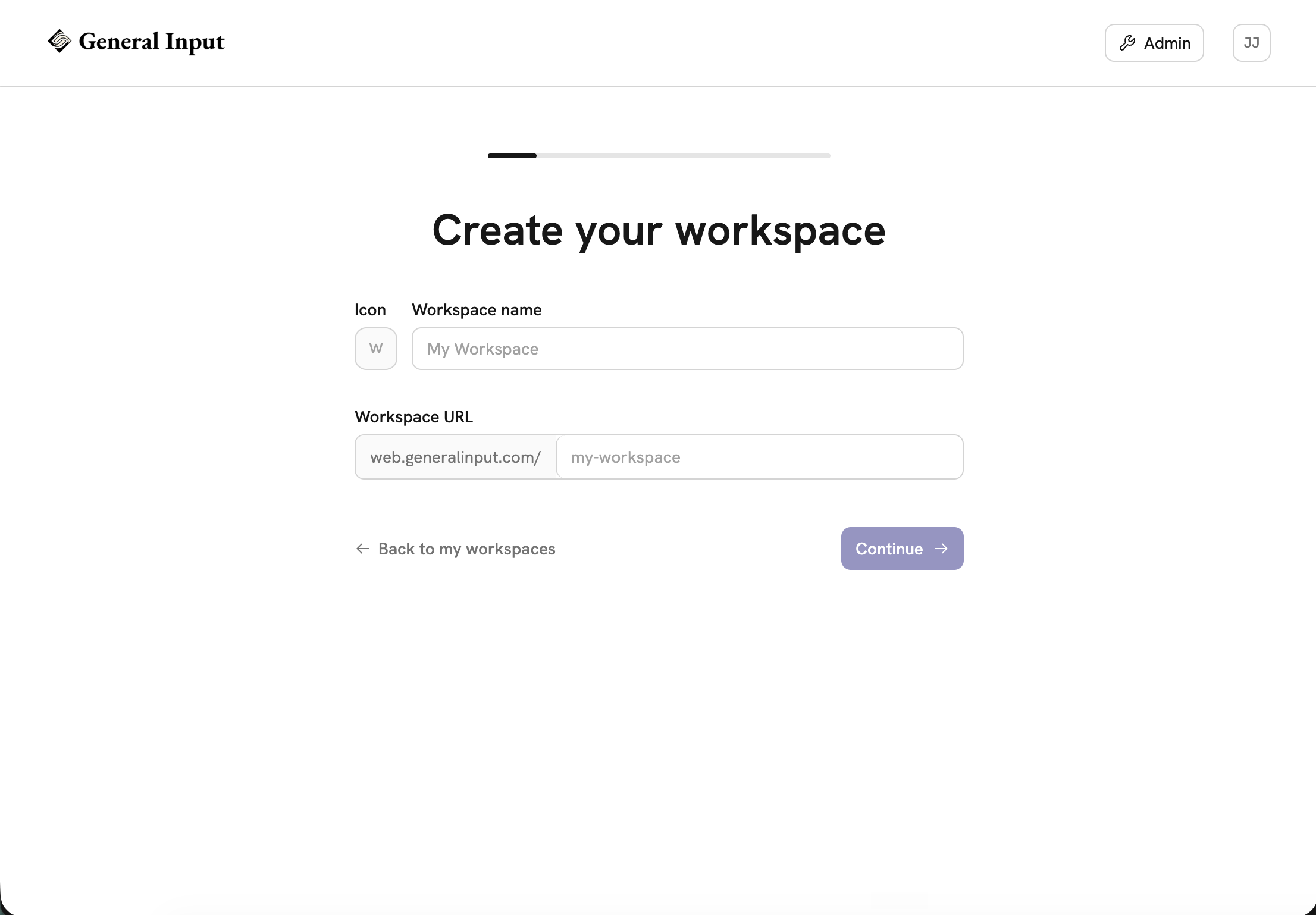
Step 1: Create a General Input workspace
Sign up at generalinput.com and complete the onboarding. You'll pick a plan along the way, free or paid. If you go paid, the code RELAYAPP takes 50% off your first month at checkout.
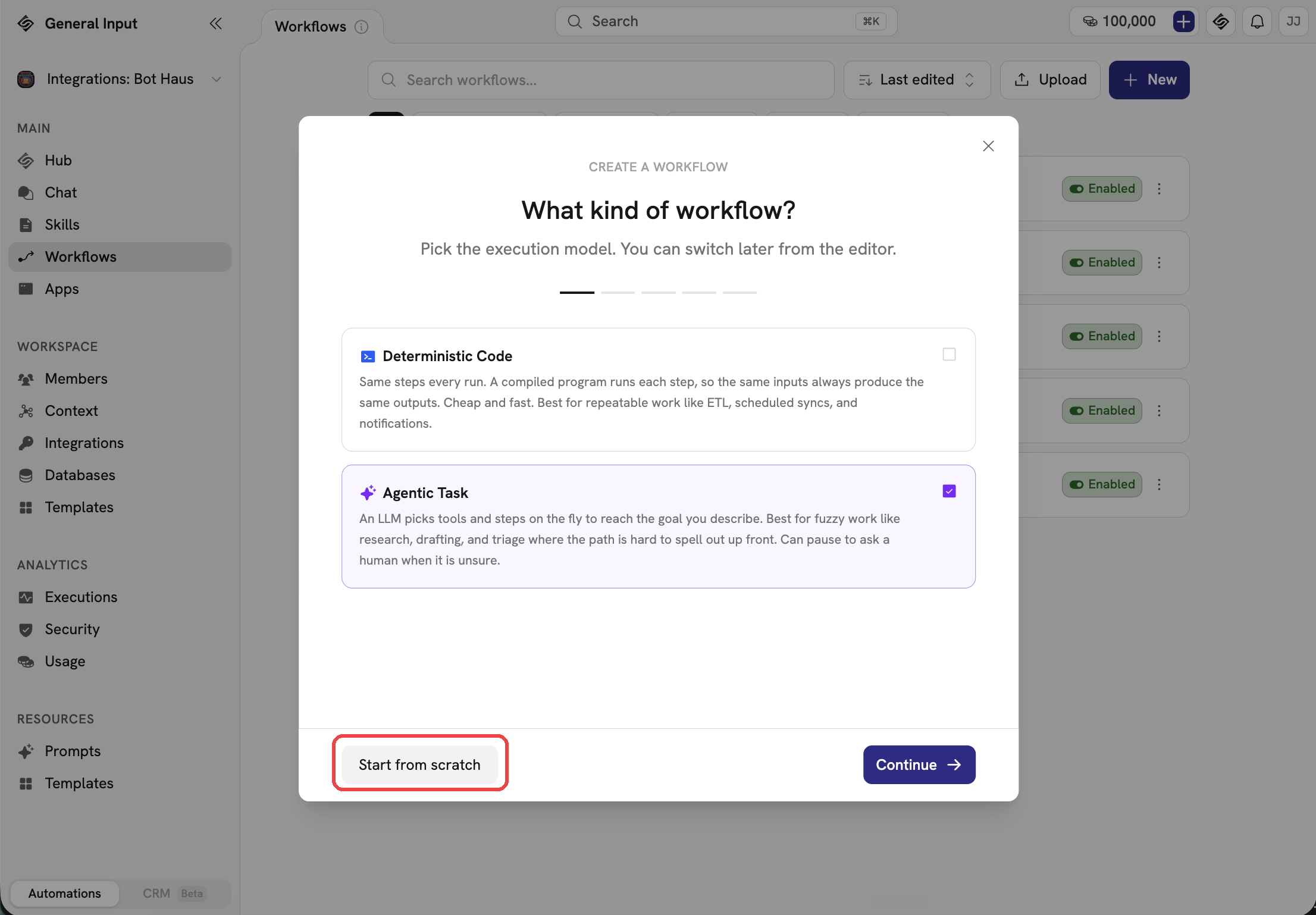
Step 2: Hit New in the Workflows tab
Open the Workflows tab and hit New. Select Agentic Task, then hit Start from scratch in the lower left corner.
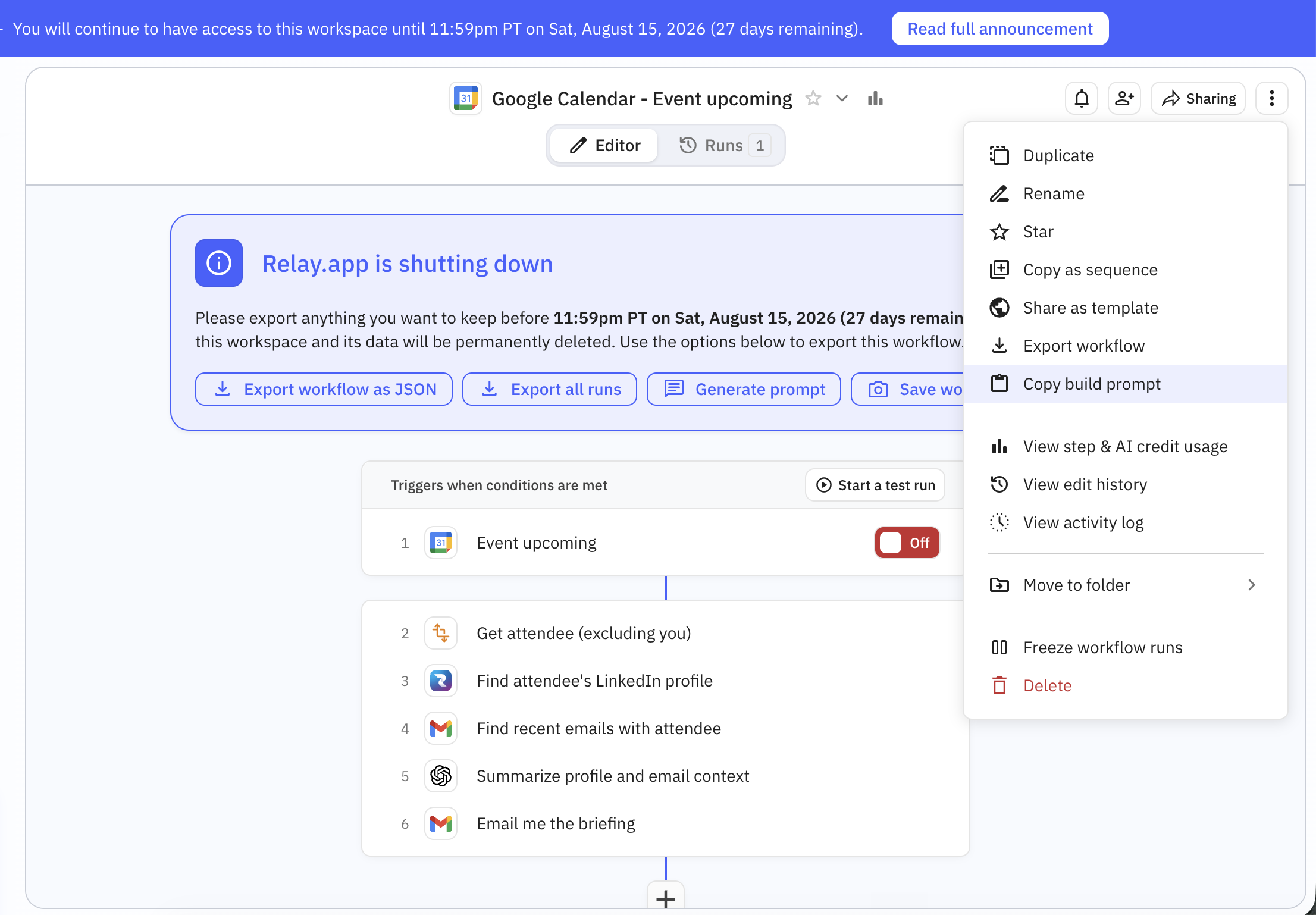
Step 3: Copy the build prompt from Relay.app
In Relay, open the workflow, hit the three-dot menu in the top right, and choose Copy build prompt. That puts a plain-language description of what the workflow does on your clipboard, and it's everything you'll need to rebuild it.
While you're in Relay, export your run history and tables as CSV too, even for workflows you're not touching yet. You can't export anything once your account's gone.
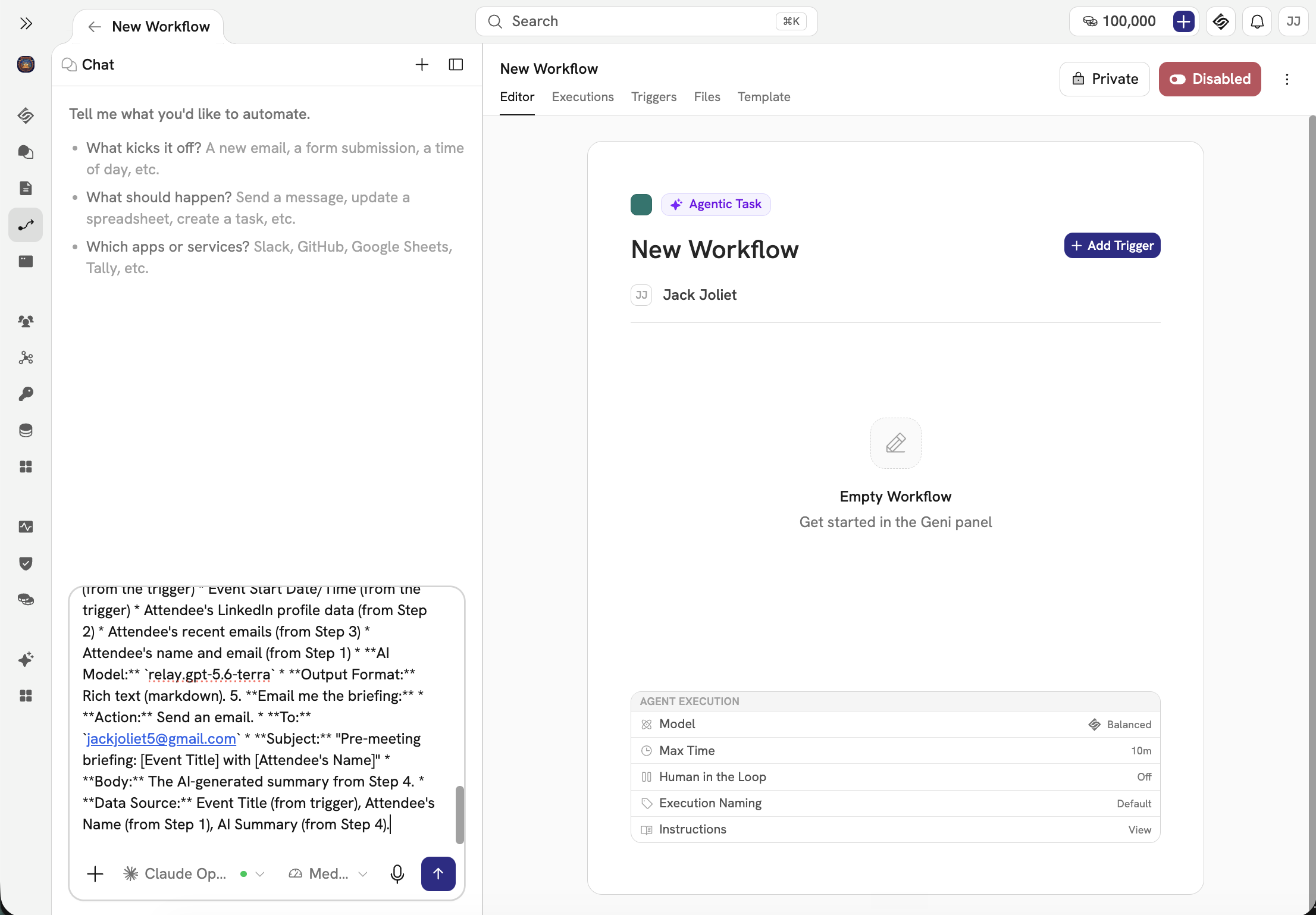
Step 4: Paste in the build prompt
Paste the build prompt into the chat where it says "Tell me what you'd like to automate," and send it. That description is all the agent needs.
Step 5: Watch your workflow get built
The agent rebuilds the workflow from the description: the trigger, the integration steps, and the approval steps where Relay had them. Approvals are a normal step in General Input, so a workflow that waits for a manager's sign-off keeps working that way.
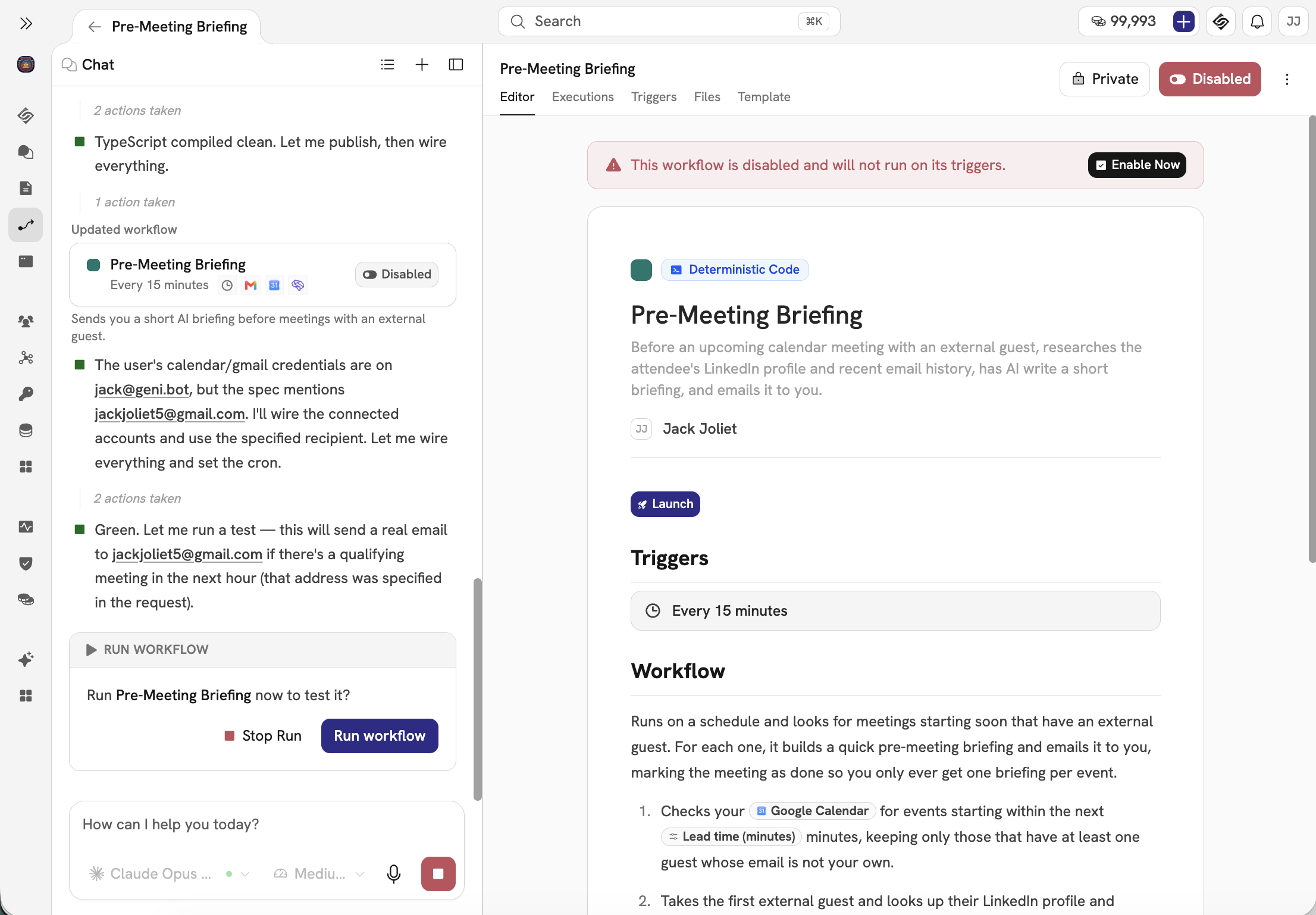
Step 6: Chat with the agent until you're happy
Read the draft against the Relay original and tell the agent what to fix, like a schedule or a filter condition that drifted. If the workflow has approval steps, double-check who gets asked and when. When it asks for the accounts the workflow uses, connect each one. Your keys are encrypted and never shown to the AI, and every call the workflow makes is logged.
When it looks right, enable the workflow. Then iterate: watch the first few runs and keep telling the agent what to tweak until it's exactly how you want it.
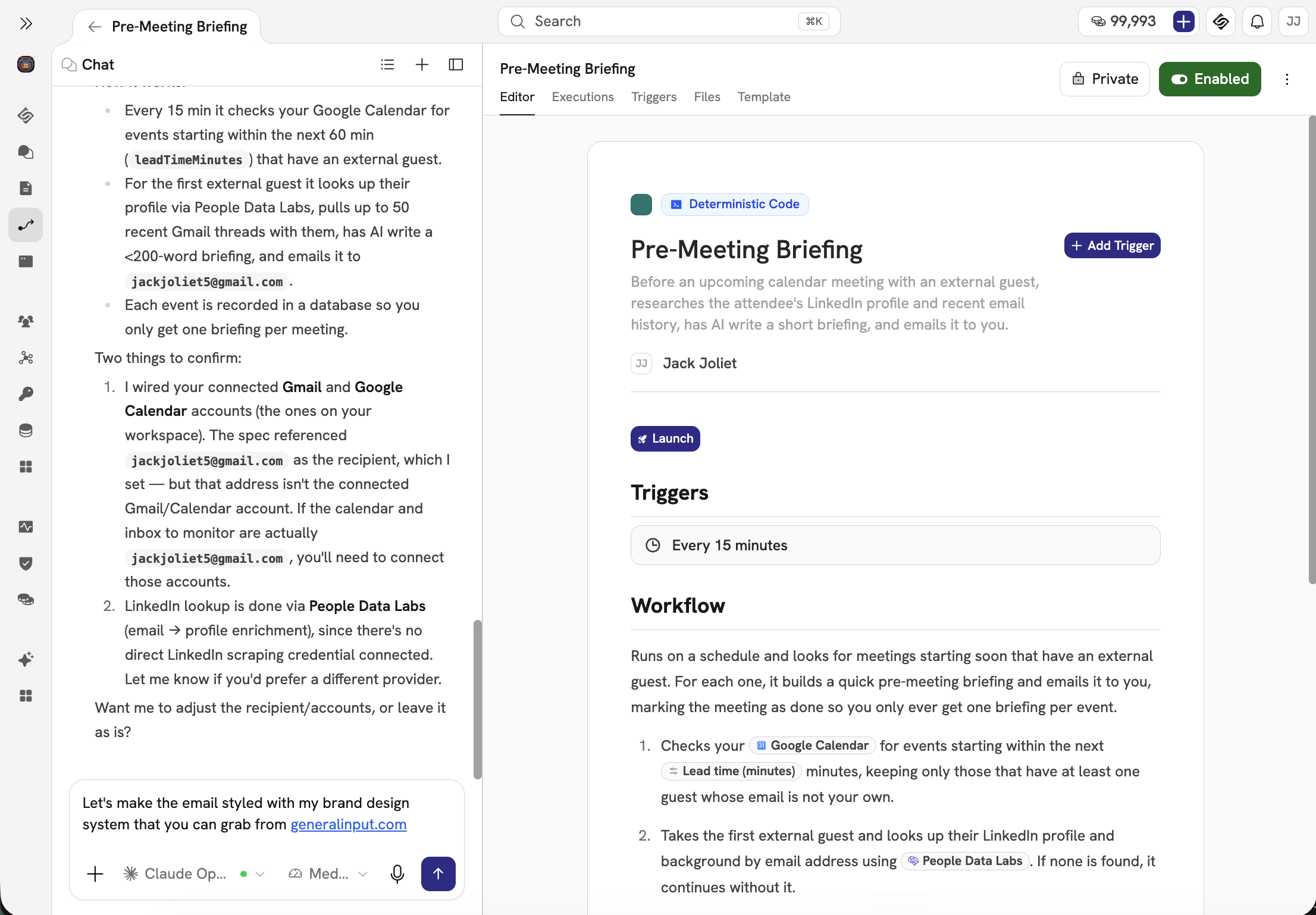
Then do the rest
Run the new workflow next to the Relay original for a few real triggers and compare the results. When you trust it, turn the Relay one off and disconnect its app connections in Relay.
Repeat steps 2 through 6 for each remaining workflow. Start with the ones that'd hurt most if they broke, so they get the most testing runway. Free accounts have until August 15, paid accounts until September 14, so don't leave the important ones for the last week.
The build prompt is what makes this mostly paste and review. It describes what each workflow does in plain language, and that's exactly what General Input builds from.